Grant Management Software for Nonprofits: Features, Pricing and How to Choose
How nonprofits choose grant management software: published prices for grantseeker tools side by side, the funder-side products to skip, and a decision path by job.
In this article (14)
- Quick Answer: How Should a Nonprofit Choose Grant Management Software?
- Grantseeker vs Grantmaker Software
- The Three Jobs: Tracking Only, Research Only or Full Lifecycle
- Grant Management Software Pricing Compared
- Core Feature Requirements
- Why Nonprofits Outgrow Spreadsheets
- Buying Process for Nonprofits
- Example Evaluation Matrix
- AI Features To Look For
- Implementation Plan
- GrantHub Replacement Considerations
- Where GrantCue Fits
- FAQ
- Next Step: Test Two Tools Against One Real Grant
Grant management software for nonprofits is a system that keeps every grant your team pursues in one place: the opportunities you are weighing, the deadline and owner behind each application, the documents, the award terms, and the reports you owe after the money arrives. For most small teams it replaces a spreadsheet, a shared calendar and a long email thread.
The category is hard to shop because vendors sell different jobs under one name, and many well-known products are built for funders, not applicants. Published prices for the grantseeker tools ran from free plans to $1,159 a month (vendor pricing pages, September 2026), so the first choice is which job you are paying for, and the second is how many people will log in.
GrantCue sells one of the products compared here, so every competitor figure below names its source and the date it was read.
Quick Answer: How Should a Nonprofit Choose Grant Management Software?
Grant management software for nonprofits is best chosen by job, not by feature list. First confirm the product is built for grantseekers, not funders. Then decide whether you need tracking only, funder research only, or the full lifecycle from discovery to closeout, and compare published annual prices for the number of users you have.
Grantseeker vs Grantmaker Software
Grantseeker software helps an organization find, apply for, track and report on the grants it receives, while grantmaker software helps a funder collect applications, run reviews and pay awards. Both are sold under the same category name, so the first question in any demo is which side the product serves.
Grantseeker software is for nonprofits, schools, local governments, consultants and community organizations that pursue funding. It helps a team find opportunities, decide whether to apply, manage deadlines, write proposals, track submissions, manage awards and report back to funders.
Grantmaker software is for foundations, agencies, corporate giving teams and other funders. Foundant, which sells funder-side software, writes that most grant management software is built for the funder side (Foundant, page read September 2026). Funder-side prices are a quick tell: Fluxx lists "Grantmaker starting at $13,000 per year plus a one-time setup fee," and Good Grants lists its Intro plan at "$3,950 USD Annual cost" (Fluxx demo page FAQ and Good Grants pricing page, September 2026).
Nonprofits replacing spreadsheets or GrantHub should evaluate grantseeker software first. Public agencies often sit on both sides at once, receiving federal money and passing part of it to subrecipients; grant management software for government covers that buyer separately.
The Three Jobs: Tracking Only, Research Only or Full Lifecycle
Grant software does three jobs for an applicant: tracking work you already know about, researching funders you do not know yet, or running the whole lifecycle from discovery to closeout. One trade guide describes vendors bundling and splitting "finding funders worth applying to, tracking applications and compliance once you've got the money, and ... reviewing applications from other people" (Business-Software.com, September 2026); an applicant needs some mix of the first two.
Tracking Only
Tracking-only software exists, so a team that already knows its funders does not have to pay for a funder database. Grantseeker Classic sells "Grant tracking & deadline management" on its $19.99-a-month Premium plan and adds "Advanced funder search" only on its $51.99-a-month Prospecting plan (grantseeker.io pricing page, September 2026). One commenter put the objection to bundled tools plainly: "you'd be paying for the prospecting half you said you don't need" (Reddit thread 1vydvxu, read September 2026).
The cheapest tracker may already be paid for. Microsoft says Lists is "included in your Microsoft 365 subscription," and eligible nonprofits can get Microsoft 365 Business Basic as a grant, free for up to 300 users (Microsoft, September 2026).
Research Only
Research-only tools find funders and open opportunities, but they do not run your deadlines or reports. GrantStation, for example, is a research membership with saved funders and alerts, not an application-workflow tool (GrantStation membership page, September 2026). Much of the foundation data in these databases starts as public IRS 990 filings, which the IRS publishes as free bulk downloads (IRS, September 2026), so free 990 search covers part of this job. The grant database pricing comparison sets the research tools side by side.
Commenters in two Reddit threads described a split setup: finding grants in a paid platform, then tracking them in a separate spreadsheet (Reddit threads 1wiivcd and 1ubd86x, read September 2026). That works until the spreadsheet half becomes the bottleneck.
Full Lifecycle
Full-lifecycle software connects discovery, the pipeline and post-award reporting in one record per grant. Check where post-award features start, because vendors often keep them for the top plan: Instrumentl includes pipeline tracking on every plan but "Spenddown visibility" only on Full Lifecycle and Enterprise (Instrumentl pricing page, September 2026). Platforms built for larger budgets are quoted. Euna says it prices by organization size, not per user (Euna, April 2026), and an AmpliFund order form says its Grant Seeker product is built to "conduct opportunity research, track deadlines, centralize information, and monitor budgetary grant progress" (public county order form, read September 2026).
Discovery is the workflow step most teams improvise; how to find grants for nonprofits gives it a repeatable routine.
Grant Management Software Pricing Compared
Published prices for grantseeker grant management software ran from free plans to $1,159 a month for Instrumentl's Full Lifecycle plan billed monthly (vendor pricing pages, September 2026), and the platforms aimed at large budgets publish no price at all. The table quotes each vendor's own page with its qualifiers (read September 2026 unless the row gives another date).
What the Price Does Not Show
Implementation fees sit outside the subscription on quote-priced platforms. A public county order form for AmpliFund lists a $12,500 one-time implementation fee covering 90 hours, with $175 an hour beyond that (order form read September 2026), and a 2025 Euna Grants quote to a Texas county added 22 hours of implementation at $220.50 an hour (public record, quote dated April 2025). Euna writes that "Most vendors also charge separately for implementation, integrations with your financial system, and ongoing support" (Euna, April 2026).
User counts change the math. Instrumentl's Discover plan covers up to 3 users at $299 a month paid upfront annually, which is $3,588 for a year by arithmetic (Instrumentl pricing page, September 2026), while Airtable bills its Team plan for every collaborator with Commenter or higher-level permissions (Airtable, September 2026). Price the plan for the people who will actually log in.
Some discounts are member-only. Grant Professionals Association members get "Two months free when subscribing to the annual subscription" of Instrumentl, and they log in to the GPA site to see each vendor's code (GPA, September 2026).
Related guides: best software for grant writing, the GrantKeep alternative comparison, and free and cheaper Instrumentl alternatives.
Core Feature Requirements
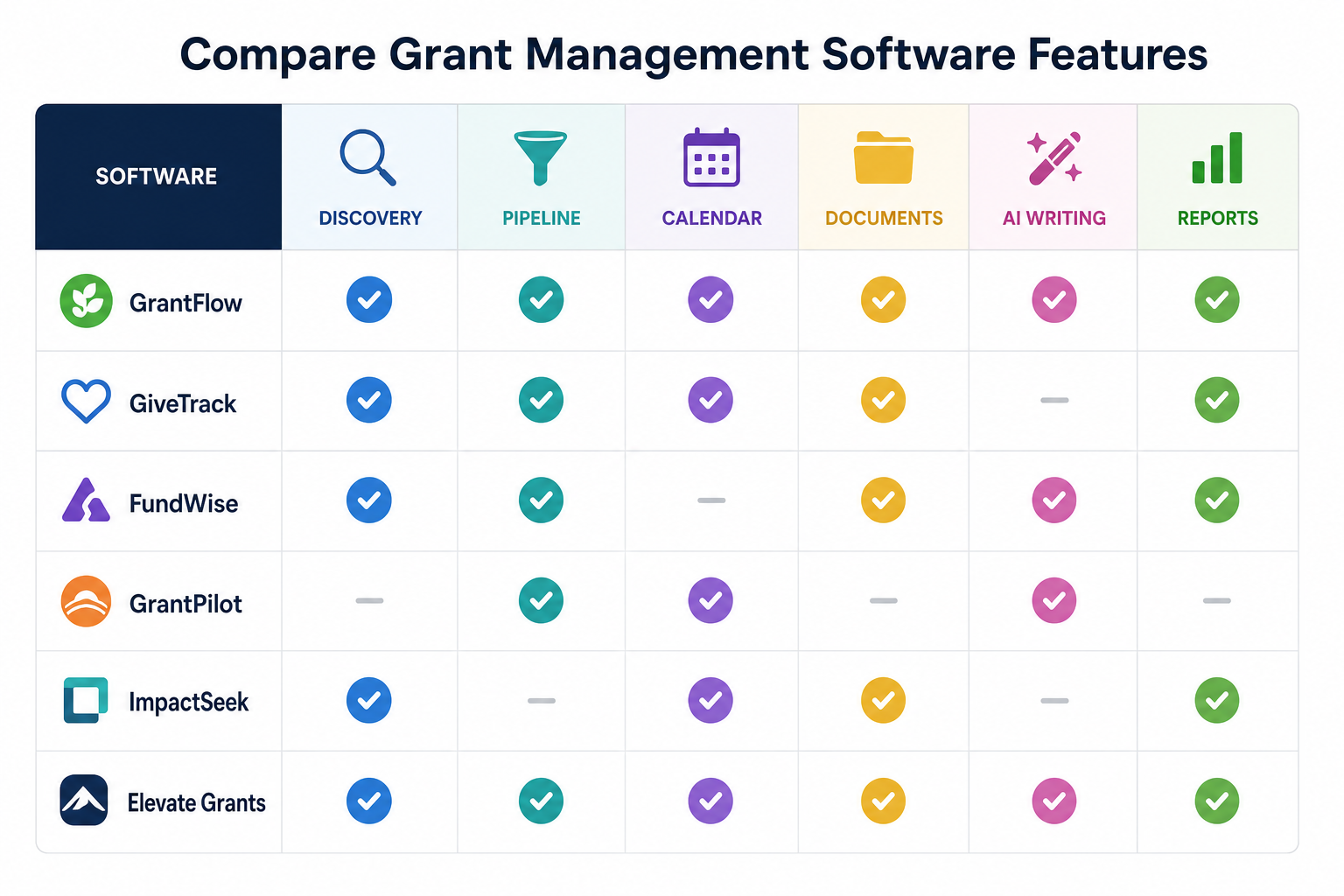
Strong grant management software for nonprofits covers eight functions, from discovery to reporting. A tool that misses two or more of them sends the team back to spreadsheets for those parts.
1. Grant Discovery
Discovery finds new opportunities, so the pipeline is not limited to grants someone already knows about. Look for saved searches, source links, eligibility notes and a one-step move from a search result into the pipeline. Grants.gov is free but carries federal opportunities only (Grants.gov, September 2026), so check whether a tool adds state and foundation sources.
2. Qualification
Qualification prevents wasted writing. The system should record eligibility, mission fit, request range, deadline feasibility, reporting burden and strategic priority before drafting begins.
3. Pipeline Tracking
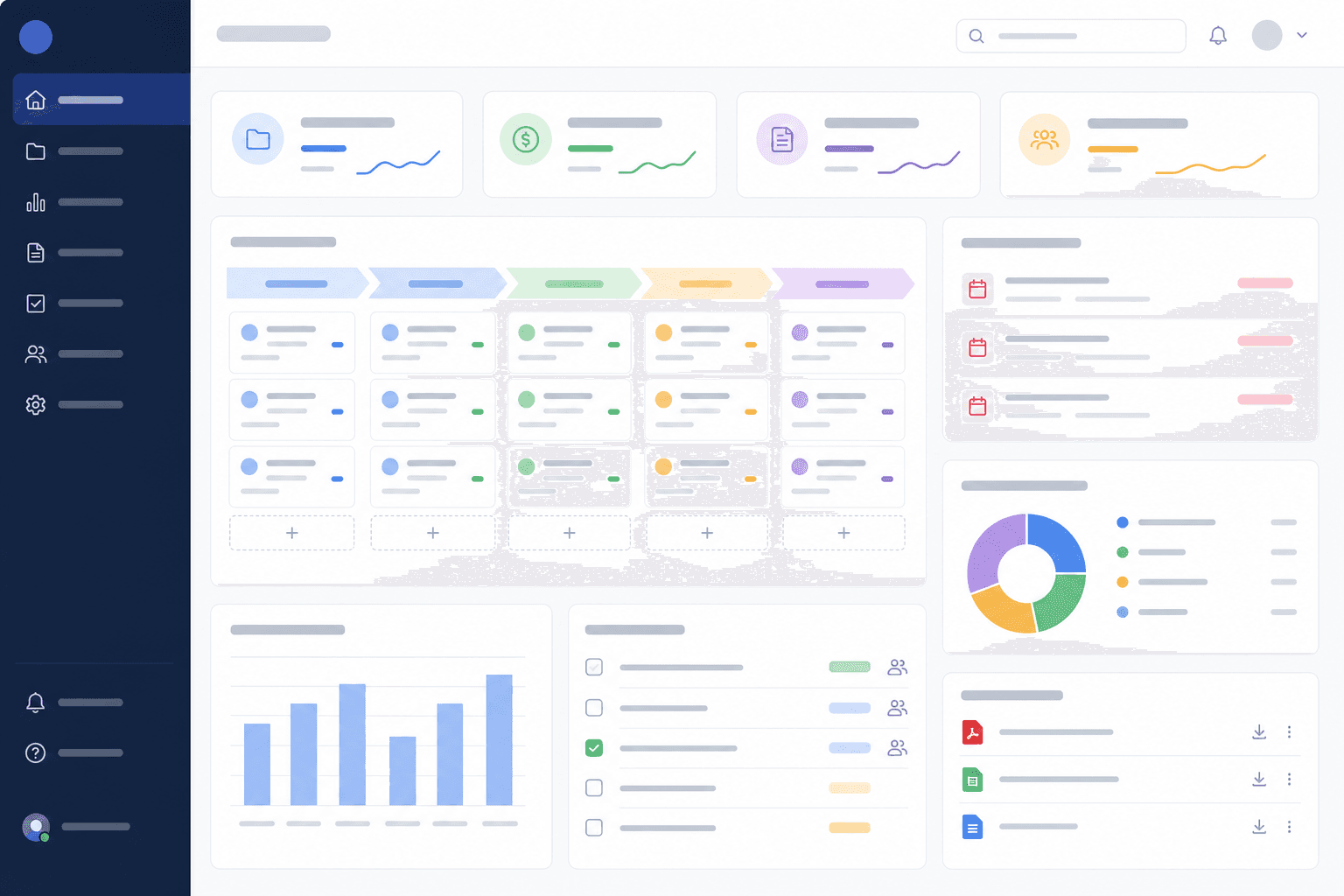
A grant pipeline dashboard shows every opportunity by stage: watch, qualifying, drafting, review, submitted, awarded, reporting, closed or declined. A flat list stops working once several grants move at different speeds, and teams that prefer drag and drop can set up a visual grant pipeline with kanban-style stages.
4. Grant Calendar and Reminders
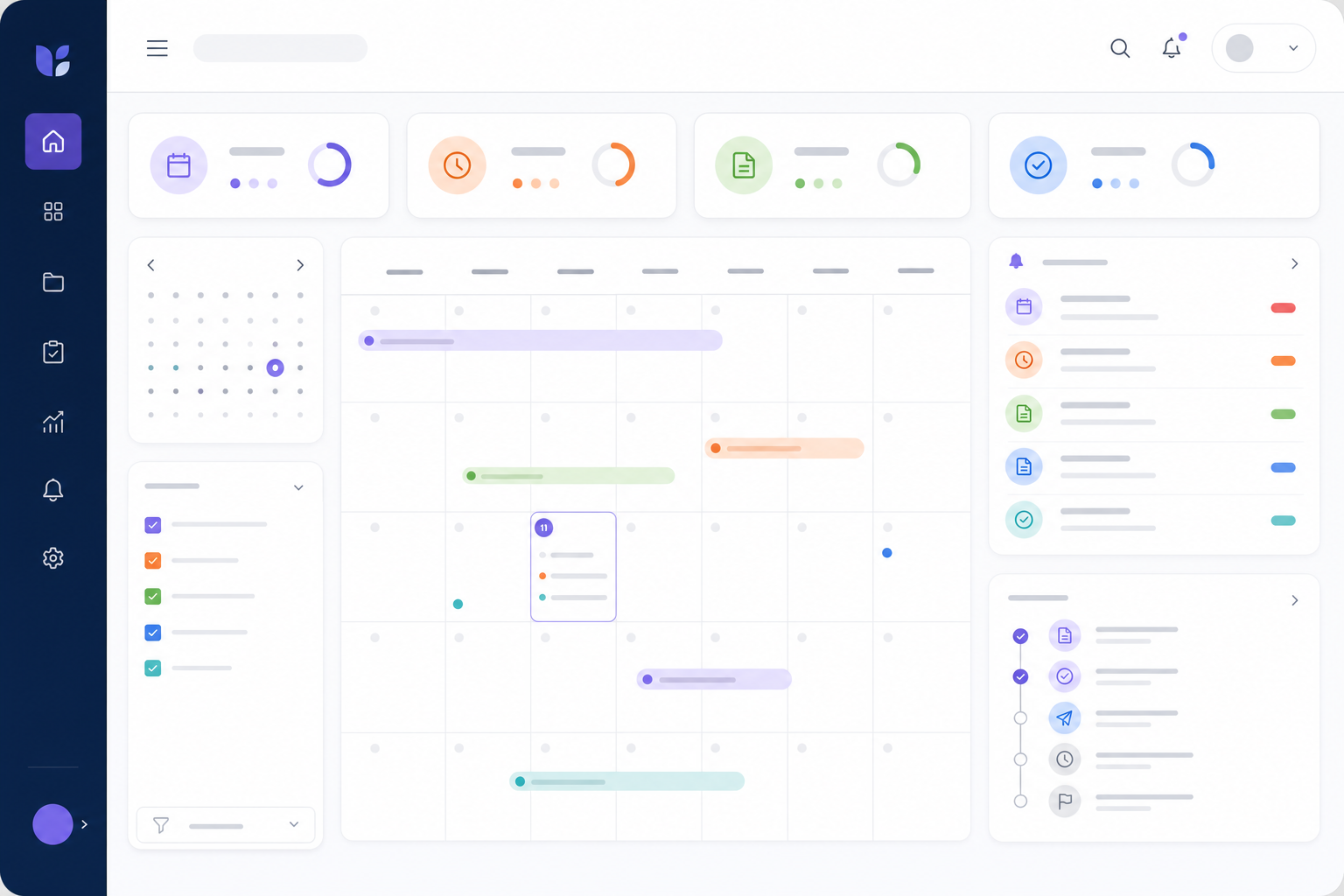
A grant calendar tracks external deadlines (LOIs, applications, reports, renewals) and internal ones (draft due, finance review, board approval, final submission review). Reminders should reach the owner without anyone having to open a file.
5. Documents and Proposal Library
Grant documents should stay attached to the grant record: the NOFO, guidelines, drafts, the final submission, the budget, letters, the award agreement, reports and closeout confirmations. Approved boilerplate should be easy to find and reuse.
6. AI Writing and Review
AI should summarize NOFOs, draft from verified facts, rewrite for clarity and check a draft against the funder's questions. It should never invent data, budgets, partners or outcomes.
7. Post-Award Tracking
The work continues after the award letter. Software should hold the award amount, grant period, restrictions, report dates, outcome commitments, spending against budget and funder correspondence until closeout. For federal awards, the financial management system must provide "Comparison of expenditures with budget amounts for each Federal award" (2 CFR 200.302(b)(5), eCFR, September 2026).
8. Reporting
Leadership needs pending requests, awarded totals, upcoming deadlines, reports due, funder concentration and win and loss patterns. If staff still build the monthly report by hand, the software is not doing enough.
Why Nonprofits Outgrow Spreadsheets
Spreadsheets work when one person tracks a handful of grants, and they start to break when several people edit the same file, report dates multiply and leadership asks for pipeline totals. One commenter named the two limits that matter most: "it can't nag anyone ... and it keeps no record of who changed what" (Reddit thread 1vydvxu, read September 2026). The second point is only partly true of a cloud workbook: Excel's Show Changes records who changed a cell, but only for "up to 60 days" (Microsoft Support, September 2026).
Other signs a team has outgrown its tracker: deadlines change and nobody hears about it, documents live in several folders, funder notes are buried in email, and awarded grants need reporting and compliance tracking. The grant tracking spreadsheet alternative guide covers those limits in detail, the Excel versus software comparison covers when to switch, and a structured grant tracking spreadsheet template is a reasonable starting point if you are not ready to buy.
Buying Process for Nonprofits
A practical buying process starts from your current workflow and ends with a test on real records, not a polished demo. Run these steps in order:
- List current grant workflows, from discovery to closeout.
- Mark what breaks in the current system.
- Choose the job you are buying for: tracking, research or the full lifecycle.
- Define must-have features from that job.
- Test migration with real records.
- Ask program and finance staff to review.
- Compare total cost, including subscription, implementation, training and staff time.
- Choose the simplest system that covers the job, and set an adoption plan for the first month.
Test each finalist with a real opportunity, a real deadline, a real budget and a real awarded grant.
What Different Team Sizes Need
A one-person grant team needs speed and reminders: discovery, deadline tracking, document organization, reusable proposal language and simple reporting. If setup takes weeks of configuration, the tool does not fit.
A small collaborative team, with a grant writer, a program lead, a finance lead and an executive director, needs owner fields, review stages, budget checkpoints and a calendar everyone trusts, so it is obvious who owns the next action.
A grant-heavy organization needs dashboards, post-award tracking, renewal planning, funder history, pipeline forecasting and data export, and often role-based permissions and more formal reporting.
Demo Script for Buyers
Ask each vendor to show this exact workflow:
- Find or add a new opportunity.
- Score eligibility and fit.
- Add a deadline and internal dates.
- Assign a grant owner, program owner and finance owner.
- Attach the NOFO.
- Summarize the NOFO.
- Draft an executive summary from approved facts.
- Move the grant into internal review.
- Mark it submitted.
- Convert it to awarded.
- Add report dates and award restrictions.
- Show a leadership dashboard.
- Export the grant record.
The script shows whether the software supports the whole lifecycle or only one part of it.
Questions To Ask Vendors
- Can we import from spreadsheets or GrantHub, and will someone review our import file?
- Can we export all of our data later, in a format we can open?
- Can permissions vary by role, and is there an activity history of changes?
- How are AI prompts and outputs handled, and does the vendor use customer content to train models?
- Is onboarding included, and how fast are support questions answered near a deadline?
- What does the plan cost for our number of users, billed monthly and billed annually?
For federal awards, the record rules behind those questions are specific: recipients and subrecipients must "retain all Federal award records for three years from the date of submission of their final financial report" (2 CFR 200.334, eCFR, September 2026).
Example Evaluation Matrix
A weighted matrix keeps one impressive feature from outweighing the daily workflow. Score each shortlisted tool on every row and multiply by the weight.
Feature Priority by Pain Point
Start from the pain, then weight the matching rows higher. That moves the team from its problem to a requirement instead of shopping by feature names.
AI Features To Look For
Useful AI in grant software summarizes long notices, pulls out deadlines and eligibility, outlines and drafts sections, and checks a draft against the funder's questions; it does not replace human review. The features worth testing are:
- NOFO summaries.
- Eligibility and deadline extraction.
- Proposal outlines and section drafts.
- Budget narrative drafts.
- Review against the funder's criteria.
Set guardrails before anyone drafts: use only verified organization facts, never let AI invent statistics, partner commitments or budget numbers, ask it to list missing information, require human review before submission, and follow each funder's AI policy where one exists. Avoid tools that generate generic proposal language without grounding it in the funder's requirements and your organization's profile.
Some buyers want less AI, not more. One commenter wrote "I am also sick of the AI integrations everywhere and for everything" (Reddit thread 1wiivcd, read September 2026). If that describes your team, check that the tracker, calendar and reports work fully without the AI features.

Implementation Plan
Implement in stages, starting with the grants that carry live deadlines, so staff trust the new system before the old spreadsheet is retired.
Week 1: import active applications, awarded grants, pending proposals and upcoming reports.
Week 2: assign owners, clean statuses, attach priority documents and train core users, including finance.
Week 3: build the leadership view, add reusable proposal language and check the calendar against the award documents.
Week 4: archive the old spreadsheet, start a weekly pipeline review and schedule a post-award review.
Leave old prospects, duplicate funders, stale notes and unverified records for later cleanup. Track adoption through the first quarter:
The common failures are predictable: importing every old record before active grants are clean, creating too many custom statuses, training only the grant writer, leaving finance out of post-award setup, and keeping the old spreadsheet active indefinitely.
GrantHub Replacement Considerations
GrantHub, Foundant's grantseeker tracker, is no longer a buying option: trade sources report that GrantHub and GrantHub Pro were discontinued on January 31, 2026 (IGX Solutions and Grantsights, read September 2026), and Foundant's product pages now list only grantmaker-side products (Foundant, September 2026). Former users should compare replacements on migration first: whether old records import cleanly, deadlines survive, stages can be rebuilt and funder history stays searchable. The GrantHub alternative comparison covers the options, and the GrantHub migration guide covers the import steps.
Where GrantCue Fits
GrantCue is grantseeker software that combines discovery (Grants.gov, state portals and a foundation directory built from public filings) with a kanban pipeline, deadline reminders and AI that summarizes NOFOs and drafts proposal sections. Its Free plan covers 1 user and up to 10 active opportunities with an ICS calendar feed; Essentials ($49 a month) adds full CSV import and export and AI writing tools, and post-award budget versus actuals plus Slack, Microsoft Teams and Google Calendar integrations start on Team ($109 a month), with 25 percent off any paid plan for nonprofits using the code NONPROFIT (GrantCue pricing page, October 2026). The pricing page lists every plan side by side.
FAQ
What is grant management software for nonprofits?
Grant management software for nonprofits is a system that tracks the grants an organization applies for and receives: opportunities, deadlines, owners, documents, awards and reports. Some products add funder research and AI writing, and others cover tracking only. It differs from grantmaker software, which funders use to collect applications, run reviews and pay awards.
How much does grant management software cost?
Published prices ran from free plans to $1,159 a month for Instrumentl's Full Lifecycle plan billed monthly (Instrumentl pricing page, September 2026). Grantseeker Classic Premium was $19.99 a month and Kindora Starter $25 a month, while AmpliFund and Euna Grants publish no list price and quote by organization size, often with a separate implementation fee (vendor pages and public contracts, September 2026).
Is grant management software different from grantmaker software?
Yes. Grantseeker software supports organizations that apply for and receive grants: finding opportunities, tracking deadlines, writing proposals and reporting. Grantmaker software supports foundations and agencies that give grants: application intake, reviewer scoring, award payments and grantee monitoring. Funder-side products such as Fluxx Grantmaker, listed as starting at $13,000 a year plus a one-time setup fee (Fluxx demo page FAQ, September 2026), are not built for applicants.
Do I need funder research in my grant management software?
Only if your team does not already know its funders. A team renewing the same foundation and government grants each cycle needs tracking, reminders and reporting, and can find new prospects with free Form 990 search or a separate research membership. A team building a new pipeline gains more from a tool that combines discovery with tracking, so prospects move straight into the pipeline.
When should a nonprofit move beyond spreadsheets?
Move beyond spreadsheets when more than two people manage grants, deadlines or reports are being missed or rushed, leadership needs regular pipeline totals, or documents and funder notes are scattered across folders and email. A few complex grants with reporting obligations can be harder to manage than many simple prospects, so count obligations and people as well as grants.
How long does it take to set up grant management software?
A small team can plan on about a month to move its active grants into a hosted grantseeker tool if it imports active applications, awarded grants and upcoming reports first and leaves old records for later. Quote-priced platforms take longer: Euna writes that most mid-sized government organizations "can expect four to five months" for implementation (Euna, April 2026).
Next Step: Test Two Tools Against One Real Grant
Map your current grant workflow, mark where the spreadsheet or current tool fails, and pick the job you are buying for. Then shortlist two grantseeker tools whose published price fits your user count, run the demo script with one real opportunity and one awarded grant in each trial, and score both on the evaluation matrix. Teams building a complete process can set their stages first with the grants lifecycle management guide.