GrantHub Alternative: What Former Users Should Compare in 2026
A GrantHub alternative guide for former users: what each replacement covers, published prices dated September 2026, how imports work, and a decision path after the shutdown.
In this article (23)
- Quick Answer: What Is the Best GrantHub Alternative for Former Users?
- What Each GrantHub Alternative Replaces
- Decision Path for Former GrantHub Users
- Comparison Criteria
- Types of GrantHub Alternatives
- Common Mistakes
- Shortlist Criteria for Former GrantHub Users
- Alternative Comparison Questions
- Migration Test Before Choosing
- Red Flags
- Recommended Decision Process
- Scoring Rubric for GrantHub Alternatives
- Example Shortlist Comparison
- How To Evaluate AI Features
- Implementation Plan After Selection
- Stakeholder Review Framework
- Implementation Burden Comparison
- What a Good Demo Should Show
- Selection Checklist
- Best Alternative by Situation
- Where GrantCue Fits for Former GrantHub Users
- FAQ
- Next Step: Run One Real Grant Through Your Top Choice
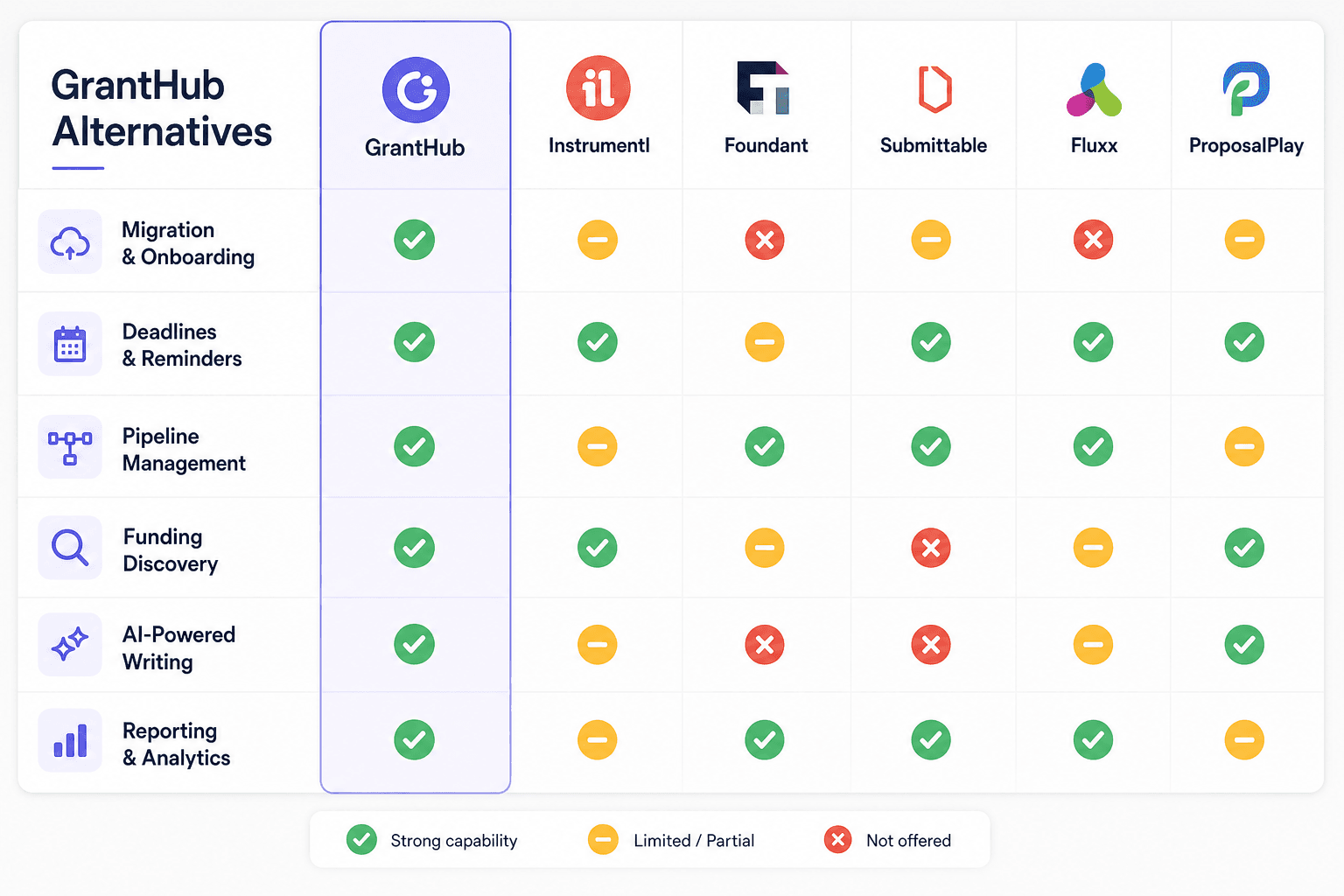
A GrantHub alternative is a grantseeker tool that takes over the work GrantHub did for your team: tracking opportunities, deadlines, tasks and awards, and for GrantHub Pro users, funder research as well. Trade sources report that GrantHub and GrantHub Pro were discontinued on January 31, 2026 (IGX Solutions and Grantsights, read September 2026), and Foundant's product pages now list only grantmaker-side products (Foundant, September 2026), so the replacement has to come from another vendor. For prices and import routes laid out side by side, see the GrantHub alternative comparison.
The best choice is the tool that rebuilds your records with the least cleanup, not the one with the longest feature list. If you still have exported files, or are still working out what the shutdown means for your team, start with the GrantHub migration steps.
GrantCue sells one of the products compared here, so the competitor figures below come from public sources and carry the date they were read.
Quick Answer: What Is the Best GrantHub Alternative for Former Users?
The best GrantHub alternative is the grantseeker tool that replaces what your team actually used: deadline, task and award tracking for GrantHub users, plus funder research for GrantHub Pro users, whose plan came with a GrantStation subscription. Test each option by importing your saved export, rebuilding report dates and assigning owners before comparing price.
What Each GrantHub Alternative Replaces
GrantHub alternatives fall into three groups: tools that replace the tracker, tools that replace the research subscription, and tools that try to do both. GrantHub Pro users lost two products at once, because a Foundant staff answer in Foundant's own community says "When you purchase GrantHub Pro, you get a full subscription to GrantStation as well" (Foundant community, February 2024).
If your team relied on the GrantStation subscription inside GrantHub Pro, price research separately before you compare trackers. GrantStation's regular rate is "One-Year Membership: $699 USD," TechSoup lists a one-year membership at $199 for eligible members, or $150 for TechSoup Plus members (TechSoup Support, updated August 6, 2026), and Grant Professionals Association members get a free annual subscription (GrantStation and GPA, read September 2026). Teams that want discovery bundled with tracking should also read the Instrumentl alternative comparison.
Decision Path for Former GrantHub Users
Former GrantHub users can decide in four steps: gather what you saved, decide which half of GrantHub you need replaced, test the import, then rebuild report dates and owners.
- Gather what you saved. Start from the last export if you made one before the shutdown. If you did not, rebuild active records from the sources you still hold: award letters, submitted proposals, calendar entries, finance records and email.
- Decide which half you need. A team that already knows its funders needs a tracker. A former GrantHub Pro team that searched GrantStation also needs research, either bundled in the new tool or bought on its own.
- Test the import. Import routes differ: Instrumentl's help center says spreadsheet imports are done by hand by its import team, Airtable turns each Excel sheet into its own table, and Smartsheet and monday.com import only the first worksheet tab (vendor help pages, read September 2026).
- Rebuild report dates and owners. Enter every report due on active awards, and give each active grant one owner, before the first report comes up.
Comparison Criteria

When comparing GrantHub alternatives, score each option on:
- Migration support.
- Ease of import.
- Deadline tracking.
- Grant calendar.
- Pipeline customization.
- Collaboration.
- Document handling.
- Notes and activity history.
- Reports.
- Grant discovery.
- AI writing support.
- Pricing transparency.
- Customer support.
- Data export.
Types of GrantHub Alternatives
GrantHub alternatives come in five shapes, and only some of them are built for an organization that applies for grants.
Grantseeker Platforms
Grantseeker platforms are built for nonprofits and grant teams that apply for funding. They focus on opportunity tracking, funder research, proposal work, deadlines, documents and reports.
Grantmaker Platforms
Grantmaker platforms are built for foundations, agencies and funders that accept, review and award applications. They can be powerful, but they are not built for a nonprofit tracking its own applications, and Foundant's current lineup sits entirely on this side.
Generic Project Management Tools
Project tools assign tasks and due dates, but they do not understand funders, awards, report dates, requests or grant documents without heavy customization.
Spreadsheets
Spreadsheets work as a short-term bridge. They are risky as a permanent replacement when several people own grants, deadlines, reports and documents. For teams weighing GrantKeep, a separate GrantKeep alternative comparison covers that tool.
Common Mistakes
Mistake 1: Waiting Until the Next Deadline
Migration should happen before the next urgent submission cycle, not during it.
Mistake 2: Comparing Tools Without Import Testing
Ask how your exported GrantHub data will actually enter the new system, then watch it happen with your own file.
Mistake 3: Ignoring Reporting
If leadership asks for pipeline updates, choose a tool that can produce them without manual spreadsheet cleanup.
Shortlist Criteria for Former GrantHub Users
Former GrantHub users should evaluate alternatives by the work they need to continue, not by the labels in a comparison grid. List what your team kept in GrantHub (prospects, funder contacts, tasks, deadlines, documents, awarded grants, reports) and make sure each one has a home in the replacement.
If a tool cannot handle active applications and awarded grants in the same workflow, it only solves half of the replacement problem.
Alternative Comparison Questions
Ask each vendor:
- Can we import a GrantHub CSV or spreadsheet, and who does the mapping?
- Can we map old statuses into new pipeline stages?
- Can we track both pre-award and post-award dates?
- Can we attach proposal and award documents?
- Can we assign internal owners?
- Can we see every report due in the next quarter?
- Can leadership see pending request amount and awarded amount?
- Can we export all records, notes, dates, document links and funder contacts if we leave, and on which plans?
- Does the system support grant writing or only tracking?
- How long does onboarding take?
After a product sunset, the export question should be non-negotiable: the organization owns its grant history. Research databases change too. Candid's search product now combines "decades of trusted data from both Foundation Directory and GuideStar" (Candid, September 2026); the Foundation Directory Online status page covers what that change means for researchers.
Migration Test Before Choosing
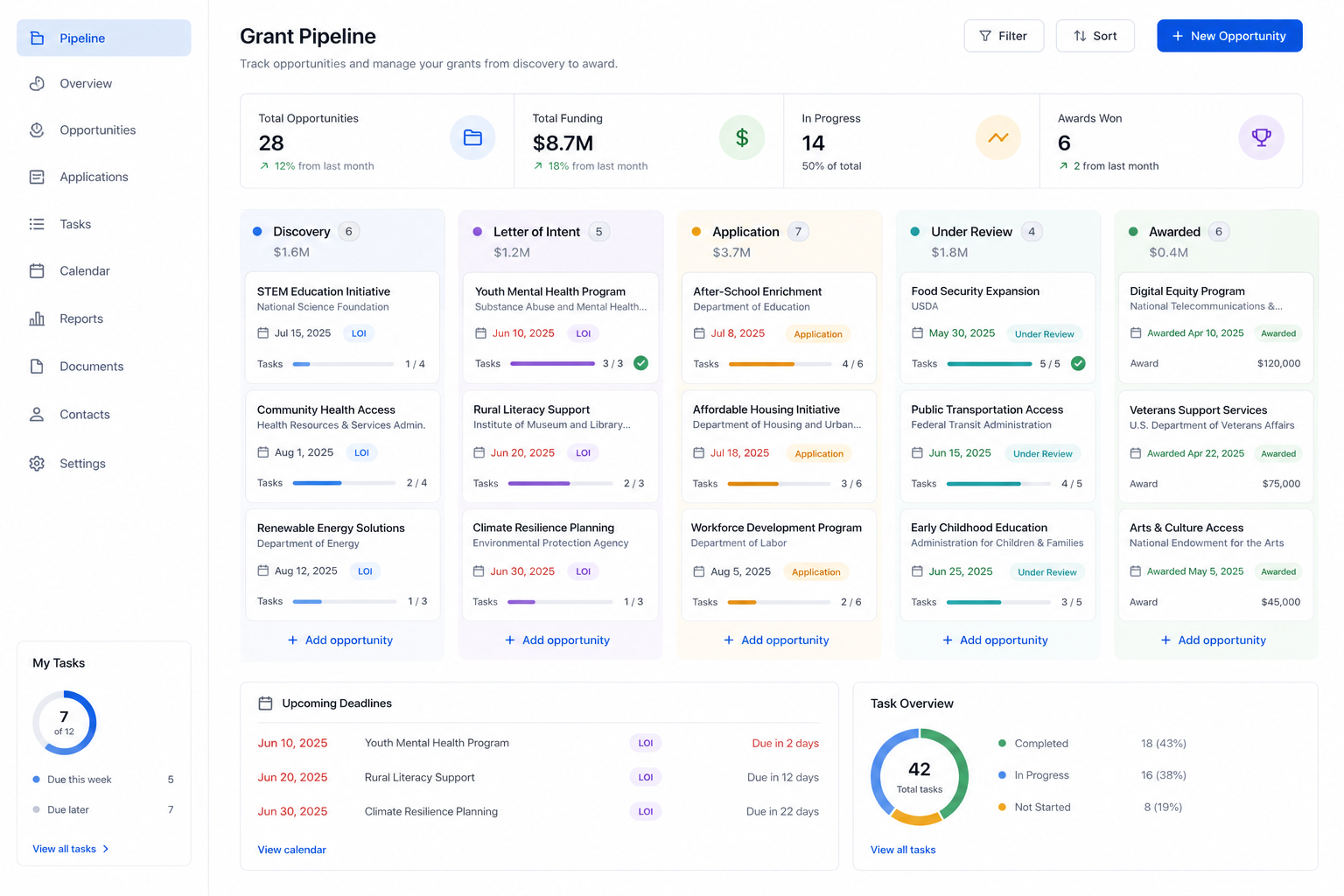
Before committing to any replacement, run a small migration test with real records:
- Import five active applications.
- Import five awarded grants.
- Import five archived or declined grants.
- Attach at least one document.
- Assign owners.
- Create report deadlines.
- Generate a pipeline or leadership view.
If the test takes too much cleanup or the team cannot understand the result, keep evaluating.
Red Flags
Watch for:
- No import pathway.
- No post-award workflow.
- No easy deadline view.
- No way to export data.
- No document or note structure.
- Pricing that depends on features the team considers basic.
- A system designed for funders, not grantseekers.
- A workflow that requires too much manual administration.
The best GrantHub alternative is not the longest feature list. It is the tool your team will actually use every week.
Recommended Decision Process
Use a two-week selection process:
Do not let the decision drift until the next major deadline. The best time to choose a replacement is before the team is under submission pressure.
Scoring Rubric for GrantHub Alternatives
Score each category from 1 to 5:
Total the score, then discuss the top two tools with the actual users. A tool that scores well but feels hard to use will not solve the problem.
Example Shortlist Comparison
Spreadsheets are not bad; they are fragile once grant work becomes collaborative and deadline-heavy.
How To Evaluate AI Features
AI is useful only if it supports the grant workflow. Ask:
- Can it summarize a NOFO into eligibility, deadlines and requirements?
- Can it draft proposal sections from approved facts?
- Can it review a proposal against funder questions?
- Can it identify missing information instead of inventing answers?
- Does it connect to the grant record or live in a separate chat?
Avoid treating AI as a magic writer. Good replacement tools use AI to speed up work that humans still review.
Implementation Plan After Selection
Once the replacement is chosen:
- Freeze the old spreadsheet or export as the migration source.
- Clean active records first.
- Import active applications and awards.
- Verify dates and owners.
- Attach critical documents.
- Train the team on the daily workflow.
- Build leadership views.
- Archive old records.
- Schedule an adoption check for the end of the first month.
The adoption check shows whether staff are using the new system or quietly returning to email and spreadsheets.
Stakeholder Review Framework
Do not let one role choose the alternative alone. Each stakeholder sees a different risk.
If finance dislikes the tool, post-award tracking may fail. If program staff never use it, outcome reporting stays scattered. If leadership cannot read the dashboard, staff will still be asked for manual updates.
Implementation Burden Comparison
Some alternatives look flexible because they can be customized into anything, which shifts the setup work onto the nonprofit.
Former GrantHub users usually need speed. The more configuration required before the team can see deadlines and awards, the riskier the transition.
What a Good Demo Should Show
Ask vendors to show the workflow using a realistic nonprofit grant:
- Add a new opportunity.
- Qualify it.
- Create a deadline.
- Assign program and finance owners.
- Attach a NOFO.
- Draft a proposal section or note.
- Move to submitted.
- Convert to awarded.
- Add report dates.
- Show the leadership dashboard.
If the demo cannot follow that path, the tool may not be a full GrantHub replacement.
Selection Checklist
Choose the alternative only after confirming:
- Active records can migrate.
- Staff understand the workflow.
- Post-award reports are supported.
- Pricing fits the budget.
- Data can be exported later.
- Support is available during migration.
- The system improves at least one thing GrantHub did not handle well.
Best Alternative by Situation
Where GrantCue Fits for Former GrantHub Users
GrantCue is grantseeker software with a GrantHub import path: a saved GrantHub CSV imports from Settings, Import, with fields mapped automatically and duplicates skipped, into a kanban pipeline with tasks, deadlines and an ICS calendar feed. Full CSV import and export start on the Essentials plan at $49 a month, and every new workspace gets 14 days of Team free with no card, so the migration test can run before you choose a plan (GrantCue pricing page, October 2026).
FAQ
What is the best GrantHub alternative?
The best GrantHub alternative depends on which part of GrantHub your team used. A team that only tracked deadlines and awards needs a grantseeker tracker that imports its saved export cleanly. A former GrantHub Pro team also needs funder research, because that plan included GrantStation. Shortlist two tools, run the same migration test in each, and choose the one your team will update every week.
Is GrantHub still available?
No. Trade sources report that GrantHub and GrantHub Pro were discontinued on January 31, 2026, and Foundant's product pages now list only funder-side products such as Grant Lifecycle Manager and SmartSimple (IGX Solutions, Grantsights and Foundant, read September 2026). Former users need a replacement from another vendor and should plan the import from whatever export or records they saved.
Can spreadsheets replace GrantHub?
Only temporarily for most teams. A spreadsheet is quick to start and works for one person with a few grants, but it is fragile for collaboration, reminders, document history and post-award tracking. If you use one as a bridge, keep the columns clean (funder, grant name, status, deadline, owner, amounts, report dates) so it can be imported later.
What replaced the GrantStation access in GrantHub Pro?
Nothing replaces it automatically. GrantStation still sells its membership directly, with a regular one-year rate of $699, and Grant Professionals Association members get a free annual subscription (GrantStation and GPA, September 2026). Some grantseeker tools bundle their own funder database instead, so compare that route against a tracker plus a separate research membership.
Should I choose a grantmaker tool?
Not if your organization applies for grants. Grantmaker software collects applications, runs reviews and pays awards, which is the funder's side of the process, and Foundant's current products are all on that side. Choose a grantmaker platform only if your organization also distributes funds to others, for example as a pass-through agency.
Next Step: Run One Real Grant Through Your Top Choice
Before you commit, run your top choice through one real upcoming grant and one awarded grant, and confirm the team can move from discovery to draft to submission to award setup without side spreadsheets. Then prepare the full import from your saved export, and compare grant management software for nonprofits by workflow value as well as price.