Visual Grant Pipeline: Kanban Workflow for Tracking Funding Opportunities
A guide to visual grant pipelines and kanban workflow for nonprofits, with stages, cards, rules, examples, and related pipeline resources.
Last updated: July 2026
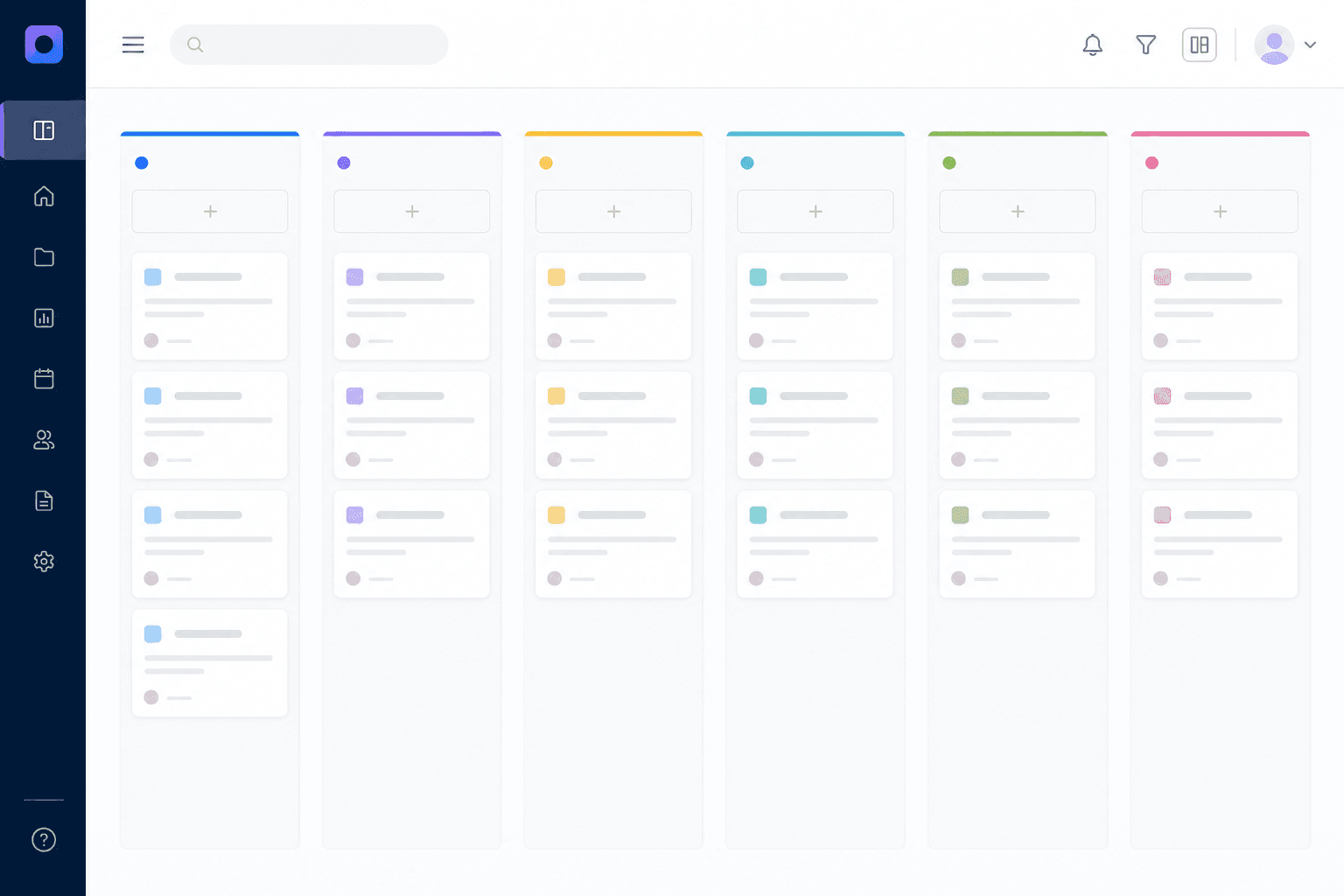
A visual grant pipeline is a kanban-style board that shows where each funding opportunity stands. Instead of scanning a spreadsheet, the team can see which grants are being researched, drafted, reviewed, submitted, awarded, declined, or managed after award.
Use this guide with the larger grant pipeline management column.
Quick Answer: What Goes on a Grant Pipeline Board?
| Board Element | Purpose |
|---|---|
| Columns | Represent stages |
| Cards | Represent grant opportunities |
| Owners | Show responsibility |
| Deadlines | Show urgency |
| Labels | Show priority or focus area |
| Tasks | Show next actions |
Recommended Columns
Start with:
- Researching.
- Qualified.
- Drafting.
- Review.
- Submitted.
- Awarded.
- Declined.
- Reporting.
Keep the workflow simple at first. Too many columns can make the board harder to use.
What Each Grant Card Should Show

Each card should include:
- Grant title.
- Funder.
- Due date.
- Owner.
- Stage.
- Amount.
- Priority.
- Next task.
- Notes.
The goal is fast scanning. A good visual pipeline should answer: what is this grant, who owns it, and what happens next?
Why Kanban Works for Grant Teams
Kanban is useful because grant work moves through stages and often stalls at handoffs. A visual board makes bottlenecks obvious.
For example:
- Too many cards in drafting means writers are overloaded.
- Too many cards in review means approvals are slow.
- Too many cards with no owner means accountability is unclear.

Visual Pipeline Rules
Use simple rules:
- Every card has one owner.
- Every active card has a next action.
- Every deadline is connected to a calendar.
- Cards do not move to submitted until confirmation is saved.
- Awarded cards move to reporting if reports are due.
- Declined cards capture the reason before archiving.
- No card sits in the same active column for more than 30 days without a next action.
If a card does stall past 30 days, move it, archive it, or assign a specific follow-up. Stale cards reduce trust in the board.
Visual Pipeline vs Spreadsheet
Spreadsheets are useful for raw data. Visual pipelines are better for daily team coordination.
Use both only if the spreadsheet feeds the system. Do not create two competing sources of truth. If the board becomes the team's main workspace, connect it to grant management software for nonprofits so one set of records holds deadlines, files, and award history.
Why Visual Pipelines Help Grant Teams
Grant work is easy to underestimate because so much of it happens before the final deadline. A visual pipeline makes hidden work visible. It shows which opportunities are being researched, which are ready for a decision, which are in drafting, which are blocked, and which awards still need reports.
The visual format is useful for teams because it reduces the need to ask, "Where are we on this grant?" A card in the Drafting column with a budget-review flag tells the story quickly.
Recommended Board Layout
Use columns that match decisions:
| Column | Purpose |
|---|---|
| Watch | Opportunities worth monitoring |
| Qualifying | Eligibility and fit under review |
| Planning | Project, budget, and owner being defined |
| Drafting | Proposal work in progress |
| Review | Program, finance, leadership approval |
| Submitted | Awaiting decision |
| Awarded | Award setup needed |
| Reporting | Active reporting and compliance |
| Closed or Declined | Completed or not pursued |
The board should include post-award columns. If it stops at Submitted, it is only a proposal board, not a grant management board.
Card Design
Each card should show:
- Funder.
- Opportunity name.
- Request amount.
- Deadline.
- Owner.
- Program area.
- Fit score.
- Next action.
- Warning flags.
Warning flags might include "budget needed," "report due," "missing attachment," "awaiting program input," or "deadline under 10 days."
Work-in-Progress Limits
Too many grants in Drafting can overwhelm a small team. Use work-in-progress limits:
- No more than three high-effort proposals in Drafting per writer.
- No application moves to Drafting without an apply decision.
- No application moves to Review without a budget.
- No award moves out of Awarded without report dates.
These rules protect capacity and improve quality.
Visual Pipeline Meeting
Run the meeting from right to left:
- Reporting and awarded grants.
- Submitted grants.
- Review column.
- Drafting column.
- Planning and qualifying.
- Watch list.
This order prioritizes obligations and deadlines before new ideas. It prevents the team from spending all its time on prospects while reports are due.
Update the board during the meeting, not afterward. When the team moves cards together, the board becomes the shared record of decisions. When someone updates it later from memory, it becomes less reliable.
Visual Pipeline Mistakes
Avoid:
- Too many columns.
- No definitions for columns.
- Cards without owners.
- Cards without dates.
- Treating the board as decorative.
- Leaving awarded grants off the board.
- Using color without a clear meaning.
The board is useful only if it changes as work changes.
Example Card
| Field | Example |
|---|---|
| Funder | County Community Foundation |
| Opportunity | Youth Literacy Grant |
| Stage | Drafting |
| Owner | Maria |
| Deadline | Oct. 15, 2026 |
| Request | $75,000 |
| Next action | Finance review by Sept. 28 |
| Flag | Budget needed |
This is enough information for a weekly review without opening the full record.
Swimlanes for Grant Boards
If the board has many cards, use swimlanes:
- By program area.
- By owner.
- By funding type.
- By deadline month.
- By application vs reporting.
Swimlanes help teams compare similar work without creating more columns.
Color and Label Rules
Use color only when it has a shared meaning:
| Label | Meaning |
|---|---|
| Red | Deadline risk |
| Yellow | Missing information |
| Green | Ready for next stage |
| Blue | Report or post-award item |
| Purple | Renewal opportunity |
Do not use colors for personal preference. If staff cannot explain the color system, it will not help.
Visual Pipeline for Post-Award Work
Awarded grants should not disappear. Create post-award cards for:
- Award setup.
- Budget confirmation.
- Interim reports.
- Final reports.
- Closeout.
- Renewal planning.
This helps program and finance staff see that the grant is still active work.
Board Review Questions
During review, ask:
- Which card is closest to deadline?
- Which card has no owner?
- Which card has been stuck longest?
- Which card needs finance?
- Which card needs program data?
- Which awarded grant has a report due?
- Which prospect should be archived?
These questions keep the visual board action-oriented.
When a Visual Pipeline Is Not Enough
A visual pipeline is excellent for workflow, but it should connect to detailed records. Cards are not the best place for full budgets, long notes, final reports, or document archives. Use the board as the front door and the grant record as the source of detail, which is where grant management software handles the deadlines, files, and reporting a board cannot hold.
Visual Pipeline Examples by Team Size
One-person team:
- Watch.
- Drafting.
- Submitted.
- Awarded and Reporting.
- Closed or Declined.
Small team:
- Watch.
- Qualifying.
- Planning.
- Drafting.
- Review.
- Submitted.
- Awarded.
- Reporting.
- Closed or Declined.
Large team:
- Add swimlanes by program area or owner.
- Add filters for deadlines, reports, and high-fit opportunities.
- Add stage aging to find stuck grants.
The board should become more detailed only when the team needs the detail.
Visual Pipeline Policy
"Every active grant card must show owner, deadline, stage, and next action. Cards without an owner are reviewed first. Cards in Awarded must move to Reporting only after report dates are entered."
This policy keeps the board operational.
Visual Pipeline Success Criteria
The board works when:
- Team members can explain every column.
- Cards move during weekly review.
- Blocked cards are visible.
- Awarded grants stay on the board.
- Reports are not forgotten.
- Leadership can understand status quickly.
If cards never move, the board is not being used as a management tool.
Example Weekly Board Update
During a weekly review, the team might make these moves:
- Move "Youth Literacy Fund" from Planning to Drafting after leadership approves applying.
- Move "Health Access Grant" from Drafting to Review after the budget is complete.
- Move "Community Foundation Renewal" from Submitted to Awarded after the award letter arrives.
- Move "Food Security Award" from Awarded to Reporting after report dates are entered.
- Move "Arts Expansion Grant" from Qualifying to Declined because the deadline is unrealistic.
These movements show that the board reflects real decisions.
Visual Pipeline and Leadership
Leadership does not need every card detail. Create a filtered leadership view showing:
- Cards due in the next 30 days.
- Cards with request amount over a set threshold.
- Awarded cards needing setup.
- Reporting cards due soon.
- Blocked cards.
This keeps leadership informed without overwhelming them.
Visual Pipeline Checklist
Before using the board in meetings, confirm:
- Columns match the real workflow.
- Every card has an owner.
- Every card has a next action.
- Deadline risk is visible.
- Awarded and reporting cards are included.
- Stale cards are reviewed.
- The board connects to detailed grant records.
Related pipeline guides
Use the grant pipeline dashboard guide when leaders need metrics and reporting, not a board alone.
FAQ
What is a visual grant pipeline?
It is a board view of grant opportunities by workflow stage.
Is kanban useful for grant management?
Yes. Grant work moves through stages, owners, and deadlines, which makes it a good fit for kanban-style tracking.
Next Step
Set up your board with the columns and card fields above, then run your first right-to-left review this week. When the board needs to hold deadlines, files, award records, and reporting alongside the workflow, connect it to full grant management software for nonprofits.
Sources and Further Reading
Grants.gov — the central portal for finding and applying to federal grant opportunities.
USAspending.gov — the official open record of every federal award, searchable by recipient, agency, and program.