Grant Calendar for Nonprofits: Deadlines, Reports, Renewals, and Reminders
A grant calendar guide showing nonprofits how to track application deadlines, internal milestones, reports, renewals, and post-award tasks.
In this article (32)
- Quick Answer: What Should a Grant Calendar Track?
- Why Application Deadlines Are Not Enough
- Grant Calendar Fields
- Reporting Calendar
- Calendar and Pipeline Should Work Together
- Common Mistakes
- Mistake 1: One Deadline Per Grant
- Mistake 2: No Internal Due Dates
- Mistake 3: Calendar Without Ownership
- Grant Calendar vs Regular Calendar
- Date Types to Track
- Internal Deadline Formula
- Grant Calendar Views
- Calendar Review Cadence
- Grant Calendar Example
- AI Calendar Support
- Calendar Readiness Checklist
- Annual Grant Calendar Planning
- Report Dates Deserve Their Own View
- Deadline Risk Levels
- Calendar Ownership Policy
- Calendar QA
- Calendar Source of Truth
- Calendar Escalation Rules
- Calendar Metrics
- Example Internal Timeline
- Calendar Adoption Problems
- FAQ
- What is a grant calendar?
- Should grant deadlines go in Google Calendar?
- How far ahead should we plan?
- Next Step
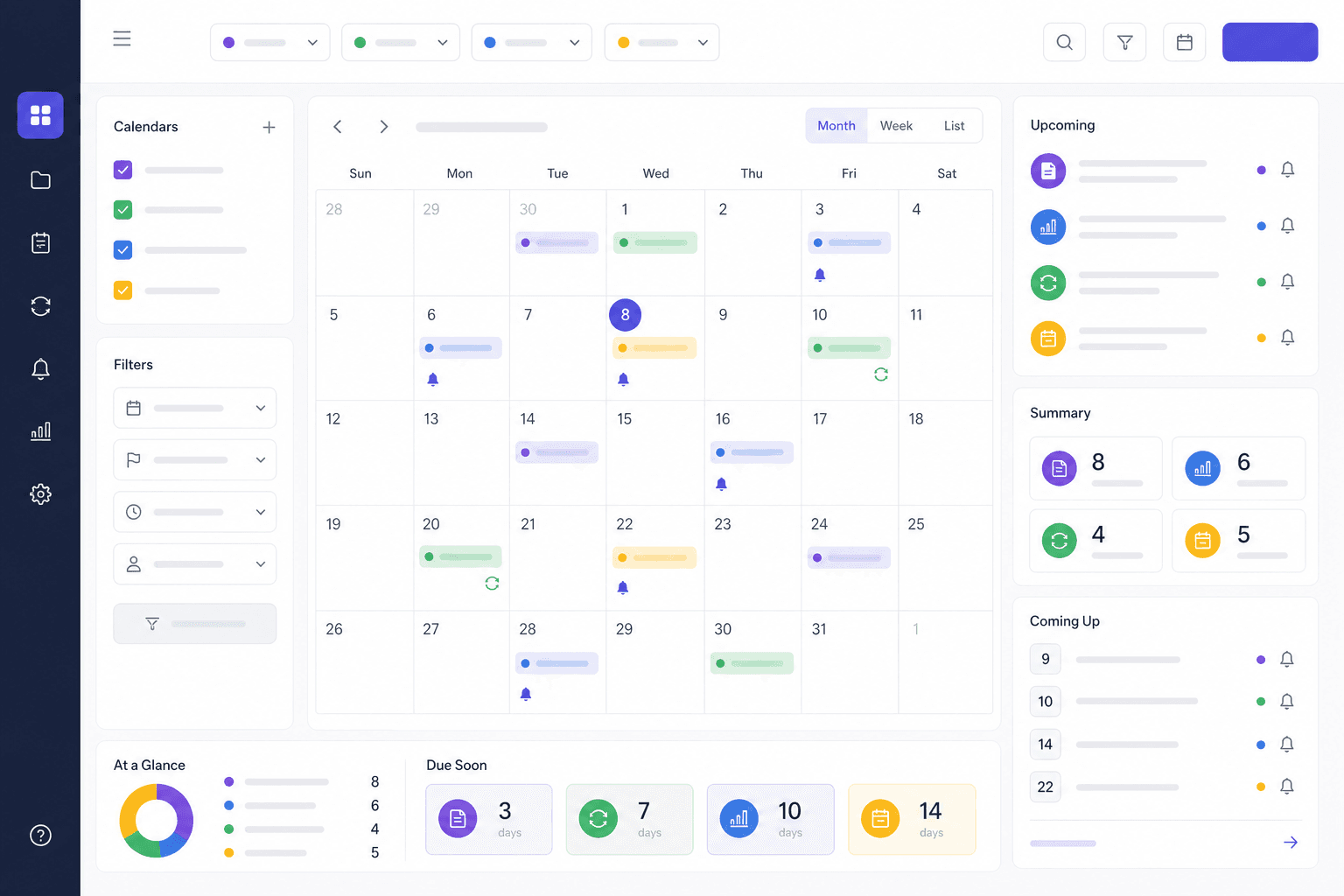
A grant calendar is a shared schedule for every grant-related deadline: LOIs, applications, internal drafts, budget reviews, board approvals, reports, renewals, and closeout dates. A good grant calendar helps the team see what is due, who owns it, and what needs to happen before the final deadline.
For growing teams, the grant calendar works best inside grant management software for nonprofits, where deadlines sit with owners, documents, and reports.
Quick Answer: What Should a Grant Calendar Track?
Why Application Deadlines Are Not Enough
If the calendar only tracks the final due date, the team may still miss internal milestones. A good grant calendar works backward from the funder deadline.
Example:

September 2026 alone holds 308 closings in our catalog; the latest funding snapshot breaks down the fiscal-year-end cluster.
Grant Calendar Fields
Track:
- Grant name.
- Funder.
- Deadline type.
- Due date.
- Internal owner.
- Stage.
- Submission portal.
- Required attachments.
- Reminder schedule.
- Notes.
- Report status.
If you are still using a spreadsheet, see the grant tracking spreadsheet template as a temporary bridge.
Reporting Calendar
Awarded grants need calendar visibility too.
Track:
- Interim reports.
- Final reports.
- Spending deadlines.
- Reimbursement windows.
- Site visits.
- Renewal dates.
- Closeout tasks.
When report dates and closeout work are the hard part, the post-award grant management checklist walks through each step.
Calendar and Pipeline Should Work Together
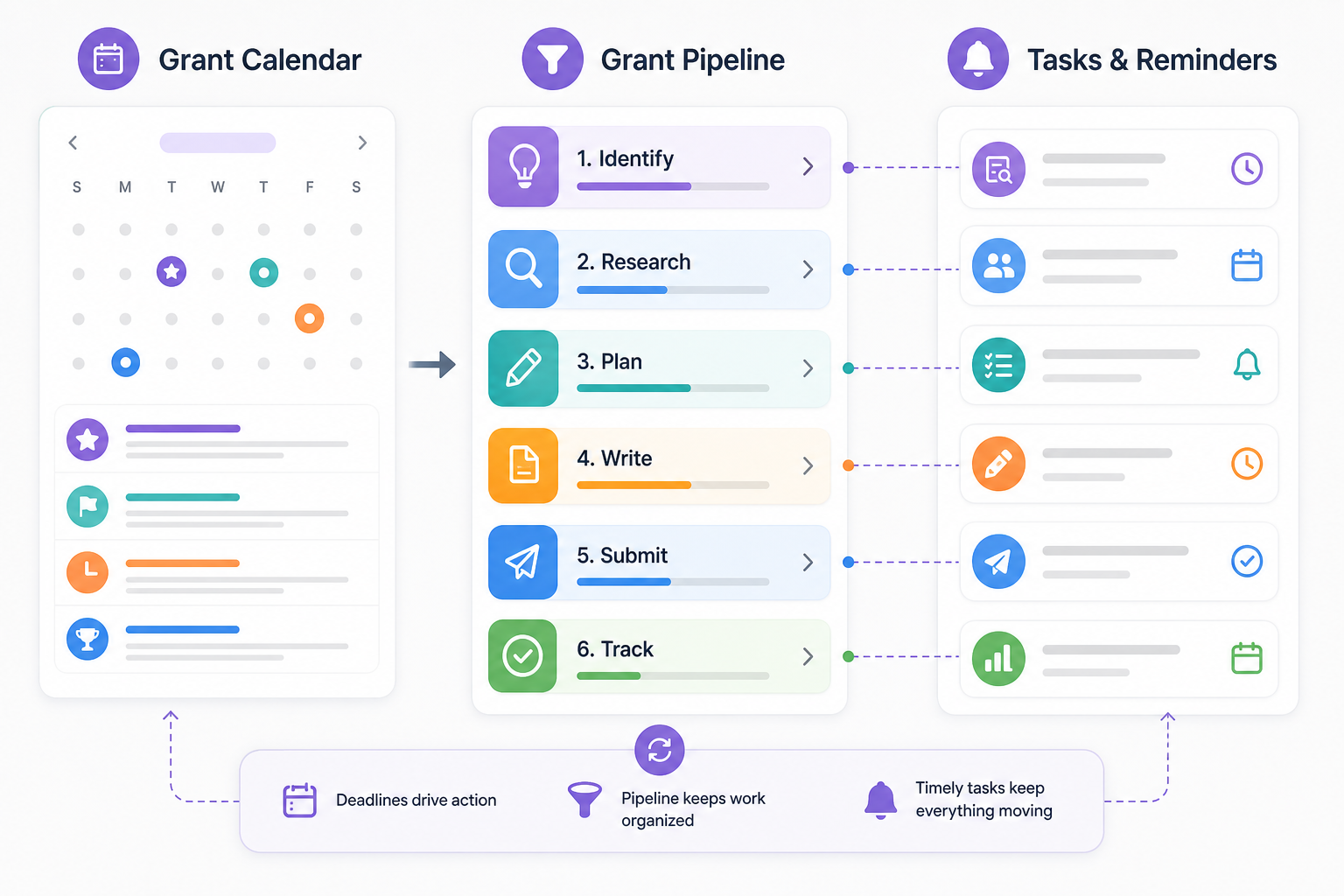
A calendar tells you when work is due. A pipeline tells you where work stands. You need both.
Use a grant pipeline management system to connect dates to stages like researching, drafting, submitted, awarded, and reporting. Our guide to managing the grant lifecycle in practice walks through every stage from discovery to closeout.
Common Mistakes
Mistake 1: One Deadline Per Grant
Most grants have multiple dates. Track application and post-award requirements.
Mistake 2: No Internal Due Dates
The funder deadline is too late for first drafts and budget review.
Mistake 3: Calendar Without Ownership
Every deadline needs an owner.
Grant Calendar vs Regular Calendar
A regular calendar tells you when something is due. A grant calendar tells you what has to happen before and after that date. That difference matters because grant work has dependencies: program design, budget review, attachments, board approvals, portal setup, submission confirmation, award setup, reporting, and closeout.
The best grant calendar lives inside grant management software for nonprofits, where dates connect to the grant record.
Date Types to Track
Do not track only the final application deadline.
Each date should have an owner and a source.
Internal Deadline Formula
Create internal deadlines by working backward:
- Funder deadline.
- Final internal review: 2 to 5 business days before deadline.
- Budget final: 5 to 10 business days before deadline.
- Program content final: 7 to 14 business days before deadline.
- Attachments requested: 10 to 20 business days before deadline.
- Apply decision: as early as possible.
For complex government grants, use longer lead times. If the funder requires SAM.gov, Grants.gov, board approval, partner commitments, or detailed budgets, a short calendar is risky.
Grant Calendar Views
Useful calendar views include:
- This week.
- Next 30 days.
- Next 60 days.
- Application deadlines.
- Report deadlines.
- Deadlines by owner.
- Deadlines by program.
- Deadlines by funder.
- Renewal windows.
Leadership usually needs a summary view. Grant writers need a detailed task view. Finance needs budget and reporting dates. Program staff need content and outcome deadlines.
Calendar Review Cadence
Review the calendar weekly for applications and monthly for post-award reporting. A quarterly review is useful for renewals and annual funder cycles.
Weekly review questions:
- What is due in the next 14 days?
- What is due in the next 30 days?
- Which deadlines have no owner?
- Which budgets need finance review?
- Which reports need program data?
- Which opportunities need an apply/no-apply decision?
If the calendar is not reviewed, it becomes a passive list instead of a management tool.
Grant Calendar Example
This format is useful because each date has context and ownership.
AI Calendar Support
AI can help extract dates from a NOFO or award letter, but a human should verify the result. Use AI to create a first-pass list of deadlines, required attachments, and reporting dates. Then compare the list to the original funder document before adding dates to the official calendar.
Calendar Readiness Checklist
Before relying on the calendar:
- Every active date has an owner.
- Every date has a source.
- Application and report dates are both tracked.
- Internal deadlines are earlier than funder deadlines.
- Awarded grants stay visible.
- Renewals are scheduled before the next cycle.
- Leadership sees a simple upcoming deadline view.
Annual Grant Calendar Planning
Many funders have annual cycles. Even when the exact deadline changes, the team can prepare by tracking the expected month. Add recurring planning reminders for major funders:
This annual view helps teams avoid starting from scratch each deadline cycle.
Report Dates Deserve Their Own View
Award reports should not be buried behind application deadlines. Create a separate report view with:
- Funder.
- Award name.
- Report type.
- Due date.
- Owner.
- Program data needed.
- Finance data needed.
- Submission method.
- Status.
Reports are funder relationship moments. Submitting a strong report on time can support renewal and future funding.
Deadline Risk Levels
Use risk levels:
Risk levels help leadership understand urgency without reading every note.
Season matters too: federal grant deadlines for fiscal year end 2026 maps the September 30 cluster and a run-up plan.
Calendar Ownership Policy
Use a short policy:
"Every active grant deadline must have one owner, one source, and one next action. Application deadlines, internal review dates, report dates, and renewal dates must be entered in the grant calendar. Personal calendar reminders do not replace the official grant calendar."
This keeps the team from splitting dates across private systems.
Calendar QA
Once a month, audit:
- Grants without deadlines.
- Deadlines without owners.
- Awarded grants without report dates.
- Deadlines in the past still marked active.
- Duplicate opportunities.
- Dates copied from old cycles without verification.
Calendar quality directly affects trust. If staff see old or wrong dates, they stop using the calendar.
Calendar Source of Truth
The grant calendar should be the official source of truth for dates, but every date should point back to a source document or source URL. A date copied from memory is not enough.
Source examples:
- Funder guidelines.
- NOFO.
- Award letter.
- Reporting instructions.
- Portal confirmation.
- Program officer email.
- Board calendar.
If a deadline changes, update the calendar and note the source of the change. This protects the team when people ask why a date moved.
Calendar Escalation Rules
Set escalation rules:
- Missing owner within 30 days: notify grants lead.
- Budget not started within 14 days: notify finance lead.
- Required attachment missing within 10 days: notify project owner.
- Report due within 14 days and data incomplete: notify program lead.
- Final submission under 3 business days away: daily review until submitted.
Escalation rules reduce awkward last-minute surprises.
Calendar Metrics
Track:
- Deadlines met.
- Reports submitted on time.
- Deadlines moved.
- Applications started less than 14 days before due date.
- Grants with missing owners.
- Grants with missing report dates.
These metrics show whether the calendar is improving grant operations.
Example Internal Timeline
For a proposal due October 30:
This timeline gives the team room to fix problems before the funder's deadline.
Calendar Adoption Problems
Common adoption problems include:
- Staff keep deadlines in personal calendars only.
- Reports are not entered because they are "post-award."
- Internal dates are treated as optional.
- Owners are left blank.
- Old funder cycles are copied forward without verification.
- The calendar is not reviewed in meetings.
Fix adoption before adding more fields.
FAQ
What is a grant calendar?
A grant calendar is a shared schedule of grant deadlines, internal milestones, reports, renewals, and closeout tasks.
Should grant deadlines go in Google Calendar?
They can, but the calendar should connect back to the grant record, documents, and owner.
How far ahead should we plan?
Plan at least 30 days ahead for small grants and 60 to 90 days for larger or federal applications.
Next Step
Build a grant calendar that tracks internal milestones and post-award dates, not just funder due dates, and give every date an owner and a source. Then connect it to your grant management software for nonprofits so deadlines sit alongside the documents, owners, and reports they depend on.