Grant Deadline Tracker for Freelance Grant Writers
A grant deadline tracker built for freelance grant writers: client, application and deliverable tabs, internal dates before each funder deadline, a weekly workload grid and client email lines.

In this article (9)
- Quick Answer: What Should a Freelance Grant Writer's Deadline Tracker Include?
- Grant Deadline Tracker for Freelance Grant Writers: What It Holds
- The Freelancer Workbook: Tabs and Columns
- Working Back From Each Grant Application Deadline
- The Weeks Tab: Every Client's Due Items and Hours by Week
- Turning the Email Line Column Into a Client Update
- Signs Your Practice Has Outgrown the Workbook
- FAQ
- Set Up the Workbook With One Client First
A grant deadline tracker for freelance grant writers has a job an in-house tracker does not face: it keeps several organizations' dates apart while showing all of them to you in one place. Each client has its own funders, its own approvers and its own pace for sending material, and every one of those dates lands on your calendar.
The load is real. Respondents to the Grant Professionals Association's 2025 survey whose employment status was consultant or contractor reported a median of 6 clients (GPA 2025 Compensation & Benefits Survey Report), and every one of those clients brings its own calendar.
Quick Answer: What Should a Freelance Grant Writer's Deadline Tracker Include?
A freelance grant writer's deadline tracker needs four linked parts: a client list, one row per application or award, one row per dated deliverable with an internal date worked back from the funder's deadline, and one combined calendar showing every client's due items and estimated hours by week, so collisions show up early.
Free download: Multi-client deadline tracker workbook as Excel .xlsx. No email address required.
Tracking these dates? GrantCue reminds you before each deadline and report you add. Track deadlines free
Grant Deadline Tracker for Freelance Grant Writers: What It Holds
A consultant's tracker holds four layers, each on its own tab: clients, applications and awards, dated deliverables, and a week-by-week calendar that pulls every client's dates together.
The Deliverables tab carries the weight. One commenter in a Reddit thread described the structure of the work: each award brings a whole schedule of reports (Reddit thread 1vydvxu, read September 2026). A freelancer multiplies that schedule by every client, so each deliverable gets its own row and its own date, and an awarded grant stays on the tracker with its report rows attached. The grant reporting requirements guide covers the reports themselves, and the grants lifecycle management guide covers the stages those rows follow, from discovery to closeout.
Freelance work comes with that pressure built in. Candid advises that independent consultants "must be well-organized and self-disciplined in order to effectively manage their time and resources while meeting the demands of several different clients" (Candid Learning knowledge base, read September 2026). The tracker is where that organization lives, in a form you can check in a few minutes.
The Freelancer Workbook: Tabs and Columns
The workbook is organized around clients: you type facts into the input columns, and formulas handle the lookups, the date math and the flags.
The Clients tab gives each client an ID, a name, a contact role and email, a fee basis and a status. Its Fee basis dropdown offers Hourly, Project, Annual and Pro bono, the fee options Candid lists for consultants plus the pro bono work GPA's code allows, and it has no percentage option, since GPA's Code of Ethics bars percentage compensation based on grants (Candid Learning knowledge base, read September 2026; GPA Code of Ethics, revised June 10, 2023).
The Opportunities tab holds one row per application or award: Opp ID, Client ID, the client name looked up from that ID, funder, opportunity or award name, stage (Prospect, Drafting, Submitted, Awarded, Declined or Closed), amount, award period start and end, and where it is submitted. Opp IDs need only be unique. Building them from a client code, such as LIT-01 for a literacy nonprofit's first application, keeps them readable, and sorting by Opp ID groups each client's rows together.
The Deliverables tab is one list for every client. Its columns, with the formulas as they appear in the first data row:
Type only in the input columns and leave the formula columns alone. Mark a row Submitted the day it goes in: the flag clears, and the row stays on the list as a record of what was delivered. Conditional formatting shows Overdue in red and Next 7 days in amber. The file ships with composite sample rows for two clients, their deadlines counted from the day you open it, so every formula and flag shows a result; delete them before you add your own.
The Change Log tab is a plain dated list for the times a funder moves a deadline or a client changes scope: date, client, what changed, who asked, old date and new date. It records only what you type. For one organization's own pipeline, a single-organization grant tracking sheet without the client layer is enough.
Working Back From Each Grant Application Deadline
Every grant application deadline sits at the end of a string of earlier dates, and several of them belong to the client: numbers, budgets, letters and sign-offs you cannot produce yourself.
In a Reddit thread about juggling deadlines, a participant said "the real problem isn't just the final deadline, it's all the invisible mini-deadlines before it that nobody tracks" (Reddit thread 1szdg4j, read September 2026). Give each of those steps its own row with a lead-day count, and the Internal date column turns the funder's deadline into a date for every step. WORKDAY counts Monday to Friday and skips no holidays unless you add a holiday list as its third argument, so check any date that lands near a holiday.
A composite application for a literacy nonprofit, due to the funder on Friday, April 30, 2027, works back like this (illustrative figures):
Illustrative figures, not data from a real organization.
In this example 5 of the 7 rows belong to the client. Those are the dates to chase, and filtering the Owner column to Client lists them for every client at once. Give client-owned steps more lead days than your own, because you cannot speed up someone else's approvals. When a funder moves its deadline, change the Funder deadline cells for that application and every internal date moves with them; note the change on the Change Log tab.
Short windows break the chain. GPA's summary of open-ended answers in its 2025 survey reports federal notices of funding opportunity "released with impossibly short deadlines (14 days or less)" (GPA 2025 Compensation & Benefits Survey Report). A chain that starts 15 working days out does not fit inside 14 calendar days, so a short-window opportunity needs a decision before it gets rows; the go/no-go framework is one way to make that call. For a full schedule of a single proposal, the grant proposal timeline example lays out the steps.

The Weeks Tab: Every Client's Due Items and Hours by Week
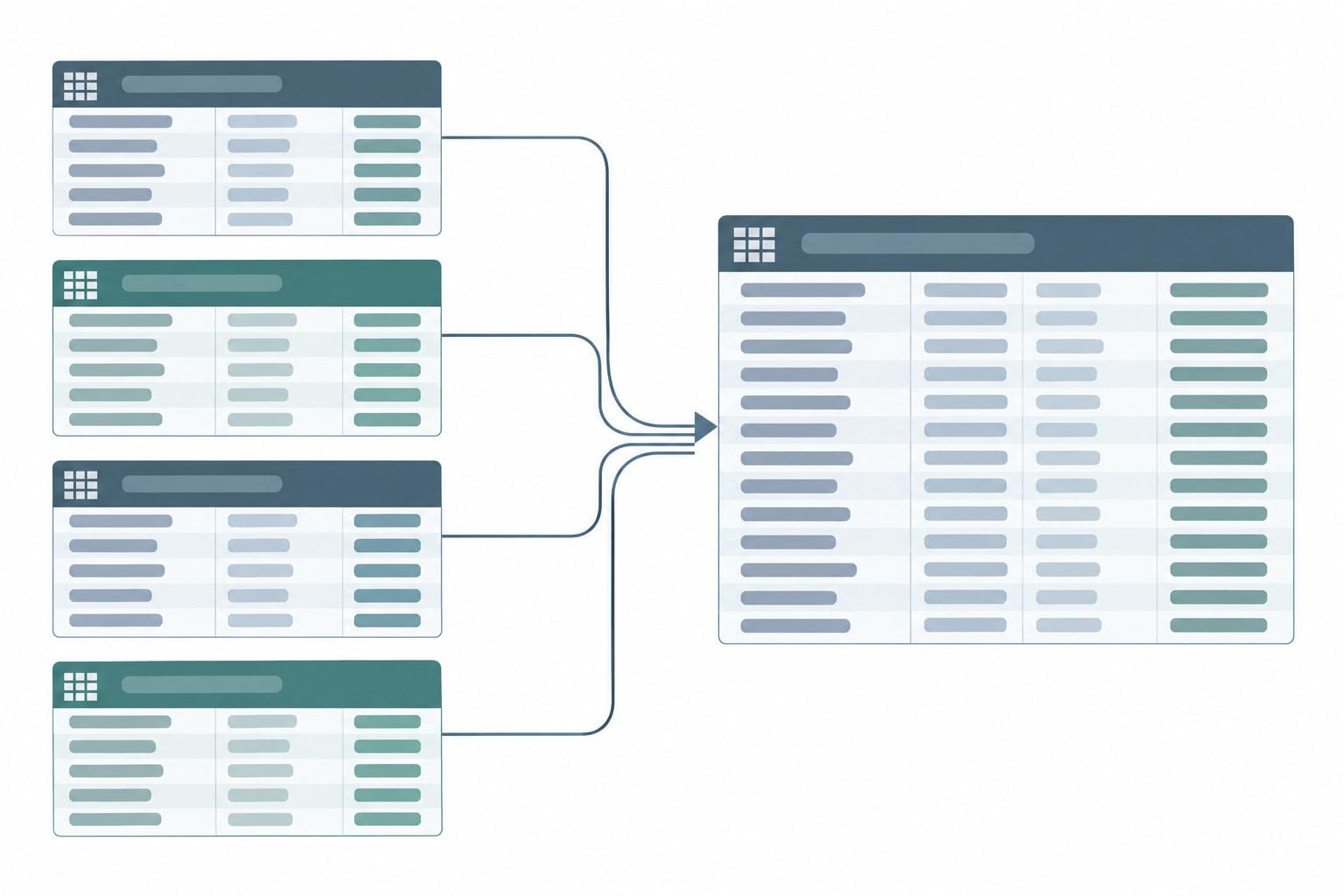
The Weeks tab is the workbook's one calendar: it lists the next 12 weeks down the side and your clients across the top, and it adds up your hours, so a week where several clients' dates land together shows up a quarter in advance.
Column A starts at the Monday of the current week, using TODAY and WEEKDAY, and steps forward one week per row. Ten client columns read their names from the first 10 clients on the Clients tab, and each cell counts that client's open items with an internal date in that week, using COUNTIFS on the Week of column and leaving out Submitted and Done. An All open items column counts every client's open items for the week, an Hours column sums their estimated hours with SUMIFS, and a Load column reads Over capacity when those hours pass the weekly capacity you type at the top of the tab; until you type one, it reads Set capacity. Items overdue from earlier weeks fall outside the grid, so three checks at the top of the tab count every Overdue flag, every open client-owned item and every row whose Opp ID matches nothing.
Ten client columns leave room above the median client count GPA reported for consultants; add a column for each client past 10. For scale, GPA's 2025 report found a median of 120 hours a month consulting for full-time consultants and 60 hours for part-time-only consultants (GPA 2025 Compensation & Benefits Survey Report). Set your own capacity from the hours you can give to deliverables in a normal week.
Illustrative figures, not data from a real organization.
The literacy nonprofit column is the worked application, and the week of April 19 is the problem: its full draft lands in the same week as three food bank items. Adding a week of lead days to the food bank rows, or starting the draft early, spreads the load. A spreadsheet does not publish a calendar feed, so these dates stay in the file unless you copy them into your own calendar.
Turning the Email Line Column Into a Client Update
The Email line column turns the tracker into the body of your weekly update to each client: one line per open item, already dated and labeled, ready to paste.
Filter the Deliverables tab by Client and by Flag, copy the Email line cells, and paste them into that client's weekly update. Each line gives the internal date, the deliverable and the funder, and it adds a note that the item is needed from the client when the client owns the step. For the composite application, with the registration step already marked Done, the email sent on Monday, April 12, 2027 would carry these lines (illustrative figures):
Illustrative figures, not data from a real organization.
The dates in each line are your internal dates, not the funder's, so the client works to your cushion without a long explanation. The Email line column and the Weeks tab read the same rows, so a date changed once, in the Funder deadline or Lead days cell, updates both. An email already sent keeps the old date, so tell the client when a date moves.
A client-owned item that passes its internal date turns up as Overdue the next time you filter, which is the cue to raise it before anything else in that client's update. A spreadsheet sends nothing on its own, so put the weekly filter-and-paste on your own calendar as a recurring task.

Signs Your Practice Has Outgrown the Workbook
A freelance practice has outgrown the workbook when a client wants to see their own dates, a subcontractor needs to edit, or a deadline slips because nobody opened the tracker that week. Each client you add makes those moments more likely.
The file has two fixed limits: it reminds only whoever opens it, and it keeps no record of who changed what. The Change Log tab covers part of the second limit, but only for the changes you remember to type.
Copies are a separate risk. One commenter reported "my organization has had about 400 versions of a grant tracker" (Reddit thread 1qx3lpf, read September 2026). Keep one master file, save a dated copy at the end of each month, and never send the workbook to a client, because it holds every client's dates; send the email lines instead.
When those signs appear, read the section on moving off a spreadsheet in the single-organization tracking guide before you choose a tool.
GrantCue is one option to weigh, judged on the features its pricing page lists. Its Free plan gives 1 user a calendar feed, reminders and daily or weekly digests for up to 10 grants tracked at once, and every plan includes "Admin, contributor and view-only client roles (clients don't use a seat)"; Essentials, at $49 a month, allows up to 3 users and 75 grants (grantcue.com, October 2026). The features page separately lists "Organization switching" (grantcue.com, October 2026). The tiers on the pricing page show which plan carries each feature.
FAQ
Is There a Free Multi-Client Deadline Tracker for Grant Writers?
Yes. The multi-client deadline tracker workbook on this page is a free .xlsx file with Clients, Opportunities, Deliverables, Weeks and Change Log tabs. It works out each internal date with WORKDAY from the funder deadline and your lead days, flags items that are overdue or due within the next one or two weeks, counts each client's open items week by week, and builds one email line per deliverable. It sends nothing by itself.
How Do You Calculate an Internal Deadline in Excel?
Subtract working days with WORKDAY. With the funder deadline in F2 and your lead days in G2, =WORKDAY(F2,-G2) returns the date that many working days earlier, counting Monday to Friday. Excel skips holidays only when you add a range of holiday dates as a third argument. Subtracting TODAY() from the result gives the calendar days left. Give steps a client owns more lead days than your own.
What Does a Freelance Grant Writer Need From Clients Before a Deadline?
Anything only the client can produce or approve, such as portal access and registration, program figures, budget numbers from finance, letters of support and the executive director's sign-off. Give each its own row, internal date and owner, and list the open ones in that client's weekly email as needed from them. One participant in a Reddit thread said the real problem is "all the invisible mini-deadlines" before the final deadline (Reddit thread 1szdg4j, read September 2026).
How Many Clients Does a Freelance Grant Writer Have?
In the Grant Professionals Association's 2025 survey, respondents whose employment status was consultant or contractor reported a median of 6 clients and a mean of 10.1, and everyone who consults, including part-timers with other jobs, reported a median of 5 and a mean of 10.3 (GPA 2025 Compensation & Benefits Survey Report). A mean that far above the median points to a smaller group of consultants with many more clients than the typical one.
How Many Grant Proposals Does a Freelance Grant Writer Write a Year?
Consultants in the Grant Professionals Association's 2025 survey reported writing a mean of 66.8 grant proposals in the past 12 months, 30.6 of them funded, and said proposal writing takes 53.5% of their time (GPA 2025 Compensation & Benefits Survey Report). Divided over 12 months, that mean works out to between 5 and 6 proposals a month (arithmetic on GPA's 2025 figure), each with its own chain of earlier dates to track.
Set Up the Workbook With One Client First
Enter one client, one live application and its deliverables, with a funder deadline and lead days on every row, and check that the internal dates and flags look right. Then add the rest of your clients, type your weekly capacity at the top of the Weeks tab, and send the first weekly email from the Email line column.
After a month, compare the Weeks tab with what actually happened. Where a client's items arrived late, add lead days to that client's rows; where your own drafts ran long, raise your hour estimates.