Track every grant deadline, task and report in one place
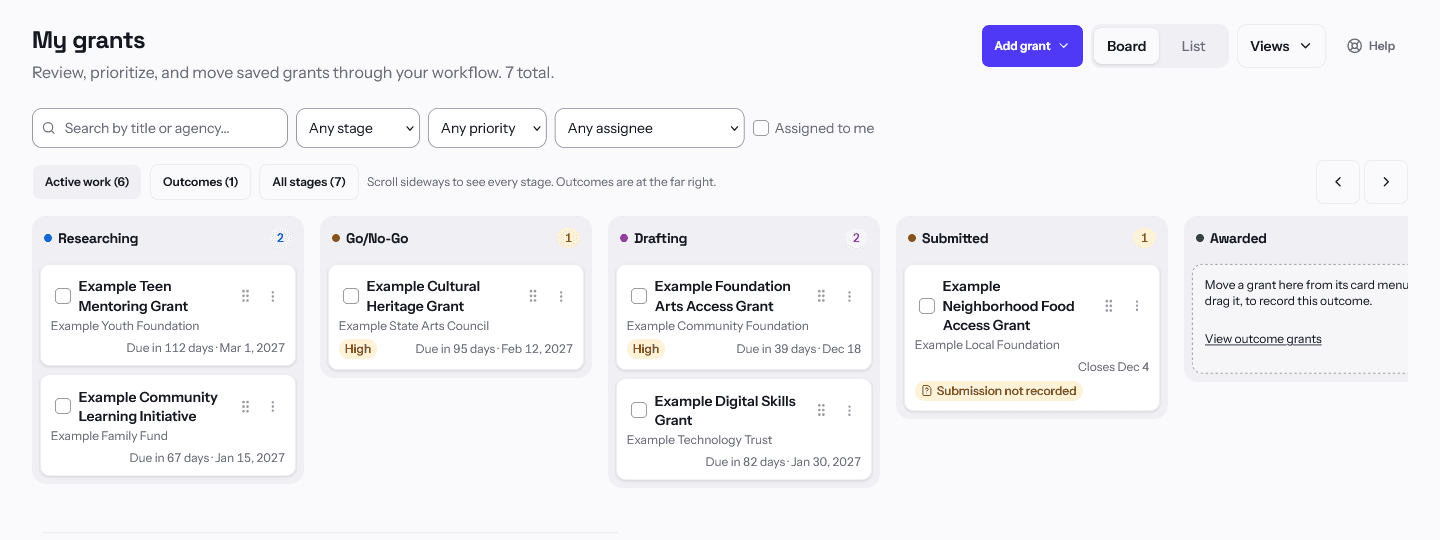
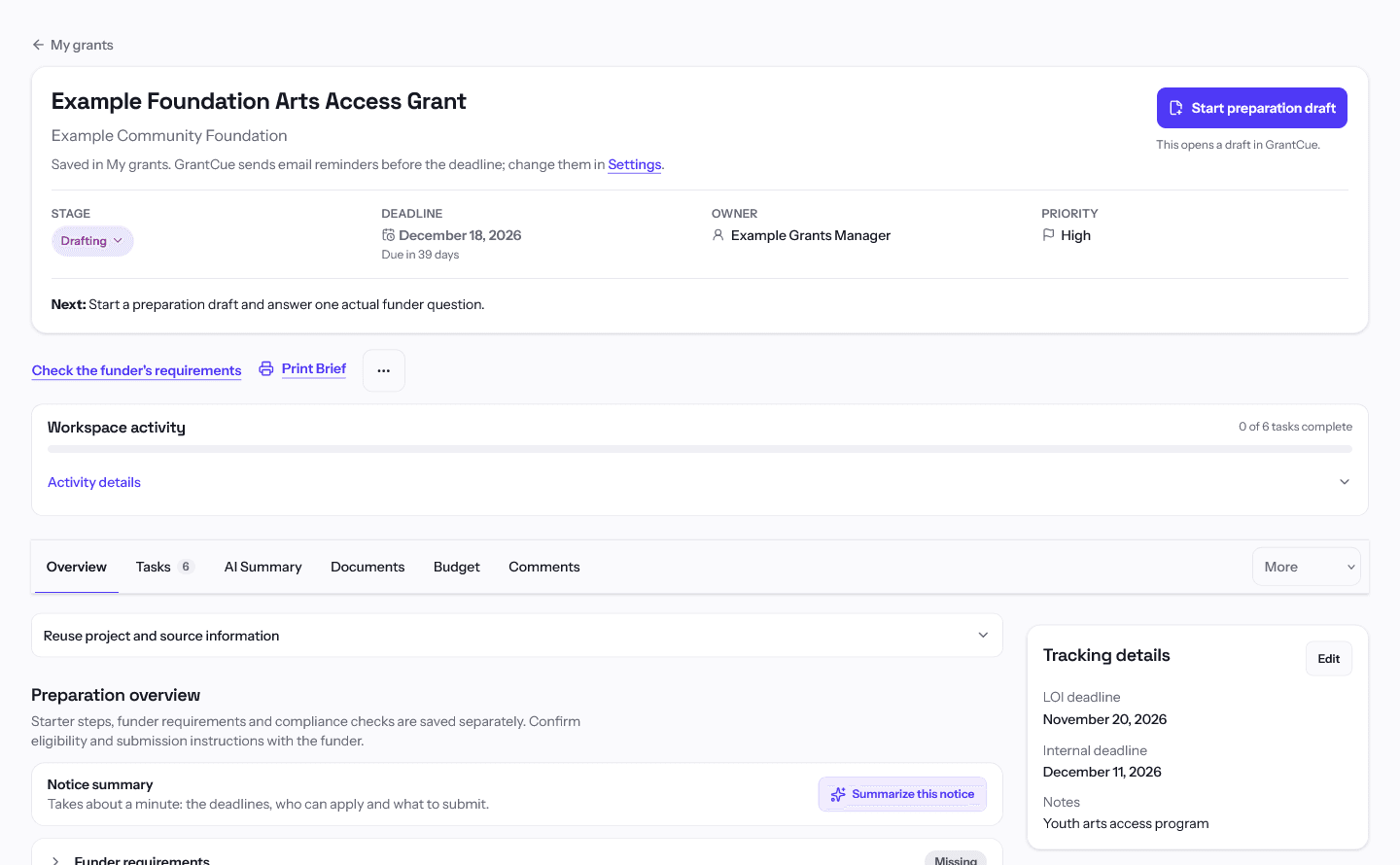
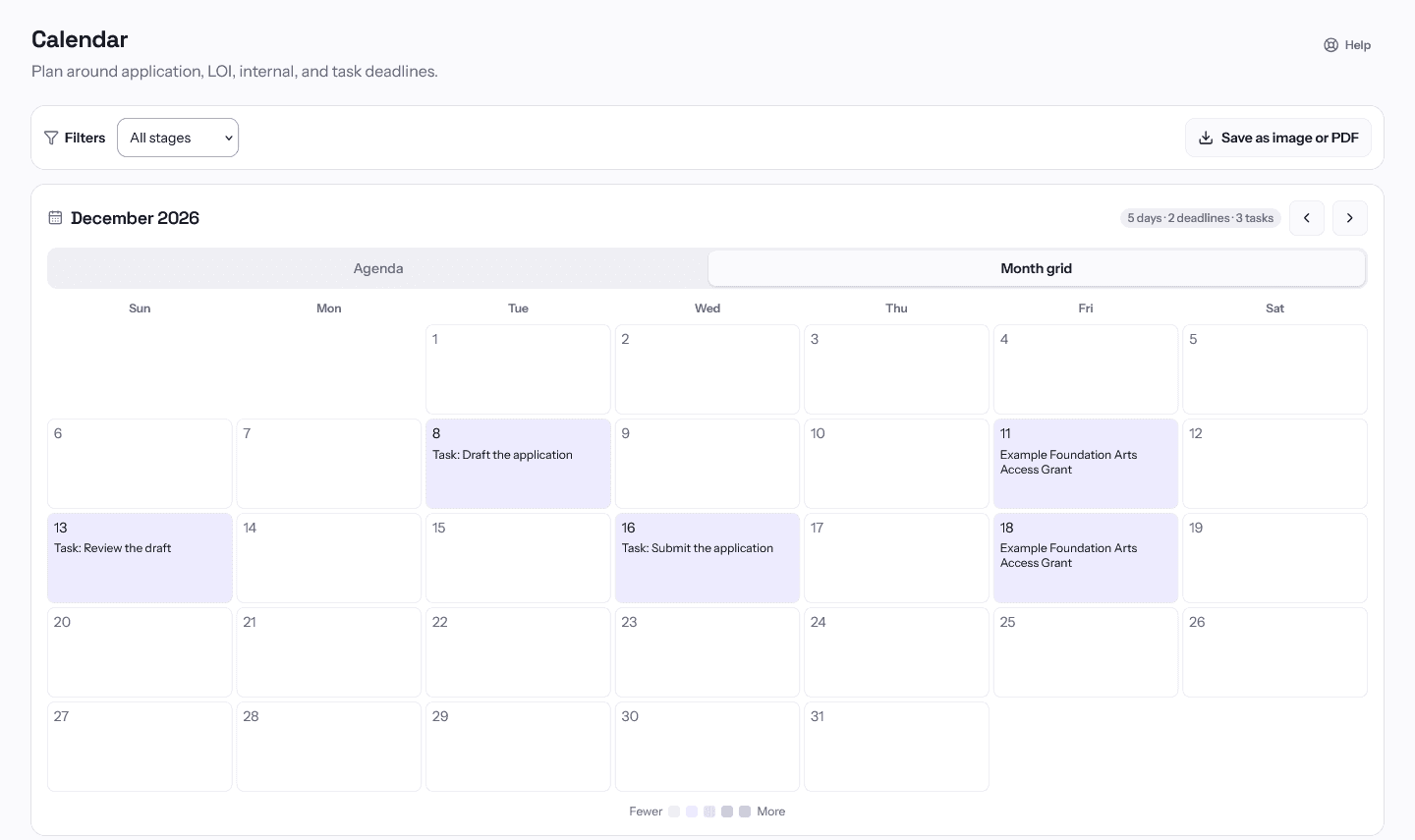
Each grant you pursue keeps its application, LOI and internal deadlines and the tasks that lead up to them, and after an award, its payment schedule and reporting requirements. GrantCue emails reminders before deadlines and adds grant deadlines to a calendar feed for Google Calendar, Apple Calendar or Outlook.
Free to start, no card. Every new workspace gets the Team plan for 14 days, then the Free plan.
What GrantCue keeps track of
- Slack, Microsoft Teams and webhooks. A message when a grant is saved or changed, a task is assigned, or a deadline is coming up or has passed.
- Programs I watch. Alerts when a program you follow announces, opens, changes or closes a round, with an optional reminder before an announced opening.
- Saved searches. Email alerts when new grants match a search, in real time, daily or weekly.
- Scheduled reports. A weekly digest and a monthly summary of your grants, by email.
- Insights. Win rate and funding awarded from the outcomes you record, and a status report to share.
- Exports. All of My grants as CSV, or as Excel with sheets for tasks, awards and budgets.
Who uses it
What each plan includes
Stages, tasks, approvals, automation rules, reminders, the calendar feed, Slack and Teams alerts, and post-award budgets, payment schedules and compliance tracking are all on the Free plan. Paid plans add people, room for more grants, and AI.
View-only clients don't use a seat on any plan. Free to start, no card. Every new workspace gets the Team plan for 14 days, then the Free plan. See full pricing
How to start
- Create your account. Sign up with Google, Microsoft or your email. No card is needed, and the workspace starts with 14 days of Team.
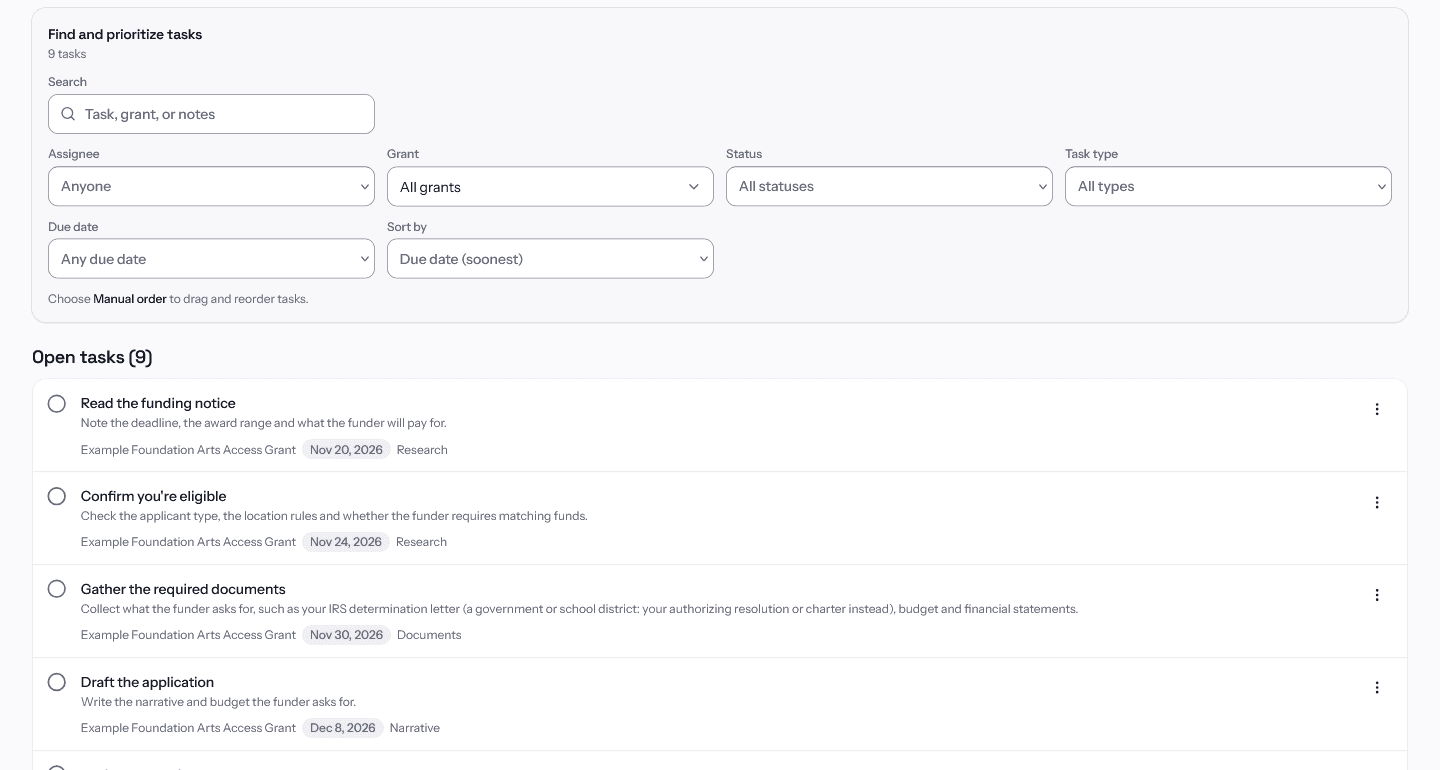
- Add your grants. Choose "Add grant" in My grants to pick one from Discover or enter one by hand, or import a CSV or Excel file.
- Set deadlines and tasks. Open each grant to set its application, LOI and internal deadlines, then add tasks with an owner and a due date.
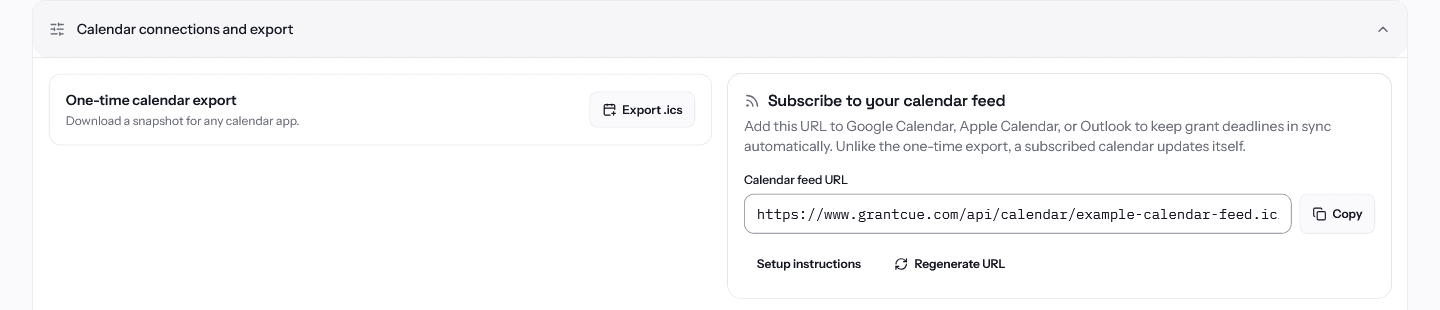
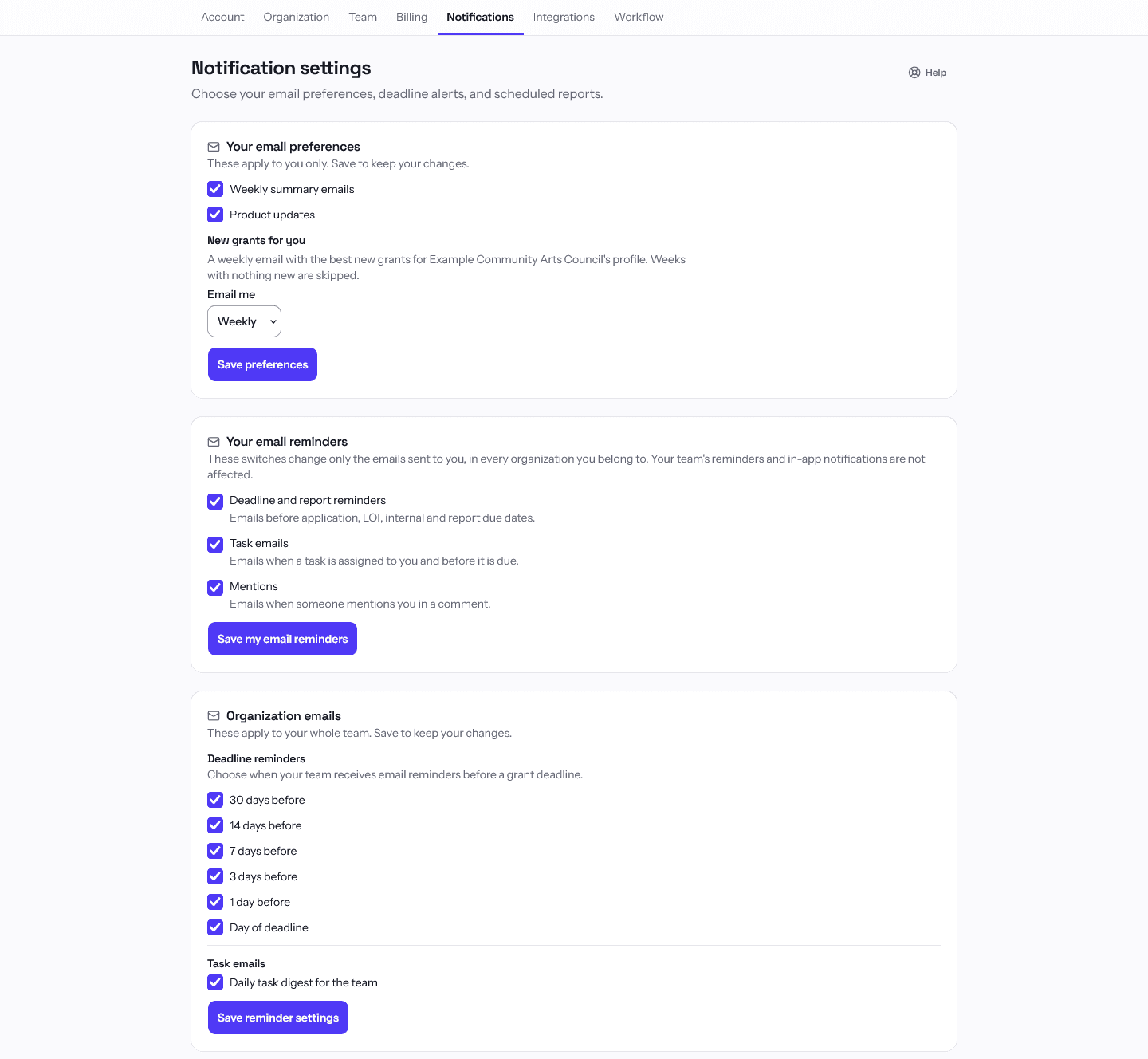
- Choose reminders and connect your calendar. An admin picks the reminder days in Settings > Notifications. Copy the feed address from the Calendar page into Google Calendar, Apple Calendar or Outlook.
- Invite your team. Add colleagues as admins or contributors, and clients as view-only members.
Questions buyers ask
Does GrantCue submit applications for me?
No. GrantCue tracks the work and helps you prepare the application; you submit it through the funder's own portal or method. Then move the grant to Submitted and choose "Record external submission", adding the confirmation if you have one.
Can my whole team get deadline reminders?
Yes. Deadline reminder emails go to the members of your organization on the days an admin chooses, and task reminders go to the person each task is assigned to. Each person can turn their own reminder emails off in Settings, Notifications without changing anyone else's. Connect Slack or Microsoft Teams and deadlines coming up or passed are posted there too.
Does it work with Google Calendar or Outlook?
Yes. The Calendar page gives you a feed address to subscribe to in Google Calendar, Apple Calendar or Outlook. The feed carries the application, LOI and internal deadlines of grants you are still working on and updates itself; a grant leaves it once you mark it submitted or closed. Tasks and compliance due dates show on GrantCue's own Calendar but are not in the feed. You can also download a one-time .ics file, or have an admin connect Google Calendar and run a sync.
What happens after a grant is awarded?
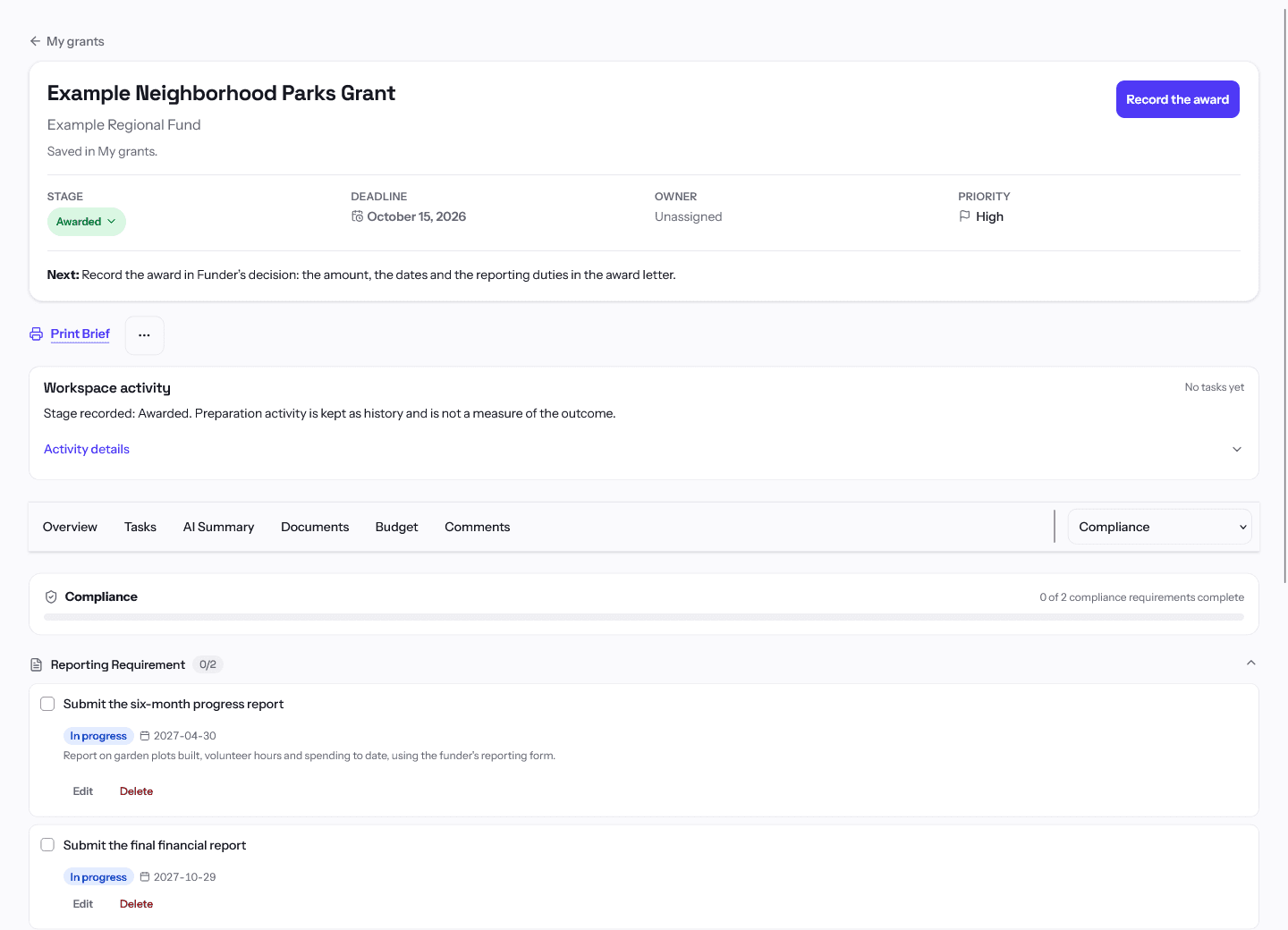
Move it to Awarded and the same page holds its budget, payment schedule and compliance requirements. A compliance requirement with a due date, and a report date on a payment schedule, both show on the Calendar and get reminder emails like an application deadline. Each team member can turn reminder emails off for themselves in Settings, Notifications. On Team and up, AI can read the award agreement and draft these items for you to approve.
What is on the Free plan?
One user and up to 10 tracked grants at once (archived grants don't count), with stages, tasks, approvals, automation rules, reminders, the calendar feed, Slack and Teams alerts, and post-award budgets, payment schedules and compliance tracking. Free has no time limit and needs no card.
Can I bring my grants over from a spreadsheet?
Yes. Import a CSV or Excel file: GrantCue maps common columns such as grant name, funder, amount, deadline and status, and shows you a preview before anything is saved. You can export everything back to CSV or Excel at any time.
Read more in the help center
Put your next deadline in GrantCue
Free to start, no card. Every new workspace gets the Team plan for 14 days, then the Free plan.