GrantGopher Review: What It Does and Who It Suits
A GrantGopher review that explains what the low cost alert and database service includes, what the free email covers, and who it suits best for small teams.

In this article (9)
- Quick Answer: What Does Grant Gopher Do?
- What Grant Gopher Is
- What the Grant Gopher Pro Service Includes
- What the Free Semi-Monthly Email Covers
- GrantGopher Review: Price and How to Get a Quote
- Grant Gopher Limits to Know Before You Subscribe
- Who Grant Gopher Suits Best
- FAQ
- How to Test Grant Gopher Against Your Grant List
Grant Gopher is a low cost alert service the vendor says has been running since 2006 (Grant Gopher, Plans and Pricing, read September 2026). This GrantGopher review works only from the vendor's own plans page, two third-party guides and the free public sources named in it, with no hands-on testing claimed, so it tells you what the service offers and what to ask before you pay.
Grant Gopher sells alerts and a grant database with setup help included. The vendor's feature list is narrow: it finds open opportunities and sends them to you, and it names no pipeline or deadline tracking.
Quick Answer: What Does Grant Gopher Do?
Grant Gopher is a low-cost grant-alert and database service for nonprofits, schools and municipalities. Pro includes custom alerts, done-for-you setup, database access, saved grants, a resource center and a letter of inquiry wizard. A free semi-monthly email samples grants open in your state, and the plans page showed no price (Grant Gopher, Plans and Pricing, read September 2026).
What Grant Gopher Is
Grant Gopher is a grant-alert service with a database behind it. The vendor describes it as a low-cost grant-alert and database service aimed at nonprofits, schools and government municipalities, "Trusted by thousands of organizations since 2006" (Grant Gopher, Plans and Pricing, read September 2026).
The service's shape decides which question it can answer. Trade writing splits the paid market into opportunity-first databases that return a list of open funding opportunities and funder-first databases that return grantmaker profiles (Peak Proposals, Choosing a Grant Database Based on Your Needs and Budget, January 28, 2021). Grant Gopher's alerts and its free email both deliver grants currently available, which is the opportunity-first shape: you ask what is open now for an applicant like you. A funder-first tool answers something different: who has funded work like ours before, and at what size.
That difference sets who the service fits. An alert service shortens the search part of the week; judging eligibility and writing the application stay with your staff, apart from the inquiry-letter help Pro lists. Commenters in two Reddit threads describe a common split for paid search tools: find grants in the paid platform, then track them in a separate spreadsheet (Reddit threads 1wiivcd and 1ubd86x, read September 2026). Our walkthrough of a nonprofit grant search covers the wider search.
Settle one question before you subscribe: who on staff owns the alerts. Alerts help only when one person triages them each week; an unread feed is a subscription paid for twice, once in fees and once in the search it was supposed to replace.
What the Grant Gopher Pro Service Includes
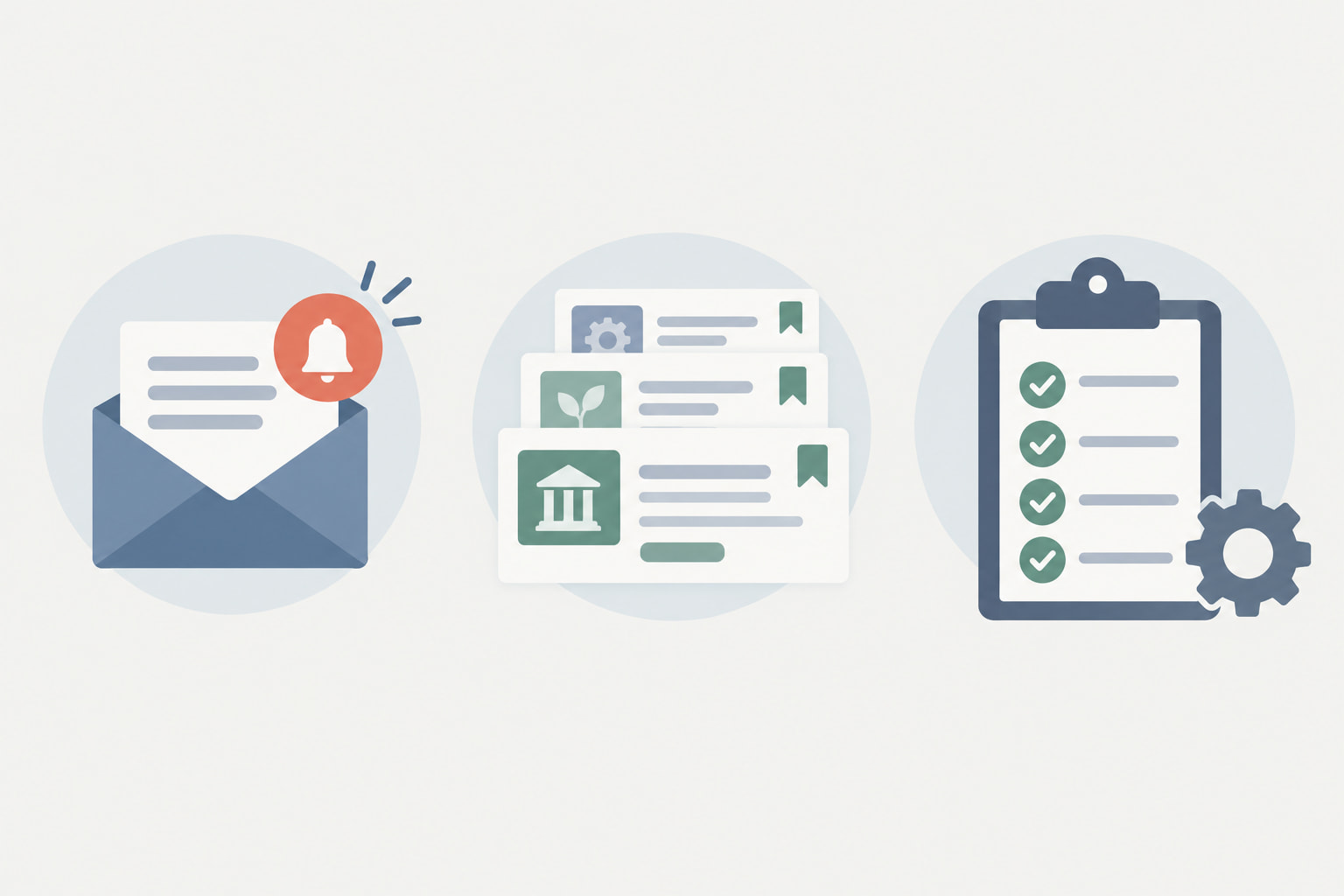
The Pro Service includes research help and account setup alongside database access. The vendor lists in-kind research services, custom grant alerts, done-for-you account setup, grant database access "including funders without websites", saved grants, a Resource Center and a Letter of Inquiry Wizard (Grant Gopher, Plans and Pricing, read September 2026).
Read the list for what each item would save you, and confirm the details before paying. Done-for-you account setup makes configuration the vendor's job, not yours. Custom grant alerts replace a repeated manual search, and saved grants keep a shortlist inside the account.
The phrase "including funders without websites" is worth weighing for community teams. A funder with no website cannot be found by a web search, so a database listing saves the search that would otherwise run through its tax filings.
Ask what the Resource Center holds, what the Letter of Inquiry Wizard produces and how much in-kind research a term includes before you rely on any of them. None of them replaces the staff judgment that decides which match is worth a week of writing.
Source: Grant Gopher, Plans and Pricing, read September 2026; the questions are this review's suggestions.
Pair the shortlist with a tracker from the first week, so a saved grant in the vendor's account also carries an owner and a due date where the rest of the work happens. Our spreadsheet layout for grant tracking handles that handoff.
What the Free Semi-Monthly Email Covers
The free option is a sample, not a full feed. The vendor describes it as "our free semi-monthly email, which shares a sample of grants currently available in your state" (Grant Gopher, Plans and Pricing, read September 2026).
State focus is the point of the sample. A slice of what is open where you actually operate is a direct test of whether the paid database covers your geography. Twice a month is enough to judge relevance and not enough to run prospecting on.
Treat the sample as a test with a number at the end of it. Open several issues in a row, count how many items fit your mission and your budget size, then count how many were already on your radar. A good fit adds new leads; a weak fit hands back what you already knew.
Whatever the email says about a grant, the funder's own page carries the eligibility and deadline language that decides the question, so read it there and save the promising ones the same day.
Teams that need funder history will outgrow the sample quickly, because it samples grants currently available, not funders' past giving. Our guide to free funder-history sources covers that half of the job.
GrantGopher Review: Price and How to Get a Quote
Grant Gopher's Plans and Pricing page showed no published price in September 2026; it lists what the Pro Service includes and then presents a contact form (Grant Gopher, Plans and Pricing, read September 2026).
That absence is the fact to plan around. You request terms through the contact form and decide with a written quote in hand, which also means you cannot line this service up against a published tier until you have made the call.
A 2021 trade guide did print a low monthly figure for Grant Gopher (Peak Proposals, Choosing a Grant Database, January 28, 2021), but Grant Gopher's own page does not state it, so leave it out of a current budget. Check the date on any price before you put it in front of a board.
Budget owners should ask three things on the call: what term applies, what seats or users are included, and what the renewal price is after the first period. Get all three in writing.
If you are weighing this model against a larger research platform, put staff time in the same column as the license fee: a cheap alert feed nobody reads costs more than it charges. Our look at grant management platforms covers the broader software category.

Grant Gopher Limits to Know Before You Subscribe
Three limits matter for prospecting, and each has a free workaround: no filing history, a free email that is only a sample, and no stated funder scope.
The first, according to a 2024 third-party comparison, is that the account holds no tax filings: "Grant Gopher does not include 990s, so you will need to find those elsewhere for further research" (Funding for Good, Comparing Grant Research Databases, May 24, 2024). That gap sits exactly where funder vetting happens: an alert tells you a grant is open, while a filing tells you who that foundation funded before and at what size.
Free filing sources cover it. The IRS publishes the full Form 990 series of tax-exempt organization filings as free bulk XML downloads, and the data set files are updated monthly (IRS, Tax Exempt Organization Search bulk data downloads, read September 2026). ProPublica Nonprofit Explorer is a free tool to "Browse millions of annual returns filed by tax-exempt organizations", searchable by organization, person, or the full text of filings, and was last updated August 20, 2026 (ProPublica Nonprofit Explorer, updated August 20, 2026). Grantmakers.io is a third free option, a no-login search over the same 990-PF dataset (Grantmakers.io home page, read September 2026). Any of the three supports the same two-source habit: find the open item in alerts, verify the history in filings.
Two structural gaps remain whichever tool does the checking. Instrumentl notes that government and corporate funders are not required to file Form 990s with the IRS, so those funders have no 990 report in a database built on those filings (Instrumentl help center, Locate funder profiles, read September 2026). Instrumentl also notes that a return which was not e-filed yields no data for its reports, so paper-filed foundations show as blanks in every tool that parses the same source (Instrumentl help center, How Instrumentl creates 990 insights, updated June 18, 2026). Alerts plus filings still miss those corners.
The second limit is the sample itself. The free email shows part of what is open in your state, so it cannot tell you what the full alert set would add; ask for that on the pricing call.
The third is scope. The inclusions quoted from the plans page do not say which funder types the alerts and database cover, so ask whether federal, state and corporate opportunities are included. Grants.gov is free to search with no subscription and carries federal funding opportunities only (Grants.gov home page, read September 2026), and it offers bulk export of search results through its "Export Detailed Data" control, so it is a free cross-check on the federal side whatever the answer (Grants.gov, Search Grants, read September 2026).
Sources: Funding for Good, Comparing Grant Research Databases (May 24, 2024); Grant Gopher, Plans and Pricing (read September 2026); Grants.gov home page (read September 2026).
Who Grant Gopher Suits Best
Grant Gopher suits small teams that want open grant leads without learning a large research platform. The vendor aims the service at nonprofits, schools and government municipalities (Grant Gopher, Plans and Pricing, read September 2026).
On that description, fit is clearest for a first development hire doing prospecting part time, a school office tracking state opportunities, a municipal clerk watching program grants, and a volunteer-led nonprofit with one writer. What those teams share is scarce search time, which is the cost alerts cut.
Fit is weaker for a research shop that lives in funder history, a university office that needs institutional coverage, and any team that wants prospecting, drafting and compliance behind one login. Those teams need depth or workflow that an alert feed does not provide.
Teams that outgrow simple alerts usually need the next step: a place to judge fit and track what they pursue. GrantCue combines live federal, state and foundation grant listings with a kanban pipeline, an ICS calendar feed for deadlines and fit scoring on every plan, Free included (grantcue.com, October 2026). Browse its live federal, state and foundation listings beside the free Grant Gopher email to compare what each surfaces for your programs.
FAQ
What is Grant Gopher?
Grant Gopher is a low cost grant alert and database service for nonprofits, schools and municipal agencies. It provides custom alerts, account setup help, grant database access, saved grants and a Resource Center. The vendor positions it as a service "Trusted by thousands of organizations since 2006" (Grant Gopher, Plans and Pricing, read September 2026). A free state email offers a sample of open grants.
How much does Grant Gopher cost?
The vendor plans page lists Pro inclusions and a contact form without a posted price as of September 2026 (Grant Gopher, Plans and Pricing, read September 2026). Request a written quote for term, users and renewal. An older third-party guide names a low monthly figure, but that figure is dated context from 2021 (Peak Proposals, Choosing a Grant Database, January 28, 2021), not current vendor pricing, and should not go in a board budget.
What does Grant Gopher Pro include?
Pro includes research help, custom alerts, done-for-you setup, database access covering funders with and without websites, saved grants, a Resource Center and inquiry letter help (Grant Gopher, Plans and Pricing, read September 2026). Use that list as a checklist against your needs before requesting terms. Ask what research help covers in practice so scope is clear from day one.
Does Grant Gopher include tax filing history?
Not according to a 2024 third-party comparison, which states that "Grant Gopher does not include 990s, so you will need to find those elsewhere for further research" (Funding for Good, Comparing Grant Research Databases, May 24, 2024). You can verify finalists free in ProPublica Nonprofit Explorer, which lets you "Browse millions of annual returns filed by tax-exempt organizations" (ProPublica Nonprofit Explorer, updated August 20, 2026). That two-source habit covers both open leads and past giving.
Is there a free Grant Gopher option?
Yes. The free option is a semi-monthly email with a sample of grants open in your state (Grant Gopher, Plans and Pricing, read September 2026). It helps you judge coverage and relevance. It does not replace full alerts or a research database for active prospecting. Run several issues, log fit per issue, and let match rate guide the next step.
Who should use Grant Gopher?
Small nonprofits, schools and municipal offices that want open leads with little setup should test it. The vendor aims the service at nonprofits, schools and government municipalities (Grant Gopher, Plans and Pricing, read September 2026). Teams that need deep funder history, institutional coverage or full pipeline workflow should look elsewhere. The free sample is the cheapest way to test fit.
How to Test Grant Gopher Against Your Grant List
Run a four-week test before any purchase. Sign up for the free state email and log each issue in a sheet with the date, the grant name, a fit score and a status.
Score fit fast: strong, weak, or out of scope. Count the strong matches per issue and note which of your programs they land in. That count is your match rate, and it is the only number in this decision that the vendor did not supply.
Verify two strong matches against public filings in a free Form 990 search such as ProPublica Nonprofit Explorer (ProPublica Nonprofit Explorer, updated August 20, 2026). Check the past recipients and the typical gift size. If the filing history supports the alert, the lead survives; if it contradicts the alert, drop it early and keep the writing hours.
Bring the sheet to the pricing call. Ask what the full alert set adds beyond the sample for your programs, ask who configures the setup and how changes are made later, and get the term and the renewal price in writing. Teams that also need funder profiles can pair any alert tool with foundation profiles searchable by EIN, so the vetting half of the job stays in one place.