Weekly Grant Deadline Reminder Email: A Template That Gets Read
A copyable weekly grant deadline reminder email for staff, the rules that get it read, and how to time, address and escalate the individual grant reporting reminders underneath it.

In this article (10)
- Quick Answer: What Should a Weekly Grant Deadline Reminder Email Include?
- Why Grant Reporting Deadline Reminders Get Ignored
- Grant Reporting Requirements That Need a Reminder
- When to Send Each Reminder
- Weekly Grant Deadline Reminder Email Template
- Who Should Receive Each Reminder
- Escalation When a Reminder Goes Unanswered
- Spreadsheet, Calendar or Tool: Options for Sending Reminders
- FAQ
- Rebuild Your Reminder List From the Next Report Due
Grant reporting deadline reminders fail in familiar ways. They fire too late to act on, go to someone who has moved on, or arrive as one more automated email in a full inbox. A reminder that works reaches the person who writes the report, early enough to gather the data, and keeps coming until the report is filed. The base of the system is one weekly grant deadline reminder email that lists everything open, with individual reminders for each report on top of it.
The funder's own emails cannot carry that load. NIH's progress report guide says "automatic e-mail notifications are sent to the PD/PI prior to due date" (NIH RPPR Instruction Guide, January 2026), which leaves the finance lead, the backup and the grants office out unless your own reminders include them.
Quick Answer: What Should a Weekly Grant Deadline Reminder Email Include?
A weekly grant deadline reminder email lists every open report and application with its internal date, the funder's date, the owner and the next action, sent on the same day each week to every owner and the grants lead. Pair it with individual reminders timed from your internal deadline and a written escalation rule.
Tracking these dates? GrantCue reminds you before each deadline and report you add. Track deadlines free
Why Grant Reporting Deadline Reminders Get Ignored
Reminders get ignored when they reach the wrong person, arrive before anything can be done or after it is too late, or come from a system that only speaks when someone opens it. Each of those failures has a fix, and none of the fixes is more email.
A spreadsheet is the quiet version: its reminder waits for someone to open the file, and one commenter on Reddit counted "reminders, automations" among the features a team gains by moving past Excel (Reddit thread 1vydvxu, read October 2026). A date in a file nobody opened this week reminds nobody.
Funder reminders arrive on the funder's schedule. NIH sends closeout reminder emails 10, 90, 120 and 150 days after the project period end date, and only while at least one closeout report is still missing (NIH notice NOT-OD-24-047, released December 21, 2023). Final reports are due within 120 calendar days and "become overdue on day 121" (NIH Grants Policy Statement 8.6, revised March 2026), so the 120-day email lands on the due date and the 150-day email after the reports are late. Those emails are the funder's safety net; your plan has to start well before them.
Email can go astray in both directions. CDMRP asks applicants to safelist "health.mil, eBRAP.org and Grants.gov" (CDMRP FY26 General Application Instructions, read September 2026), a sign that a funder's messages can land in a filtered folder, and your own reminders can too. For applications, NIH goes further: "email can be unreliable and should not be used as your primary way to track your application" (NIH, Email Notifications from Grants.gov and NIH, read September 2026).
People move, and a reminder addressed to one person stops working the day that person leaves. The Federal Service Desk's advice for SAM.gov roles fits reminders as well: assign the same role "to at least one other person in your organization" (Federal Service Desk grant registration guide, read September 2026).
Grant Reporting Requirements That Need a Reminder
Every reporting requirement in an award needs its own reminder: each periodic performance and financial report, the final set, and the duties that have no fixed date. Together they cover the post-award, reporting and closeout stages of the grants lifecycle. The award document lists them, and for federal awards the Uniform Guidance sets the default clocks.
You can see most of these requirements before the award arrives. Every notice of funding opportunity must state "The type of reporting required, such as financial or performance," and "The reporting frequency" (2 CFR part 200, Appendix I, eCFR, current as of September 2026), and the award itself must say "how performance will be assessed, including the timing and scope of expected performance" (2 CFR 200.211(a), eCFR, current as of September 2026). Draft the reminder list from the notice when you apply, then correct it against the award.
The default clocks are the latest dates the government-wide rule allows, not your award's dates, so set every reminder from the date in your own award document. An agency or pass-through entity can require annual reports before the anniversary dates of multiple-year awards instead (2 CFR 200.329(c)(1), eCFR, current as of September 2026), and an NIH Notice of Award can set its own progress report date (NIH RPPR Instruction Guide, January 2026). For the content of each report, start from a grant reporting template built around the requirements, and for the narrative itself, a grant progress report template section by section.
When to Send Each Reminder
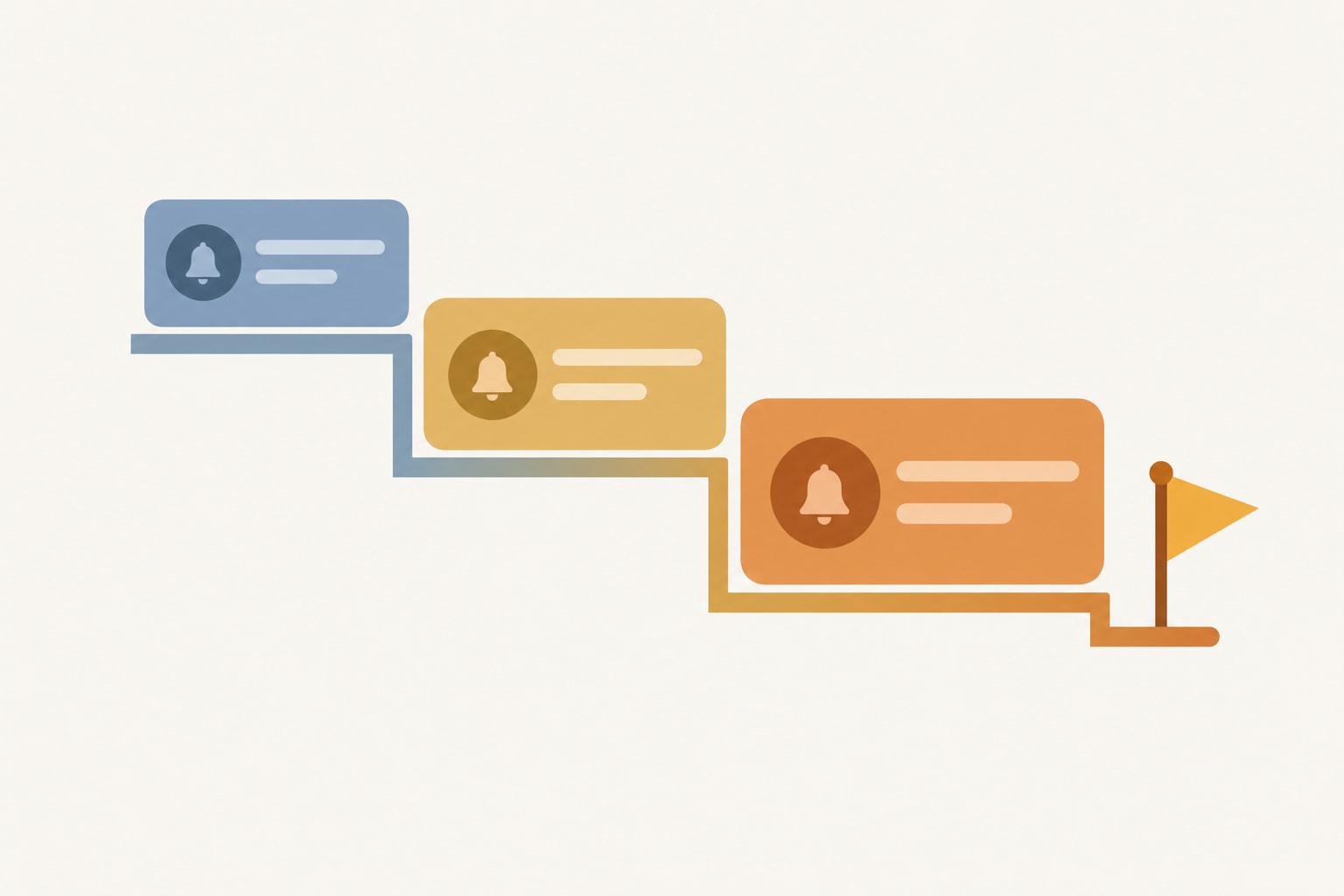
Time each reminder from your internal deadline, not the funder's, and send the first one when the report can actually be started. For most reports that is the day the reporting period closes; for reports due before the period ends, it has to be earlier.
HUD's Continuum of Care report shows the first kind. "For most grants, APRs become available in Sage on the day after the operating period ends," and the report is due within 90 days from the end of the operating year (HUD Sage CoC APR Guidebook, read September 2026), so the first reminder goes out the day the report opens.
NIH and NSF show the second kind. A non-SNAP NIH progress report is due "the first of the month preceding the month in which the budget period ends," so for a budget period ending November 30 it is due October 1 (NIH RPPR Instruction Guide, January 2026). NSF annual project reports are due "no later than 90-days prior to the end of the current budget period" (NSF PAPPG 24-1, effective May 20, 2024). Reminders for both have to start while the work is still under way.
A composite schedule, with illustrative figures, for an annual report due 90 days after its reporting period closes:
Illustrative figures, not data from a real organization.
The schedule leaves 30 days between the internal deadline and the funder's, and every reminder after the first points at the internal date. Reconcile the figures against a spending-versus-budget tracker before the draft reminder goes out, so the financial numbers are settled when the narrative is written.
Weekly Grant Deadline Reminder Email Template
A weekly grant deadline reminder email is one message, sent on the same day every week to every owner and to whoever runs grants, that lists every open report and application with its two dates, its owner and its next action. It sits under the individual reminders: a report nobody has touched appears in front of more than one person, and each owner sees their item next to everything else that is due.
One grant writer described what this email exists to catch: "all the invisible mini-deadlines before it that nobody tracks" (Reddit thread 1szdg4j, read September 2026). That is why every line carries your internal date as well as the funder's.
Copy the template and replace the composite lines with your own awards:
Subject: Grant deadlines, week of [Monday's date]: 1 overdue step, 3 due in the next 30 days

OVERDUE AGAINST OUR INTERNAL DATE
- Example County Workforce Board: quarterly performance report
  Internal date: [date] | Funder date: [date] | Owner: program manager
  Next action: send the draft to the finance lead today

DUE IN THE NEXT 30 DAYS
- Example Community Health Alliance subaward: quarterly financial report
  Internal date: [date] | Funder date: [date] | Owner: finance lead
  Next action: reconcile the quarter's spending with the ledger
- Example Family Foundation: letter of inquiry
  Internal date: [date] | Funder date: [date] | Owner: development director
  Next action: get the board chair's approval of the request amount
- Example State Arts Council: final report
  Internal date: [date] | Funder date: [date] | Owner: program manager
  Next action: collect attendance data from the two partner sites

COMING UP IN 31 TO 90 DAYS
- [Funder or award]: [report or application], funder date [date], owner [role]

Reply "on track" if your lines are right, or reply with any date that looks wrong.
The funders and awards in the template are composites (Example County Workforce Board, Example Community Health Alliance, Example Family Foundation and Example State Arts Council). Illustrative figures, not data from a real organization.
Three Rules That Get the Weekly Email Read
- Put what needs action first. Overdue internal steps go at the top, then the next 30 days, then a short horizon list, so a reader who stops after the first block still sees what is late.
- Give every line one owner and one next action, written as a verb. "Send the draft to the finance lead" can be done today; "Q3 report in progress" cannot.
- Send it on the same day, from the same sender, in the same format. People learn where to look, and a week with no email is itself a sign that the list has lost its owner.
Keep the individual reminders for the final stretch, when one person has one task due. Consultants writing deadline emails to clients have a different reader; grant deadline tracking for multiple clients covers that email.
Who Should Receive Each Reminder
Each reminder goes to the person who writes the report and a named backup, plus anyone who has to supply data or approve it. Build the recipient list from roles, so a departure does not silence it.
A backup only counts if they can act. Check that the backup can log in to the system the report is filed through and knows where the data lives; a backup who receives every reminder but cannot submit the report adds names to the email without adding cover.
Finance and program staff belong on each other's reminders. When reporting performance, "the recipient or subrecipient must relate financial data and project or program accomplishments to the performance goals and objectives of the Federal award" (2 CFR 200.329(b), eCFR, current as of September 2026), so neither report is finished until both leads have seen the numbers.
Final reports reach wider than one project. NSF says late final reports "will delay NSF review and processing of pending proposals for all identified PIs and co-PIs on a given award" (NSF PAPPG 24-1, effective May 20, 2024), which gives every investigator on the award a reason to be on the reminder.
Subrecipients need reminders from you. Their final reports are due to the pass-through entity within 90 calendar days after the period of performance, "(or an earlier date as agreed upon by the pass-through entity and subrecipient)" (2 CFR 200.344(b), eCFR, current as of September 2026), so time their reminders from the earlier date you set. Our guide to managing subrecipients as a pass-through entity covers what else to require of them.

Escalation When a Reminder Goes Unanswered
Escalate on a written rule: when a report is not in review by its internal deadline, the next reminder goes to the owner's supervisor, and when it is still open as the funder's deadline nears, it goes to the executive who answers for the award. A late report costs the organization, so its leaders should hear about it before the date passes.
The last rung of the ladder is a request to the funder before the deadline. Agencies and pass-through entities may extend the due date for any financial or performance report "with justification" (2 CFR 200.328(d) and 200.329(c)(1), eCFR, current as of September 2026). When a problem will delay the work itself, the recipient "must notify the Federal agency" of the significant development, and for negative ones "must include information on their plan for corrective action and any assistance needed to resolve the situation" (2 CFR 200.329(e), eCFR, current as of September 2026).
Write the rule down before anyone needs it. An escalation that depends on someone deciding to escalate tends to arrive after the date.
Spreadsheet, Calendar or Tool: Options for Sending Reminders
A spreadsheet can list what is due but does not send date reminders on its own, a subscribed calendar feed puts dates in people's calendars but refreshes on the calendar app's schedule, and a workflow service or grant tool can send reminders and digests on a schedule.
Lists is already included in Microsoft 365, which is why one commenter in a Reddit thread advised "open Microsoft Lists before you spend anything" and another in the same thread suggested Power Automate reminders (Reddit thread 1vydvxu, read September 2026).
Calendar feeds need the most care, because their limits are easy to miss. For Outlook.com, Microsoft says "updates should happen approximately every 3 hours" but a subscribed calendar "can sometimes take more than 24 hours" to refresh; for Outlook on the web it gives "approximately every 6 hours," with the same warning that an update can take more than 24 hours (Microsoft Support, read September 2026). A feed cannot force a faster refresh, since its REFRESH-INTERVAL property is only "a suggested minimum interval for polling" (IETF RFC 7986, October 2016). On a Mac, alerts can be stripped: Apple says "To get the calendar's event attachments or alerts, deselect the appropriate Remove checkboxes" (Apple Support, Subscribe to calendars on Mac, read September 2026). Google Calendar adds a feed through "Add other calendars" and then "From URL," from a computer web browser only (Google Calendar Help, read September 2026). The guide to pairing a grant calendar with the pipeline shows where those dates sit beside each grant's stage.
GrantCue reaches report owners by email and publishes deadlines as a calendar feed. Reminders, daily or weekly digests, the calendar feed, Google Calendar sync, and Slack and Microsoft Teams alerts come with every plan, Free included (GrantCue pricing page, October 2026). Its feed follows the same rules as any subscription, so a changed date appears when your calendar app next refreshes. See what each GrantCue plan includes.
FAQ
How Many Reminders Should Each Grant Report Get?
One for each hand-off, and no more: a reminder when the report's data can be pulled, one for each internal step such as data due, draft due and review, and one escalation if the report is not in review by the internal deadline. The weekly email lists every open report as well. Point every reminder after the first at your internal deadline, never at the funder's date.
How Far in Advance Should Grant Report Reminders Start?
Start when the report can be worked on, which for most reports is the day the reporting period closes, and count every later reminder back from your internal deadline. Reports due before the period ends need an earlier start: an NSF annual project report is due no later than 90 days before the end of the current budget period (NSF PAPPG 24-1, effective May 20, 2024).
Who Should Get Grant Reporting Deadline Reminders?
The report's writer, a named backup with the same system access, and anyone who must supply data or approve it, such as the finance lead for a financial report. For NSF awards, copy every PI and co-PI on final report reminders, since late final reports delay NSF's processing of their pending proposals (NSF PAPPG 24-1, effective May 20, 2024).
Should Grant Report Reminders Go by Email or Calendar?
Use email for reminders that need action and a calendar feed as a second view. Email can reach a backup and a supervisor and can carry the weekly list. A subscribed calendar is read-only for the subscriber, and on a Mac its alerts can be removed unless the user deselects the Remove checkboxes when subscribing (Apple Support, Subscribe to calendars on Mac, read September 2026).
Do Calendar Subscriptions Update Deadline Changes Right Away?
No. For Outlook.com, Microsoft says subscribed calendars should update approximately every 3 hours but can sometimes take more than 24 hours (Microsoft Support, read September 2026), and an ICS feed's refresh setting is only a suggested minimum interval for polling (IETF RFC 7986, October 2016). When a date moves close to a deadline, tell the owner directly as well.
Rebuild Your Reminder List From the Next Report Due
Pick the next report due on any award. Write down its funder deadline and your internal deadline, then name the writer, the backup and everyone to copy. Set the first reminder for the day its data can be pulled and point every later reminder at the internal date.
Add the report to a weekly email that goes out on a fixed day, write the escalation rule where the whole team can see it, and if anyone relies on a subscribed calendar on a Mac, check that its alerts are not being removed. Then do the same for the next report on the list.