How to Build a Grant Database for Your Nonprofit
How to build a grant database for a nonprofit: a six-table schema, the move from spreadsheet to database step by step, platform limits dated September 2026, and when to buy instead.
In this article (10)
- Quick Answer: How Do You Build a Grant Database?
- What a Grant Database Is and When You Need One
- Nonprofit Grant Tracking Database Schema: Six Tables
- Records the Federal Rules Expect a Grant Database to Keep
- Moving From Spreadsheet to Database, Step by Step
- Choosing a Platform by Its Documented Limits
- Should a Small Nonprofit Build Its Own Prospect Database?
- When to Buy Grant Software Instead of Building
- FAQ
- Build the Awards and Reports Tables First
Learning how to build a grant database usually starts with a tracker that is already a database, stored badly: the same funder typed on six rows, reports hidden in numbered columns, and nobody sure which copy is current. Building the database means storing each fact once and linking it by ID.
Most of the work is design, done before any platform is chosen: which tables, which keys, which fixed lists. The platform then comes down to documented limits, and for some teams the better answer is to buy software instead of building.
Quick Answer: How Do You Build a Grant Database?
Build a grant database by splitting your tracker into six linked tables (funders, contacts, applications, awards, reports and documents), giving every row a unique ID and every status a fixed list, then importing one table at a time. Choose the platform by its published record, editor and automation limits, and name an owner who keeps it current.
Choosing grant software? Compare GrantCue's plans with the alternatives. See plans and pricing
What a Grant Database Is and When You Need One
A grant database is a set of linked tables that stores each funder, application, award, report and document once and connects them by ID. You need one when the same facts are typed in several places, when one grant needs many dated rows, or when several people edit at once.
The professional guidance points the same way. ICAEW's principle 4 is "Determine if a spreadsheet is a suitable tool," and its examples are to "use a database if large quantities of similar data items need processing, or use a dedicated software package to undertake well established processes, such as bookkeeping" (ICAEW, 20 principles for good spreadsheet practice, 2024 edition). One commenter in a Reddit thread reached the same conclusion about a team that wanted a separate tab for every grant: "what they want is a database, not a spreadsheet" (Reddit thread 1qx3lpf, read September 2026).
The signs are easy to spot in an existing file. Columns named Report 1 due, Report 2 due and Report 3 due mean reports need their own table. A funder's address typed on every application means funders need their own table. One tab per grant means the same columns are repeated on every tab, and a summary has to be rebuilt each time a grant is added.
Nonprofit Grant Tracking Without a Database
Nonprofit grant tracking without a database works when one or two people own every row and the portfolio is small. A spreadsheet with one row per grant and a second tab with one row per report is already a simple database, and it can stay one while the same people keep it. The case for linked tables grows with each extra editor, each extra report per award and each year of records someone may audit.
Nonprofit Grant Tracking Database Schema: Six Tables
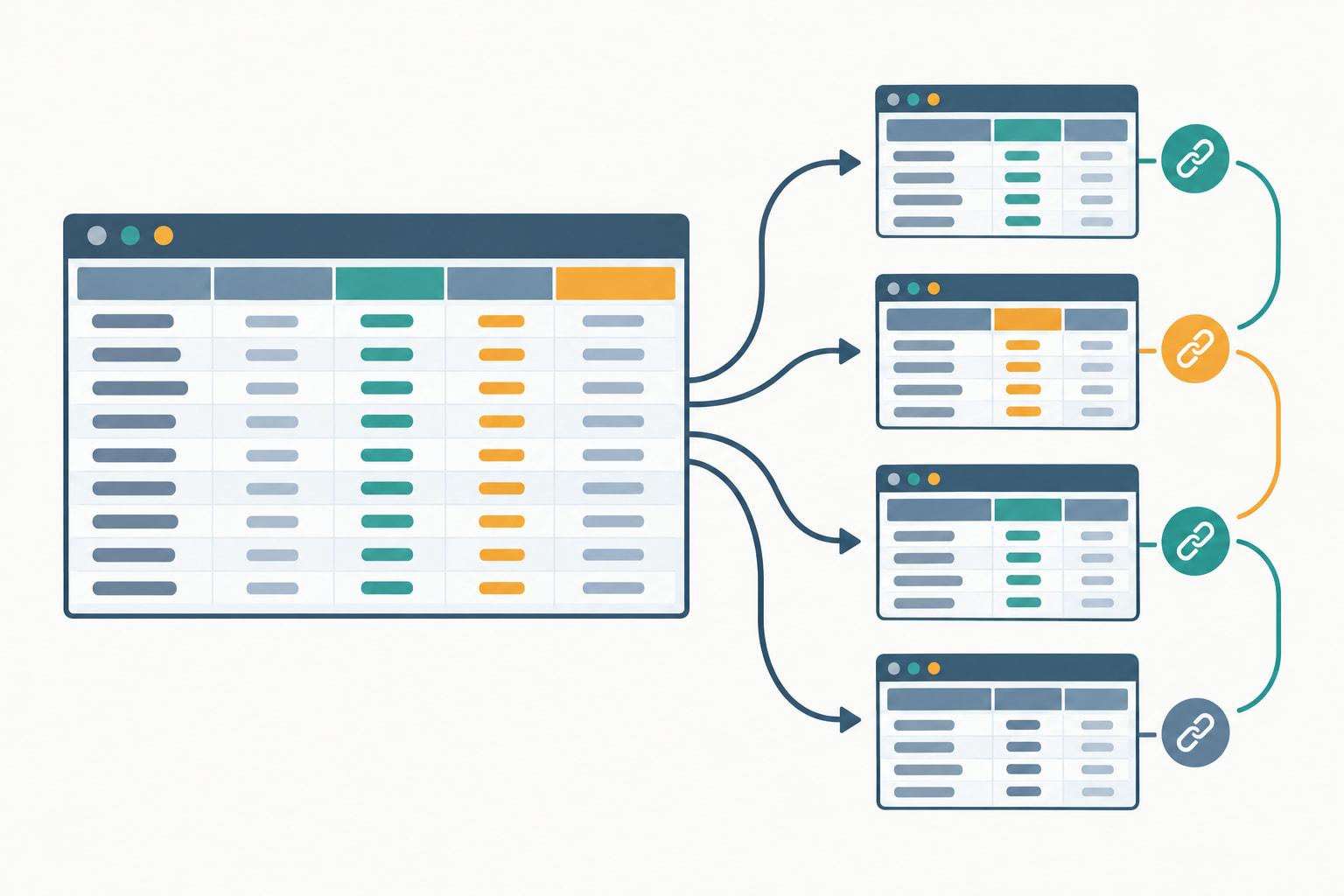
A nonprofit grant tracking database needs six tables, each holding one kind of record: funders, contacts, applications, awards, reports and documents. Every table has an ID column, and child tables point to their parent by that ID instead of retyping its name.
The relationships do the work a spreadsheet does by copying. One funder has many applications. One application becomes at most one award. One award has many reports and many documents. Change a funder's name once and every linked application shows the change. Read in that order, the tables follow a grant through the grants lifecycle, from the first application to the records kept after closeout.
Keep IDs short and readable, such as a funder abbreviation plus a number, and never reuse one after a record is deleted. Give every row in the applications, awards and reports tables one owner, so each deadline has a name beside it.
Airtable's published Nonprofit grant tracker template follows the same shape: it links Grant Applications to "Foundations, Foundation Contacts, and Programs" and includes "Amount requested and Amount received fields" (Airtable template page, September 2026).
The award fields come from federal rules. Your records must identify each federal award, including, as applicable, "the Assistance Listings title and number, Federal award identification number, year the Federal award was issued, and name of the Federal agency or pass-through entity" (2 CFR 200.302(b)(1), eCFR, current as of September 2026). Fixed lists keep the rest clean: stage, funder type, report type and document type each come from a short list that only the owner edits.
Records the Federal Rules Expect a Grant Database to Keep
A grant database holding federal award data takes on four record duties: support every record with source documentation, keep records long enough, store data in open formats where practicable, and protect personal information. Each one shapes a table or a permission.
Source documentation is the reason for the documents table, because "All records must be supported by source documentation" (2 CFR 200.302(b)(3), eCFR, current as of September 2026). Retention sets its end date: recipients and subrecipients must "retain all Federal award records for three years from the date of submission of their final financial report" (2 CFR 200.334, eCFR, current as of September 2026), and access rights for federal agencies, Inspectors General and the Comptroller General "last as long as the records are retained" (2 CFR 200.337, eCFR, current as of September 2026).
Format matters too. Parties "must collect, transmit, and store Federal award information in open and machine-readable formats" when practicable, and paper copies are not needed "when original records are electronic and cannot be altered" (2 CFR 200.336, eCFR, current as of September 2026). A platform that exports every table to CSV keeps your data readable if you ever leave it.
Contacts and staff data raise the last duty. 2 CFR 200.303(e) requires "reasonable cybersecurity and other measures to safeguard information including protected personally identifiable information (PII)" (2 CFR 200.303(e), eCFR, current as of September 2026). Spreadsheet protection does not meet that on its own: Microsoft says worksheet protection "is not intended as a security feature" (Microsoft Support, Protection and security in Excel, September 2026). Use the platform's sharing permissions to decide who can see and edit each table. The wider set of duties is in our checklist of federal grant duties.
Moving From Spreadsheet to Database, Step by Step
Move from spreadsheet to database in six steps: inventory the columns, split repeating groups into tables, assign IDs, clean the fixed lists, import parent tables before child tables, then rebuild views, reminders and permissions. Some imports drop formulas and drop-down lists, so plan to rebuild them.
Each platform treats an Excel import differently. Airtable turns each workbook sheet into its own table, while Smartsheet and monday.com import only the first tab, so plan one single-tab file per table for those two (Airtable Help Center and Smartsheet Learning Center, September 2026; monday.com Support, Import files from Excel, August 17, 2026).
Run the first import into a test copy and check the counts: each table should hold exactly as many rows as its source file. Then rebuild the views people will open daily, such as each owner's open items, reports due in the next month and applications by stage, before anyone is asked to switch.
Retire the old file on a set date. Once the counts match, make the spreadsheet read-only and say so in its first cell. One commenter warned that if one person builds the new system and then leaves, "you are back to spreadsheets" (Reddit thread 1vydvxu, read October 2026), and two live copies of the same grants soon disagree.

Choosing a Platform by Its Documented Limits
Choose the platform by the limits its vendor publishes: how many records it holds, how long it keeps change history, and what it costs at your team size, each checked on the vendor's own page. A limit you will hit within a year rules a platform out.
Sources: vendor pages read September 2026 (Microsoft Support and Microsoft nonprofit plans page; Google Drive Help, Google Docs Editors Help and Google for Nonprofits; Airtable Help Center plans overview and nonprofit plans article; Smartsheet pricing page, and Smartsheet FAQs dated April 20, 2026; monday.com pricing page and Support).
Record caps matter most as a database grows. Airtable says that at the record limit "you will not be able to add more records or attachments until you upgrade to a new plan" (Airtable pricing page, September 2026), and its Free plan allows 5 collaborators with Editor or Creator permissions (Airtable Help Center, September 2026).
Nonprofit pricing has eligibility rules. Microsoft excludes "Governmental organizations or agencies" and "Schools, colleges, and universities," while public libraries and public museums can qualify (Microsoft Learn, Eligibility, September 2026), and Google answers "No" when asked whether "a nonprofit school, healthcare organization or government entity" is eligible (Google for Nonprofits FAQ, September 2026).
Reminders vary as much as capacity. Microsoft Lists rules can notify someone when "a date approaches," limited to two such rules per list or library (Microsoft Support, September 2026), Airtable automations can trigger "At a scheduled time" (Airtable Help Center, September 2026), Smartsheet includes "Reminders" on every plan (Smartsheet pricing page, September 2026), and monday.com automations are "only available on the Standard plan and up" (monday.com Support, September 2026).
Should a Small Nonprofit Build Its Own Prospect Database?
A small nonprofit gets more from a database of the grants it actually tracks than from a homemade list of every funder it might someday approach. Prospect data changes constantly, and keeping it current is a job in itself.
One commenter in a Reddit thread said internal grant databases "go out of date quickly, are time consuming to maintain, and they aren't really as helpful as people imagine they will be" (Reddit thread 1qx3lpf, read September 2026). That warning fits prospect lists best, because funder priorities, contacts and deadlines move without telling you.
Keep the funders table to funders you are pursuing, have applied to or have been paid by. Research new prospects from public filings when you need them, using the free Form 990 search tools that read foundation returns, and add a funder to the database only when it earns an application row. Teams weighing a paid research subscription can compare costs in our side-by-side pricing of grant databases.
Moving data between a research tool and your own database can run through CSV files. Instrumentl, for example, says its exports "are available for download as .csv files," while its spreadsheet imports "are done manually by one of our Grant Import team members and are not automatic" (Instrumentl Help Center, September 2026).

When to Buy Grant Software Instead of Building
Buy instead of building when the database would need reminders, role-based permissions, change history and several reports per award, and nobody on staff can own the build. ICAEW's example of the same judgment is to "use a dedicated software package to undertake well established processes" (ICAEW, 20 principles for good spreadsheet practice, 2024 edition).
A build has running costs that are easy to miss. Someone maintains the tables, the automations and the permissions, and automation budgets run out. monday.com's Standard plan includes 250 automation actions a month, and monday.com notes that "250 actions/month is typically exhausted within days for accounts that notify multiple people or map multiple columns per automation" (monday.com Support, Automations and integrations pricing, September 2026). On Airtable, "both failed and successful automation attempts will count" toward the monthly run limit (Airtable Help Center, September 2026).
Bought software carries the opposite risk: a tool nobody opens. One commenter who tried a paid grant platform said it "felt like yet another thing I'd have to log into to get to my work" (Reddit thread 1wiivcd, read September 2026). Whichever route you take, test it with the people who will update it every week, using a month of real rows, and compare the wider software field in our review of grant software for nonprofits.
GrantCue is one bought option for this job. Every plan, Free included, carries a pipeline board with your own stages, tasks and comments, reminders, a calendar feed, CSV and Excel import and export for bringing a spreadsheet in, and admin, contributor and view-only roles with an activity log; the paid plans add users, more grants tracked at once and AI tools (grantcue.com pricing page, October 2026). The pricing page lists each plan's user and grant limits.
FAQ
Can a Small Nonprofit Track Grants Without a Database?
Yes, if one or two people own every row. A spreadsheet with one row per grant and a separate tab with one row per report is a simple database, and it holds up while the same people maintain it. Move to linked tables when several people edit at once, when awards carry many dated reports, or when records need to survive staff changes and an audit.
Which Platform Should a Small Nonprofit Use for a Grant Database?
The one whose published limits you will not reach within a year. Airtable Free caps a base at 1,000 records counted across all tables, a Smartsheet sheet holds 20,000 rows, and a Microsoft list holds up to 30 million items, though views over 5,000 items can hit a threshold (vendor pages, read September 2026). Count a year of funder, application, award and report rows, and check each platform's change history, before you choose.
Who Should Be Able to Edit a Grant Database?
Only the people who own rows. Give each owner edit rights to the tables they maintain and read-only access to the rest, and limit contact and staff tables that hold personal information, since federal recipients must safeguard protected personally identifiable information (2 CFR 200.303(e), eCFR, current as of September 2026). Permissions also drive cost: Airtable's Team plan bills collaborators with Commenter or higher permissions, and read-only collaborators are free (Airtable Help Center, September 2026).
How Do You Keep a Grant Database From Going Out of Date?
Name one owner for the database and one owner for each row. Owners update their rows on a fixed day each week, the database sends date-based reminders instead of waiting to be opened, and the database owner reviews the fixed lists and removes dead funders each quarter. A database that nobody owns goes stale as fast as the spreadsheet it replaced.
How Do You Move a Grant Spreadsheet Into a Database?
In six steps: list every column and the table it belongs to, turn repeating columns such as numbered report dates into rows on their own table, give every record an ID, replace free-text statuses with fixed lists, import parent tables before child tables, and rebuild views, reminders and permissions. Check that each table holds as many rows as its source file, then make the old spreadsheet read-only on a set date.
Build the Awards and Reports Tables First
Start with the two tables that carry deadlines and compliance. Load every active award with its award number, period of performance and amount, then add one reports row for each report the award terms list, with its due date and owner. Those two tables answer what is due and who owes it from the first day.
Add applications next, linked to awards by ID, and funders and contacts last, keyed so the links hold. Then export every table to CSV and store the files with the date, which proves the data can leave the platform and gives you a first backup.