Cost Allocation Pro Review: Payroll Allocation Software for Grant-Funded Nonprofits
A Cost Allocation Pro review for grant-funded nonprofits: how the QuickBooks Online add-on splits payroll across grants, what it costs, its limits, and how it compares with a spreadsheet.

In this article (10)
- Quick Answer: Is Cost Allocation Pro Worth It for a Grant-Funded Nonprofit?
- What CostAllocation Pro Does
- How a Payroll Allocation Runs in CostAllocation Pro
- CostAllocation Pro Pricing and Free Trial
- Does CostAllocation Pro Make Payroll Charges Compliant?
- Indirect, Fringe and PTO Allocations in CostAllocation Pro
- CostAllocation Pro vs a Spreadsheet
- Cost Allocation Pro Review: Who It Suits and Who It Does Not
- FAQ
- Run One Closed Pay Period Through the Trial
This Cost Allocation Pro review looks at CostAllocation Pro, a QuickBooks Online add-on that splits payroll and related costs across grants, programs and classes and posts the journal entry for you. The vendor writes its name as one word, CostAllocation Pro, and often shortens it to CAP.
It came up in a discussion asking for a template or program to track payroll allocations across multiple grants, where one commenter, an outsourced accountant for nonprofits, said they use it to create and post the journal entry (Reddit thread 1vmiey8, read September 2026). The product facts in this review come from the vendor's own site and knowledge base as read in October 2026, set against the federal salary rules a grant-funded nonprofit has to meet.
Quick Answer: Is Cost Allocation Pro Worth It for a Grant-Funded Nonprofit?
CostAllocation Pro suits nonprofits on QuickBooks Online that split staff pay across several grants every pay period. It turns time records or fixed percentages into a posted journal entry. It costs $50 a month, or $40 a month billed yearly, per QuickBooks Online company, with a 14-day free trial (CostAllocation Pro pricing page, October 2026).
What CostAllocation Pro Does
CostAllocation Pro is a web-based allocation tool that reads employee costs and hours, works out each person's share of time by grant or program, and posts the resulting journal entry to QuickBooks Online (CostAllocation Pro website, October 2026). It does not run payroll and it is not a grant tracker; tools for the award side are covered in our overview of grant management software for nonprofits.
The home page headline is "Automate Cost and Payroll Allocations for QuickBooks Online," and the site names three audiences: "Nonprofits," "Government Contractors" and "Accounting Firms" (CostAllocation Pro website, October 2026). Its nonprofit pitch is "Track grant spending and program costs with confidence," with grant and program tracking, payroll imports from any processor and a company selector for multiple QuickBooks Online accounts.
The scope is narrow on purpose. The knowledge base says "CAP focuses exclusively on cost allocation and does not calculate revenue based on billable or hourly rates" (CostAllocation Pro knowledge base, October 2026). The FAQ says "CostAllocation Pro is currently compatible with QuickBooks Online," and recommends a time system whose entries sync to QuickBooks, naming HourTimesheet.com and QuickBooks Time while noting Clockify, BigTime "and other apps may also work" (CostAllocation Pro pricing page FAQ, October 2026).
Sources: CostAllocation Pro website, pricing page FAQ and knowledge base, read October 2026.
The vendor's headline claim is "Saving firms 8+ hours per client every month" (CostAllocation Pro website, October 2026). That is the company's own figure for accounting firms, not a measured result for any one nonprofit.
How a Payroll Allocation Runs in CostAllocation Pro
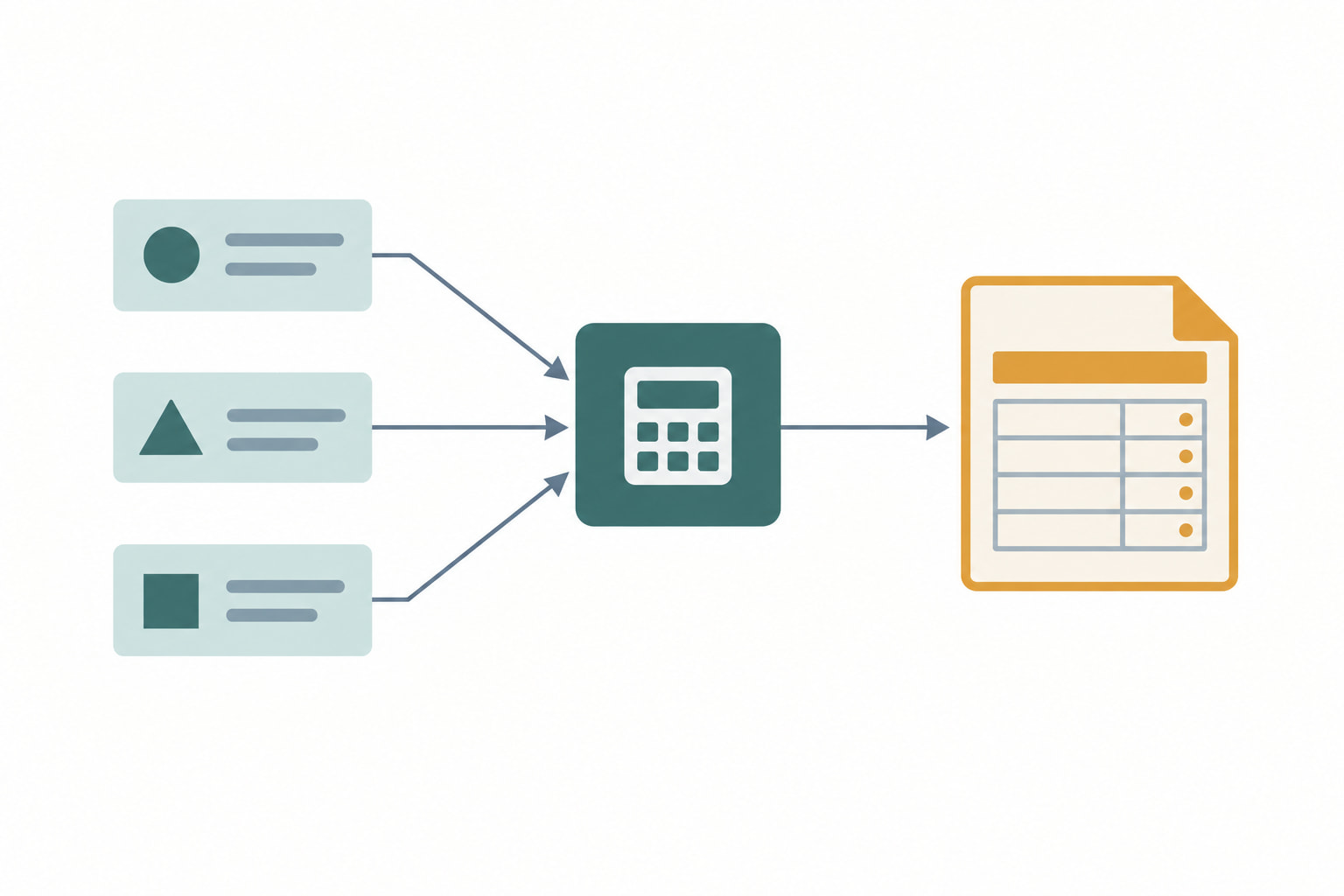
A CostAllocation Pro allocation runs in five steps: import employee costs, bring in time, create a timesheet, review the allocation, and post the journal entry to QuickBooks Online (CostAllocation Pro knowledge base, October 2026). The share for each grant comes from hours.
The knowledge base states the rule plainly: "CAP calculates the percentage of time employees spend on each grant/program by taking the hours tracked against each funding source and dividing it by the employee's total hours worked" (CostAllocation Pro knowledge base, October 2026). It then applies that percentage "to payroll and related costs, distributing them proportionally across the appropriate grants/programs."
Source: CostAllocation Pro knowledge base, read October 2026.
The payroll import is where set-up time goes. The knowledge base carries instructions for named payroll reports, including QuickBooks Online Payroll's "Payroll Details report," Paychex's "Standard Payroll Labor Cost report" and ADP Run's "Earnings Record report," and each needs its extra header rows and total rows removed before upload (CostAllocation Pro knowledge base, October 2026). Expect to clean the export once and then repeat the same steps each pay period.
For staff who do not track time, CostAllocation Pro offers fixed percentage allocations, which "allows users to set a predefined percentage allocation breakdown for each employee," and the setting "remains in effect for future pay periods until modified" (CostAllocation Pro knowledge base, October 2026). The guide tells users to "Ensure that the total allocation equals 100%." A second method imports percentages as hours, with 100 hours standing for 100 percent, and the guide notes "the system does not enforce this requirement."
Corrections are handled inside the tool. When percentages or hours change for a period already posted, CAP republishes the entry and "revises the original journal entry in QBO," so "There's no need to delete the original entry in QBO manually" (CostAllocation Pro knowledge base, October 2026).
CostAllocation Pro Pricing and Free Trial
CostAllocation Pro has one published plan, Standard, at $50 a month on monthly billing or $40 a month on yearly billing, labeled "Save 20%," for each QuickBooks Online company you connect (CostAllocation Pro pricing page and knowledge base, October 2026). A 14-day free trial includes every feature.
Sources: CostAllocation Pro pricing page, knowledge base and Terms and Conditions, read October 2026.
The per-company rule matters for two groups. A nonprofit that keeps a separate QuickBooks Online company for an affiliate or a fiscally sponsored project pays for each one. An outsourced accountant serving several nonprofit clients pays per client company, which is why the company selector exists. When you connect a new company, "the subscription quantity will automatically adjust," and disconnecting one reduces billing from the next cycle (CostAllocation Pro knowledge base, October 2026).
No G2, Capterra or GetApp listing with a rating and review count was found for CostAllocation Pro in October 2026, so there is no independent score to weigh. The trial is the review: two weeks is long enough to run one closed pay period through it.
Does CostAllocation Pro Make Payroll Charges Compliant?
No software makes a salary charge compliant on its own. Federal rules require that "Charges to Federal awards for salaries and wages must be based on records that accurately reflect the work performed" (2 CFR 200.430(g)(1), eCFR, current as of September 2026), and CostAllocation Pro produces the allocation from whatever records you feed it.
That makes the input method the compliance question. Hour-based allocation from real timesheets lines up with the standard, and the rules allow records that "reflect categories of activities expressed as a percentage distribution of total activities" (2 CFR 200.430(g)(1)(viii), eCFR, current as of September 2026). Payroll records must also "Reasonably reflect the total activity for which the employee is compensated," not exceeding 100 percent (2 CFR 200.430(g)(1)(iii), eCFR, current as of September 2026).
Fixed percentages need more care. Under the federal rule, "Budget estimates (meaning, estimates determined before the services are performed) alone do not qualify as support for charges to Federal awards," though they "may be used for interim accounting purposes" under stated conditions (2 CFR 200.430(g)(1)(vii), eCFR, current as of September 2026). One of those conditions is a process for "periodic after-the-fact reviews of interim charges," with "All necessary adjustments" made so the final charge is accurate. A fixed split that rolls forward "until modified" is an estimate until someone checks it against the work done.
CostAllocation Pro's revision feature fits that review step: change the percentage or hours and republish the entry. The tool will not remind you to do the review, and its percentage import does not enforce the 100 percent total. Our guide to allocating salaries across multiple grants sets out the method and the documentation the rules expect.
Indirect, Fringe and PTO Allocations in CostAllocation Pro
CostAllocation Pro can allocate indirect costs, fringe and other rate-based costs on top of payroll, but it applies one indirect rate across the whole organization and uses direct salaries, excluding fringe, as the base (CostAllocation Pro knowledge base, October 2026). Check that base against the rate your awards actually use.
The knowledge base says "CostAllocation Pro allows nonprofits to allocate indirect costs using direct salaries (excluding fringe benefits) as the allocation base," and "only one indirect rate can be defined and applied to all direct salaries charged across the organization" (CostAllocation Pro knowledge base, October 2026). The entry posts as a single line that debits and credits the same expense account, which the vendor says leaves no net effect on the organization's profit and loss.
The base is the point to check. The federal de minimis rate is "up to 15 percent of modified total direct costs (MTDC)," and MTDC includes "all direct salaries and wages, applicable fringe benefits, materials and supplies, services, travel, and up to the first $50,000 of each subaward" (2 CFR 200.414(f) and 200.1, eCFR, current as of September 2026). A rate computed on that wider base will not produce the right dollars when applied to direct salaries alone. If your negotiated rate uses a salaries base, the tool's approach matches; if it uses MTDC, compute the indirect charge outside the tool or confirm a workaround with the vendor. Our explainer on indirect cost rates for federal grants covers how the base is set.
Two more features round out the allocation. Rate-based allocations, announced on August 20, 2025, let users add "indirect, fringe, and overhead" on top of payroll allocations, where earlier "allocations were based on employee time or fixed percentages" (CostAllocation Pro blog, August 20, 2025). The knowledge base also covers allocating PTO accruals for organizations that bill grants for leave "as it is earned, rather than when PTO is actually paid through payroll." Federal rules allow leave costs only under "established written leave policies," equitably allocated, on a cash or accrual basis that "is consistently followed" (2 CFR 200.431(b), eCFR, current as of September 2026).

CostAllocation Pro vs a Spreadsheet
CostAllocation Pro replaces the calculation and posting half of a payroll allocation spreadsheet; it does not replace the record of who approved each split. At $40 to $50 a month per QuickBooks Online company (CostAllocation Pro pricing page, October 2026), it pays off when the spreadsheet is breaking or the journal entry takes hours each pay period.
Sources: CostAllocation Pro website and knowledge base, read October 2026.
The spreadsheet's failure modes show up in the same thread. The original poster described an inherited workbook where "several people have hard coded some numbers and it's a train wreck now," and said "the grant periods start and end at all different times" (Reddit thread 1vmiey8, read September 2026). One reply advised "one dated input table with employee ID, grant, percentage, effective start/end date, and who approved the change," because otherwise "every new percentage update can rewrite the history you're relying on for grant reporting" (Reddit thread 1vmiey8, read September 2026).
That advice applies with or without the software. CostAllocation Pro holds the current percentages and recalculates; the vendor's pages read do not describe a dated approval log for each change. Keep the dated table, then let the tool do the arithmetic. A third route, coding hours to grants inside the payroll system itself, is covered in our guide to job costing payroll for nonprofit grants. If you stay on a workbook, our payroll allocation template for multiple grants gives a layout built around that dated table.
Cost Allocation Pro Review: Who It Suits and Who It Does Not
CostAllocation Pro suits a nonprofit, or an outsourced accountant serving nonprofits, that runs QuickBooks Online, charges staff time to several grants every pay period, and can feed the tool real hours or reviewed percentages (CostAllocation Pro website, October 2026). It is a poor fit outside QuickBooks Online.
Sources: CostAllocation Pro website and knowledge base, read October 2026.
The tool sits in the accounting system, which is the right place for allocation, but it does not track awards, deadlines or reports. GrantCue covers that award side and does not allocate payroll or post journal entries: its Team plan at $109 a month adds "post-award lite" budget versus actuals and payment schedules for each grant, and Organization at $229 a month adds full budget planning templates, spenddown tracking and compliance requirement tracking (grantcue.com, September 2026). The GrantCue features page shows how the award records sit beside the books.

FAQ
What is CostAllocation Pro?
CostAllocation Pro is a web-based add-on for QuickBooks Online that allocates payroll and related costs across grants, programs and classes. It imports payroll costs from any processor, takes hours from QuickBooks Online or another time system, calculates each employee's split, and posts the journal entry (CostAllocation Pro website, October 2026). It serves nonprofits, government contractors and accounting firms.
How much does CostAllocation Pro cost?
CostAllocation Pro's Standard plan is $50 a month on monthly billing or $40 a month on yearly billing, labeled "Save 20%" (CostAllocation Pro pricing page, October 2026). The price covers one QuickBooks Online company, and each additional company needs its own subscription. The FAQ says the price includes software access, ongoing support and new updates.
Does CostAllocation Pro work with QuickBooks Desktop?
Not according to the vendor, which lists only QuickBooks Online: its FAQ says "CostAllocation Pro is currently compatible with QuickBooks Online" (CostAllocation Pro pricing page FAQ, October 2026). Organizations on QuickBooks Desktop or another accounting system would need to move to QuickBooks Online or use a different allocation method, such as a structured spreadsheet that feeds a manual journal entry.
Does CostAllocation Pro work with any payroll provider?
Yes, through file import. The vendor says you can "import a .csv file from your payroll report" from any provider, and its knowledge base gives steps for QuickBooks Online Payroll, Paychex and ADP Run reports (CostAllocation Pro website and knowledge base, October 2026). Each export needs extra header and total rows removed before upload.
Can CostAllocation Pro allocate indirect costs to grants?
Yes, with one limit. It applies a single organization-wide indirect rate to direct salaries, excluding fringe, and posts the result in the payroll allocation entry (CostAllocation Pro knowledge base, October 2026). The federal de minimis rate applies to modified total direct costs, a wider base, so confirm your rate's base before relying on the tool's calculation.
Is there a free trial of CostAllocation Pro?
Yes. The vendor offers a 14-day free trial, saying "you'll have access to all the features so you can be confident it'll work for you" (CostAllocation Pro website, October 2026). Use it to run one closed pay period end to end, from payroll import to the posted journal entry, and compare the result with your current allocation.
Run One Closed Pay Period Through the Trial
Pick a pay period you have already closed and allocated by hand. Import its payroll report and time into the 14-day trial, create the timesheet, and compare the tool's journal entry with the one you posted, grant by grant (CostAllocation Pro website, October 2026).
If the totals match, check the two places the rules bite: whether any split came from a fixed percentage that nobody reviewed against actual work, and whether the indirect line uses the same base as your rate agreement. Then decide whether $40 to $50 a month per QuickBooks Online company is less than the hours the manual entry costs you each pay period.