Payroll Allocation Template for Multiple Grants
What a payroll allocation template for multiple grants contains, how the effective dated table works, the 100 percent check, and how to keep allocations current.

In this article (16)
- Quick Answer: What Should a Payroll Allocation Template for Multiple Grants Contain?
- What a Payroll Allocation Template for Multiple Grants Contains
- Effective Dated Allocation Table for Payroll
- Why Payroll Allocations Must Total 100 Percent
- Grant Payroll Allocation Spreadsheet Setup
- Maintaining the Allocation Table When Awards Open and Close
- From the Allocation Table to a Grant Proposal Budget Template for Multiple Projects
- What 2 CFR 200.430(g) Requires From Payroll Records
- FAQ
- What is a payroll allocation template for multiple grants?
- What columns does an effective dated allocation table for payroll need?
- How do you build a grant payroll allocation spreadsheet?
- Why do payroll allocations have to total 100 percent?
- How do you use a grant proposal budget template for multiple projects?
- How often should a payroll allocation table be updated?
- Set the Table Up Before the Next Payroll Run
A payroll allocation template for multiple grants is the file that decides which award pays for which share of each person's salary. Build it as a dated table and the monthly payroll run turns into a lookup. Get it wrong and an hour of work lands on two awards, or on none.
The rule behind the file is short. 2 CFR 200.430(g)(1) requires that charges to Federal awards for salaries and wages be based on records that accurately reflect the work performed (eCFR 2 CFR 200.430(g)(1), current as of September 2026). An effective dated allocation table turns that standard into payroll entries, and it meets the standard only when its percentages are checked against the work actually performed; on its own, a split set in advance is a budget estimate.
Quick Answer: What Should a Payroll Allocation Template for Multiple Grants Contain?
A payroll allocation template for multiple grants is a dated table with one row per person and grant: employee, cost objective, percent of pay, effective dates, approver. Each employee's percentages in a pay period must total 100 percent of compensated activities (eCFR 2 CFR 200.430(g)(1)(iii), current as of September 2026).
Free download: Payroll allocation workbook (effective-dated, totals to 100 percent) as Excel .xlsx. No email address required.
What a Payroll Allocation Template for Multiple Grants Contains
A payroll allocation template for multiple grants is a table with one row per employee, per grant, per effective period. Each row names the employee, the cost objective, the percentage of pay charged, the effective start and end dates, and the person who approved the split.
One commenter on Reddit advised "one dated input table with employee ID, grant, percentage, effective start/end date, and who approved the change" (Reddit thread 1vmiey8, read September 2026). Those five fields are the core of the template. A per-period check that each employee's allocations total 100 percent is what makes it a control (eCFR 2 CFR 200.430(g)(1)(iii), current as of September 2026).
A cost objective is a cost target that the accounting system measures separately, and 2 CFR 200.1 defines it as "a program, function, activity, award, organizational subdivision, contract, or work unit" for which cost data are wanted and accumulated (eCFR 2 CFR 200.1, current as of September 2026). The grant column names the cost objective and the percent column says how much of the person's pay it receives.
Scroll horizontally to see all columns when needed.
| Column | What it holds | Why the record needs it |
|---|---|---|
| Employee | Name or payroll ID of one person | Ties the row to one compensated employee |
| Grant | The award and cost objective charged | Identifies where the cost goes (2 CFR 200.430(g)(1)(vi)) |
| Percent | Share of the person's total activity for the period | Percentage distribution of total activities (2 CFR 200.430(g)(1)(viii)) |
| Effective dates | Start date and end date for the split | Shows which payroll runs the row governs |
| Approver | Name or role of the person who signed off | Source documentation for the charge (2 CFR 200.302(b)(3)) |
Sources: 2 CFR 200.1, 2 CFR 200.302(b)(3) and 2 CFR 200.430(g)(1), eCFR, current as of September 2026.
2 CFR 200.430(g)(1)(vi) requires records to "Support the distribution of the employee's salary or wages among specific activities or cost objectives" whenever the employee works on more than one Federal award, on a Federal award and a non-Federal award, or on direct and indirect activity (eCFR 2 CFR 200.430(g)(1)(vi), current as of September 2026). The five columns answer that in a single row. For where this file sits in the life of an award, see the grants lifecycle management guide.
Select to enlarge (opens in a new tab).
Effective Dated Allocation Table for Payroll
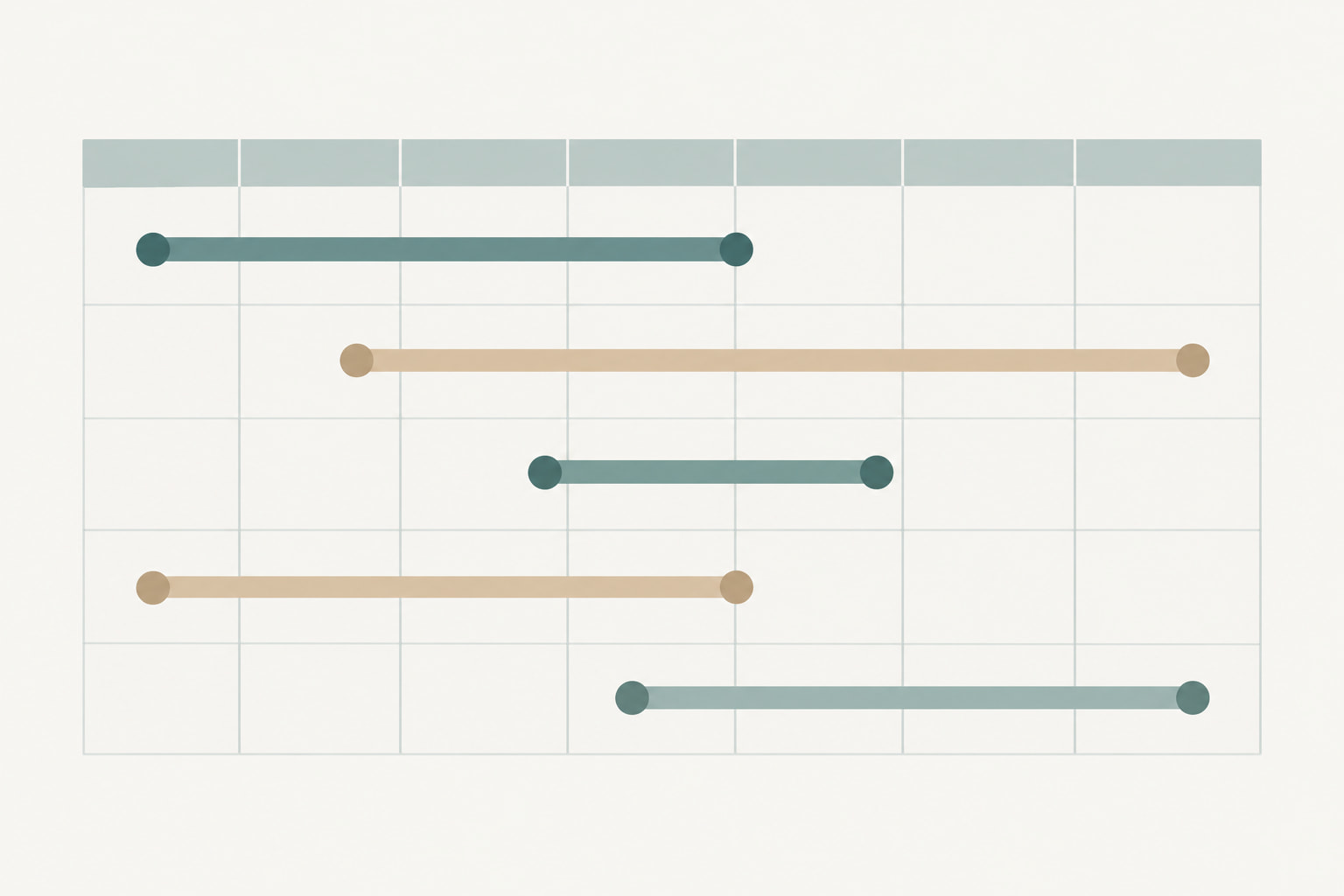
An effective dated allocation table for payroll records each split with a start date and an end date, so a payroll run picks up the percentages in force on the days the pay was earned. Rows close with an end date and new rows open beside them. Nothing is overwritten.
Dates matter because awards do not run on your internal calendar. One commenter describing the scheduling problem behind multi-grant tracking said the grant periods start and end at all different times (Reddit thread 1vmiey8, read September 2026). A table without dates answers only what is true today, and a payroll correction from earlier in the year has nowhere to go.
Dates also make the after-the-fact review possible. 2 CFR 200.430(g)(1)(vii) states that budget estimates alone do not qualify as support for charges to Federal awards, though they may be used for interim accounting purposes (eCFR 2 CFR 200.430(g)(1)(vii), current as of September 2026). The date columns show which estimate governed which payroll run.
The follow-on rule is the one that gives those columns their purpose. 2 CFR 200.430(g)(1)(vii)(C) requires internal controls that "include processes to perform periodic after-the-fact reviews of interim charges made to a Federal award based on budget estimates" (eCFR 2 CFR 200.430(g)(1)(vii)(C), current as of September 2026). Reviewing an estimate means reading the dated rows against the work actually done.
Scroll horizontally to see all columns when needed.
| Employee | Grant | Percent | Effective from | Effective to | Approver |
|---|---|---|---|---|---|
| Staff A | Award 2026-A | 60 | 2026-01-01 | 2026-12-31 | Finance manager |
| Staff A | Award 2026-B | 40 | 2026-01-01 | 2026-03-31 | Finance manager |
| Staff A | Award 2026-B | 25 | 2026-04-01 | 2026-12-31 | Finance manager |
| Staff A | Unrestricted | 15 | 2026-04-01 | 2026-12-31 | Finance manager |
Illustrative figures, not data from a real organization.
For the first quarter these rows total 100 percent, and from April the open rows still total 100 percent (eCFR 2 CFR 200.430(g)(1)(iii), current as of September 2026). The closed row stays in the file, so a reviewer can see the split that applied in February without asking anyone to remember it.

Select to enlarge (opens in a new tab).
Why Payroll Allocations Must Total 100 Percent
Payroll allocations must total 100 percent because 2 CFR 200.430(g)(1)(iii) requires payroll records to reasonably reflect the total activity for which the employee is compensated, "not exceeding 100 percent of compensated activities" (eCFR 2 CFR 200.430(g)(1)(iii), current as of September 2026). The check runs per employee and per pay period.
That total covers every activity the person is paid for. 2 CFR 200.430(g)(1)(vi) names the mixtures that force a split: two or more Federal awards, a Federal award and a non-Federal award, a direct cost activity and an indirect cost activity, two indirect activities allocated on different bases, and unallowable work alongside allowed work (eCFR 2 CFR 200.430(g)(1)(vi), current as of September 2026). Rows for all of those together are what must reach the full total.
A total over the cap means the table charges more hours than the person has. A total under the cap means part of the pay sits on no cost objective at all, so the awards come up short and the payroll register stops matching the general ledger. Both failures are silent until someone adds the column.
The check is arithmetic. Sum the percent column by employee and pay period, and hold the payroll export until every total lands where it should. One commenter described the failure mode: "several people have hard coded some numbers and it's a train wreck now" (Reddit thread 1vmiey8, read September 2026).
Scroll horizontally to see all columns when needed.
| Check | Pass condition | What a fail means |
|---|---|---|
| Per-period total | Percent rows for one employee in one pay period sum to 100 | Time is over-charged or under-charged |
| Date coverage | Every day of the pay period is covered by exactly one row per grant | Pay lands on no cost objective, or lands twice |
| Approver present | Every changed row carries an approver and a date | No source documentation for the change |
| Ledger tie-out | Allocation totals equal the payroll register for the period | Rows were edited outside the payroll file |
The per-period total applies 2 CFR 200.430(g)(1)(iii) and the approver check applies 2 CFR 200.302(b)(3) (eCFR, current as of September 2026). The date-coverage and ledger tie-out checks are recommended practice to run outside the file, against the payroll register; the workbook does not run them.
Grant Payroll Allocation Spreadsheet Setup
A grant payroll allocation spreadsheet holds one tab of dated allocation rows, one check tab that sums each employee's percentages by pay period, and one change log listing who edited what and when. A tab for award reference data saves lookup time. The free workbook follows that layout in seven tabs: a Read Me, a Rates tab where each employee's salary and fringe rate are entered once, Allocation Rows (the five fields plus a row ID, position, award ID, approval date, a charge basis that marks cost share, and notes), a Monthly Charge tab that turns the rows in force for a chosen month into dollars per award and splits cost share out of the amount to bill, the 100 Percent Check, which adds six workbook-level checks on approvers, dates and employee records, Award Reference and a Change Log.
Keep the percent column as the only place percentages exist. The check tab reads that column and nothing else. The change log exists because an approver column records only the rows someone remembered to sign; the log records every edit with its date, editor and reason.
In one Reddit thread on grant tracking, the only two reasons offered for leaving a spreadsheet were that "it can't nag anyone, the reminder shows up when someone opens the file" and that "it keeps no record of who changed what" (Reddit thread 1vydvxu, read September 2026). While the workbook is the system of record, the approver column and the change log are the compensating controls for the second limit.
The workbook also has to satisfy the recordkeeping rule. 2 CFR 200.302(b)(3) requires "Maintaining records that sufficiently identify the amount, source, and expenditure of Federal funds for Federal awards," and states that "All records must be supported by source documentation" (eCFR 2 CFR 200.302(b)(3), current as of September 2026). An allocation row without an approver and an effective date is thin support for a salary charge.
Scroll horizontally to see all columns when needed.
| Tab | What it holds | Who edits it |
|---|---|---|
| Allocation rows | One dated row per employee and grant | Finance staff |
| Check | Per-period totals per employee with a pass or fail flag | Nobody, formulas only |
| Change log | Date, editor, row changed, reason | Whoever makes the change |
| Award reference | Award ID, cost objective, start and end dates | Finance staff at award setup |
Maintaining the Allocation Table When Awards Open and Close
Maintenance is a dated change plus a periodic review: close the row that no longer applies with an end date, open the new row with a start date, and then compare the interim charges against the work actually performed. Both halves are required for the file to be worth anything a year later.
Change triggers are narrow. A new award starts, an award ends, a person's role shifts so the benefit to each cost objective changes, or a review turns up a split that was wrong. Each trigger ends one row and opens another.
The review is required, not optional. 2 CFR 200.430(g)(1)(vii)(C) requires all necessary adjustments to be made so that the final amount charged to the Federal award is accurate, allowable, and properly allocated (eCFR 2 CFR 200.430(g)(1)(vii)(C), current as of September 2026). Set a review calendar and keep the evidence that each review happened.
Two further rules shape the routine. For nonexempt employees, 2 CFR 200.430(g)(3) requires charges to be supported by records showing "the total number of hours worked each day" under the Fair Labor Standards Act (29 CFR part 516) (eCFR 2 CFR 200.430(g)(3), current as of September 2026). Salary counted as cost sharing has to be supported in the same manner as salary claimed for reimbursement (eCFR 2 CFR 200.430(g)(4), current as of September 2026).
Where the records fall short, the government can ask for more. 2 CFR 200.430(g)(8) states that the Federal Government may require personnel activity reports, including prescribed certifications, or equivalent documentation (eCFR 2 CFR 200.430(g)(8), current as of September 2026). A dated table that has been reviewed against the work performed, with a per-period check, is what stands up to that request.
The change triggers are dates, and dates are what a pipeline tracks. GrantCue records each award's start, end and report dates as deadlines in a kanban-style pipeline, with an ICS calendar feed on every plan, Free included, while post-award budget versus actuals and a Google Calendar integration start on the Team plan at $109 a month (grantcue.com, September 2026). Award dates kept there put this table's change triggers on a calendar the team already watches, and GrantCue's plan comparison shows which plan carries each feature.
From the Allocation Table to a Grant Proposal Budget Template for Multiple Projects
The percentages in the table are the same numbers a proposal budget uses for the personnel line when one project draws on several funding sources. Grant staff on Reddit gave the layout as a three-column grant budget: full program cost, portion requested and other funding sources (Reddit thread 1lu9lh2, read September 2026). The allocation table supplies the full program cost share of each salary, and the requested column becomes arithmetic from there. The proposal side is covered in our nonprofit proposal budget examples.

Select to enlarge (opens in a new tab).
What 2 CFR 200.430(g) Requires From Payroll Records
2 CFR 200.430(g), Standards for Documentation of Personnel Expenses, is the paragraph that governs this file. It requires charges to Federal awards for salaries and wages to rest on records that accurately reflect the work performed (eCFR 2 CFR 200.430(g)(1), current as of September 2026). Everything in the template exists to satisfy it.
The citation is paragraph (g), not paragraph (i). In the current text, paragraph (i) is headed "Institutions of Higher Education (IHEs)" and applies only to those institutions (eCFR 2 CFR 200.430, current as of September 2026), so a policy or a template that cites 200.430(i) for a nonprofit is pointing at the wrong paragraph. Nonprofits and public agencies answer to paragraph (g).
The second half of the rule is generous. Where records meet the paragraph (g)(1) standards, "the recipient or subrecipient is not required to provide additional support or documentation for the work performed" (eCFR 2 CFR 200.430(g)(2), current as of September 2026). The Uniform Guidance mandates no monthly timesheet form and no semi-annual certification form (eCFR 2 CFR 200.430(g)(2), current as of September 2026). What it sets is the standard the records must meet.
Percentage records are allowed, which is what makes a table of splits valid in the first place. 2 CFR 200.430(g)(1)(viii) states that "records may reflect categories of activities expressed as a percentage distribution of total activities" (eCFR 2 CFR 200.430(g)(1)(viii), current as of September 2026). Hours are one way to record work. Percentages are another.
Scroll horizontally to see all columns when needed.
| Requirement | Where it comes from | What satisfies it |
|---|---|---|
| Charges rest on records that reflect the work | 2 CFR 200.430(g)(1) | The dated percent rows, confirmed by the after-the-fact review |
| Distribution among cost objectives is supported | 2 CFR 200.430(g)(1)(vi) | The grant and percent columns |
| Total activity covered and capped | 2 CFR 200.430(g)(1)(iii) | The per-period check |
| Percentage records are acceptable | 2 CFR 200.430(g)(1)(viii) | Percent column in place of hours |
| Daily hours for nonexempt staff | 2 CFR 200.430(g)(3) | Hours per day from the payroll system |
| Cost share supported like reimbursed salary | 2 CFR 200.430(g)(4) | The same rows, flagged as cost share |
Source: 2 CFR 200.430(g), eCFR, current as of September 2026.
FAQ
What is a payroll allocation template for multiple grants?
A payroll allocation template for multiple grants is a dated table that splits each employee's pay across the awards and cost objectives they work on. It carries the employee, the grant, the percentage charged, the effective start and end dates, and the approver. It checks that each employee's percentages for a pay period total 100 percent of compensated activities (eCFR 2 CFR 200.430(g)(1)(iii), current as of September 2026).
What columns does an effective dated allocation table for payroll need?
The core columns are employee, grant or cost objective, percent of pay, effective from, effective to, and approver. The dates are what make the table effective dated, because each row governs only the payroll runs inside its range and then closes. 2 CFR 200.430(g)(1)(viii) allows the percent column in place of recorded hours (eCFR 2 CFR 200.430(g)(1)(viii), current as of September 2026).
How do you build a grant payroll allocation spreadsheet?
Build three tabs. The first holds one dated row per employee and grant. The second sums each employee's percentages by pay period and flags any total that is not 100 percent (eCFR 2 CFR 200.430(g)(1)(iii), current as of September 2026). The third is a change log with date, editor, row and reason. Keep percentages in one column so the check reads the source values.
Why do payroll allocations have to total 100 percent?
Payroll records must reasonably reflect the total activity for which the employee is compensated and may not exceed 100 percent of compensated activities (eCFR 2 CFR 200.430(g)(1)(iii), current as of September 2026). A total above the cap charges hours the person does not have. A total below the cap leaves part of the pay on no cost objective, so the awards are undercharged and the payroll register stops matching the ledger.
How do you use a grant proposal budget template for multiple projects?
Grant staff describing their own practice on Reddit gave the layout as three columns: full program cost, portion requested, and other funding sources (Reddit thread 1lu9lh2, read September 2026). That shape carries a multi-project budget as well, because each project reads the same personnel rows differently. Feed those rows from the allocation table, since the percentages already state the share of each salary a project uses, and the requested column is that share minus what other sources cover.
How often should a payroll allocation table be updated?
Update it whenever a split changes and review it after the fact on a fixed schedule. 2 CFR 200.430(g)(1)(vii)(C) requires internal controls to include periodic after-the-fact reviews of interim charges made on budget estimates, with adjustments so the final amount charged is accurate, allowable, and properly allocated (eCFR 2 CFR 200.430(g)(1)(vii)(C), current as of September 2026).
Set the Table Up Before the Next Payroll Run
The table is small and the work sits in the routine. Five fields per row, a per-period check that every employee's percentages land on 100 percent of compensated activities (eCFR 2 CFR 200.430(g)(1)(iii), current as of September 2026), and each change made as a dated row instead of an edit to an old one.
Start with the employees who split time today. Add the effective dates from the award documents, name an approver for every row, and put the check in place before the next payroll run so the first review compares two periods instead of one.
The same rows feed the rest of the post-award record. Our post-award setup checklist covers what else to capture when an award arrives. The personnel actuals in the budget-versus-actual comparison that 2 CFR 200.302(b)(5) requires from every financial management system come from these rows (eCFR 2 CFR 200.302(b)(5), current as of September 2026), and so do the staffing figures in a grant progress report.