Find funding
Search Discover and narrow the results
Plans: Every plan, including Free.
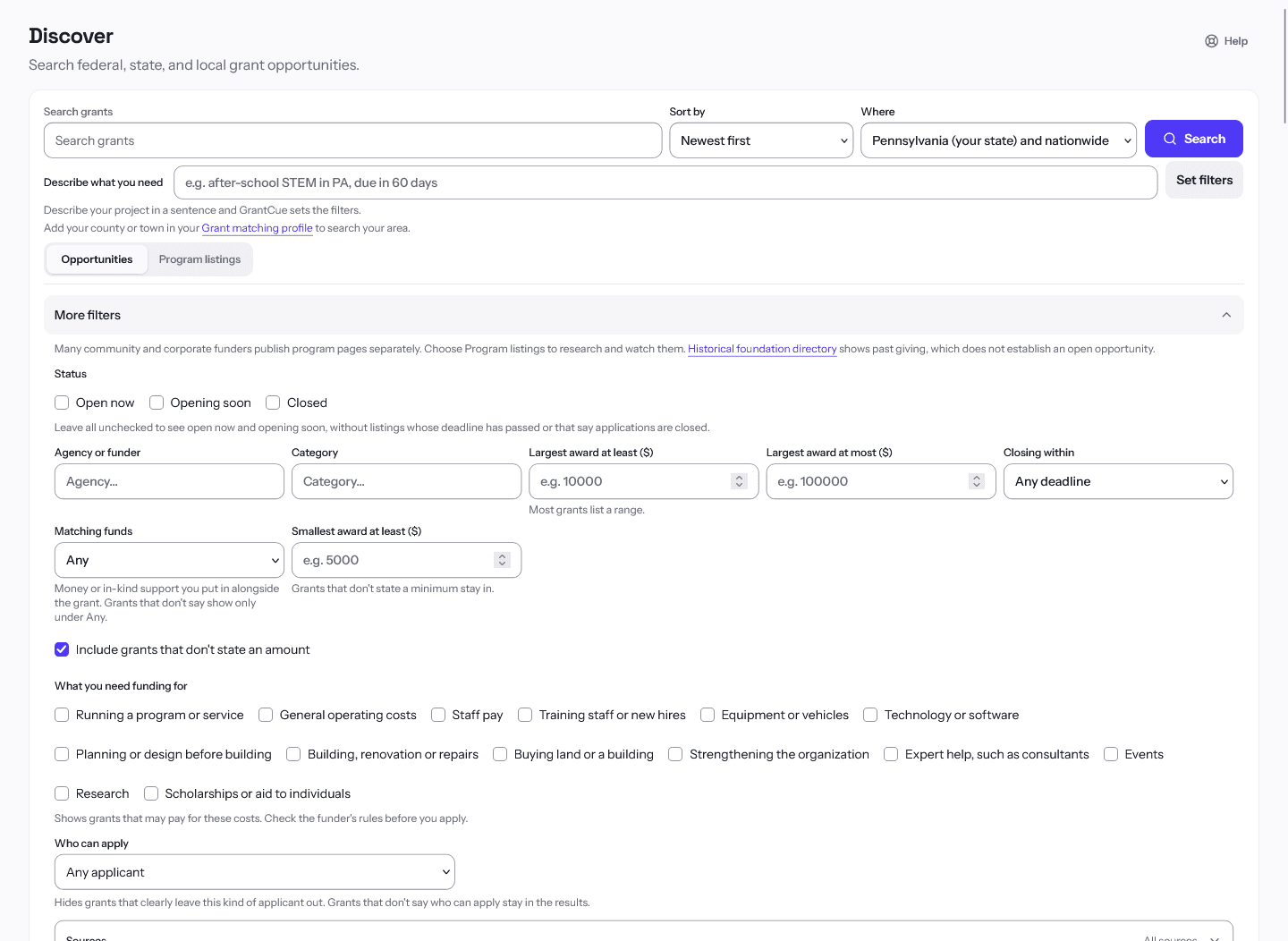
Discover is GrantCue's grant search across federal, state, local and foundation sources. Its filters narrow a long list down to the grants with the timing, award size and funder you need.
In the app: Discover
Discover searches the grants GrantCue has collected from federal, state, local and foundation sources. Saving a result only tracks it for your own research. It never applies to the funder or contacts them.
Run a search
- Open Discover, or press Ctrl+K (Cmd+K on a Mac) to search grants from any page.
- Type a keyword, a funder name or a topic into the search box and choose Search.
- Use the Sort by menu to order results by Newest first, Due soon, Relevance or Highest maximum award.
Choose a listing type
- Opportunities are individual notices with their own deadline. Program listings are recurring programs that have not announced a round yet.
- Switch between Opportunities and Program listings above the results. To research programs that have no current round, use Program listings.
Add more filters
Open More filters to filter by agency, category, minimum and maximum award, and Closing within (30, 60 or 90 days). The Status checkboxes limit Opportunities to Open now, Opening soon or Closed; leave all three unchecked to see open now and opening soon. A line of chips above the results shows what is active, and each chip removes its own filter.
Save, compare and go further
- Choose Save to My grants on a result to add it to your list.
- Choose Compare on up to four results, then open the comparison tray to see them side by side. Download CSV exports the table.
- Choose Save this search to keep the current filters, with email alerts if you turn them on. See the article on saved searches and alerts.
If a search returns nothing, remove the narrowest filter first. A deadline window combined with a minimum award cuts the list fast.
Related articles
Questions about a feature or a plan?Contact us