GrantHub Pricing in 2026: What Former Users Should Compare Now
A GrantHub pricing guide for 2026, focused on what former users should compare after the sunset: migration, data import, deadlines, workflow, AI, and total cost.
Last updated: July 2026
If you are searching for GrantHub pricing in 2026, you are probably replacing a grant tracking workflow after the GrantHub and GrantHub Pro sunset. The useful question is no longer "How much did GrantHub cost?" It is "What will it cost to rebuild our grant pipeline, deadlines, documents, and reporting in a new system?"
Start with the GrantHub migration plan, then compare replacement tools by total value.
Quick Answer: What Costs Should Former GrantHub Users Compare?
| Cost Area | Why It Matters |
|---|---|
| Subscription | Base software cost |
| Users/seats | Whether the full grant team can work inside the system |
| Migration | Importing GrantHub exports or CSV files |
| Setup | Pipeline stages, custom fields, reminders |
| Training | Time needed for staff adoption |
| Support | Help during import and deadline review |
| Feature gaps | Extra tools needed for writing, discovery, or reporting |
Why Published Pricing Is Only Part of the Decision
GrantHub was often evaluated as a grant tracker. A replacement tool should be evaluated as an operating system for grant work.
Ask:
- Can we import old data?
- Can we track deadlines and reports?
- Can multiple users collaborate?
- Can we assign owners and tasks?
- Can we find new opportunities?
- Can we manage proposal drafts?
- Can we generate reports for leadership?
- Can we keep notes and funder history?

Replacement Cost Checklist
| Question | Why It Matters |
|---|---|
| Is migration included? | Hidden import work can consume staff time |
| Are all users included? | Grant work is cross-functional |
| Are reminders included? | Missed deadlines are more expensive than software |
| Is discovery included? | A tracker alone does not find new grants |
| Is AI writing included? | Separate writing tools may add cost |
| Are reports included? | Leadership needs pipeline visibility |
What Former GrantHub Users Usually Need
Most former GrantHub teams need:
- Pipeline stages.
- Deadline tracking.
- Grant calendar.
- File and document links.
- Notes and funder history.
- Team assignments.
- Saved searches.
- Reporting.
- Import support.
- A way to handle post-award requirements.
If a low-cost option lacks these, the real cost may appear later in spreadsheets, missed handoffs, and duplicated work.
GrantCue Replacement Value
GrantCue is built around the grant-seeking workflow:
- Search grants.
- Track opportunities.
- Manage pipeline stages.
- Assign tasks.
- Monitor deadlines.
- Draft proposal sections.
- Summarize NOFOs.
- Score opportunity fit.
- Track post-award work.
That means the comparison should be GrantCue against the stack of spreadsheets, calendars, writing tools, and manual reminders your team would otherwise use.
Pricing Comparison Table
| Feature Area | Ask Any Replacement Vendor |
|---|---|
| Data import | Can we import GrantHub-format files or CSV exports? |
| Migration support | Is onboarding included or extra? |
| Team workflow | How many users can collaborate? |
| Deadlines | Are calendar feeds and reminders included? |
| Discovery | Does the tool find grants or only track them? |
| AI | Are proposal and NOFO tools included? |
| Reports | Can leadership see pipeline and outcomes? |
| Exit options | Can we export our data later? |
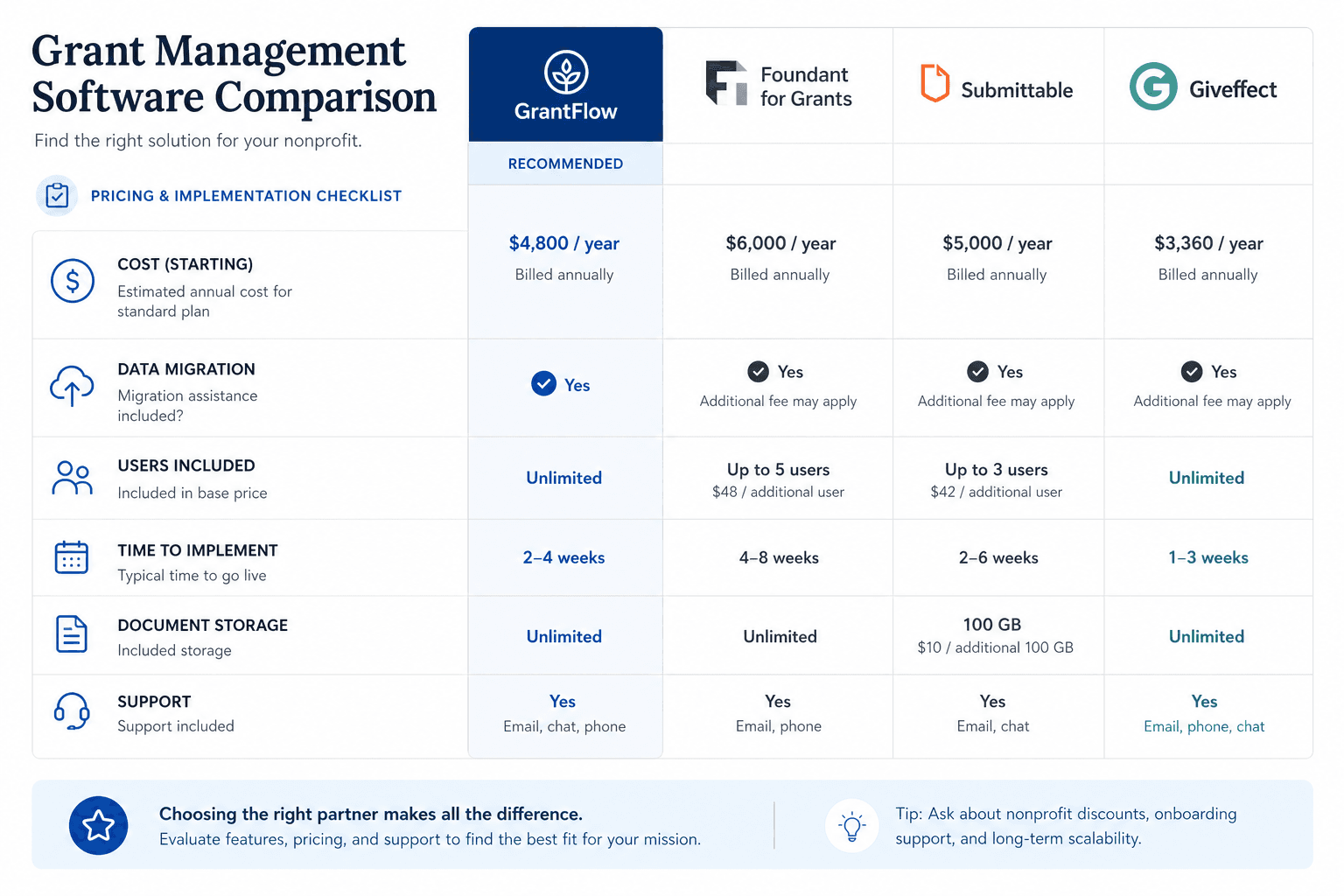
A lighter-weight replacement tier also exists; the GrantKeep comparison prices it against a full platform.
Common Mistakes
Mistake 1: Comparing Only Subscription Price
The cheapest replacement is not always cheapest after staff time, migration, and missed workflow features are included.
Mistake 2: Ignoring Migration
If you already exported GrantHub data, choose a tool that can help turn exports into usable records.
Mistake 3: Buying a Tracker Without Discovery
A tracker helps manage known grants. Discovery helps find the next ones.
What "Pricing" Means After a Product Sunset
In 2026, GrantHub pricing is mainly useful as historical context. Former users are not simply comparing a current GrantHub plan against a new plan. They are comparing the cost of rebuilding a grant workflow after a tool sunset.
The real price question is:
How much will it cost to regain reliable grant tracking, deadline visibility, funder history, document organization, proposal support, and reporting?
That cost includes software, migration, staff time, data cleanup, training, and the risk of missed deadlines during transition.
Total Cost of Replacement
Use this table when comparing options:
| Cost Area | What To Ask |
|---|---|
| Subscription | Is pricing per user, per organization, or by feature tier? |
| Onboarding | Is setup included or paid separately? |
| Migration | Can old GrantHub CSV files be imported? |
| Data cleanup | Who maps fields, statuses, and duplicates? |
| Training | How many staff need to learn the workflow? |
| Discovery | Is finding grants included or separate? |
| AI writing | Is proposal assistance included or another tool? |
| Reporting | Can leadership reports be created without manual spreadsheets? |
| Support | Is live help included during migration? |
| Exit | Can you export your data later? |
A cheap subscription can become expensive if it creates hours of monthly manual work.
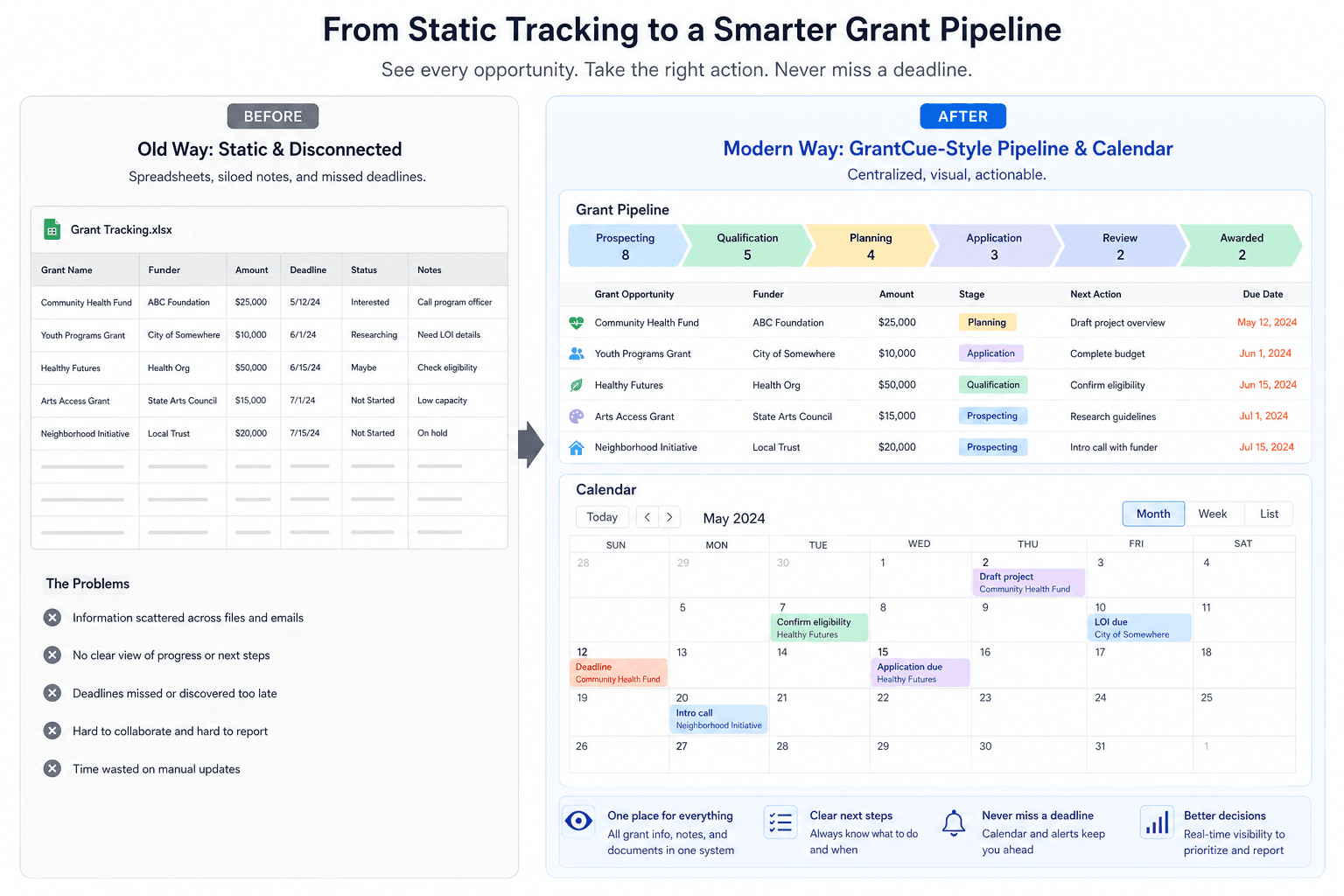
Cost of Staying in Spreadsheets
Spreadsheets look free, but they carry hidden costs:
- Manual deadline updates.
- Broken formulas.
- Duplicate funder names.
- Unclear ownership.
- Private file versions.
- Separate document folders.
- Reports built manually.
- No activity trail.
- Weak post-award tracking.
For a one-person team with a few grants, that tradeoff may be acceptable. For a nonprofit with active applications and awarded grants, the cost of one missed report or deadline can outweigh software savings.
Pricing Questions for GrantHub Alternatives
Ask vendors:
- What is included in the base plan?
- Are grant discovery features included?
- Are AI writing features included?
- Are import tools included?
- Are there user limits?
- Are there record limits?
- Does pricing change when the team grows?
- Is onboarding included?
- Is support included?
- Can we export our data at any time?
These questions prevent surprise costs after the team has already migrated.
Budgeting for Migration Time
Staff time is part of the replacement cost. Estimate:
| Task | Small Team Estimate | Larger Team Estimate |
|---|---|---|
| Gather exports and files | 2-4 hours | 6-12 hours |
| Clean fields and statuses | 3-6 hours | 10-20 hours |
| Import and review records | 2-5 hours | 8-16 hours |
| Rebuild reporting dates | 2-6 hours | 10-20 hours |
| Train staff | 1-3 hours | 4-8 hours |
The exact time depends on data quality. Messy exports cost more to fix than clean exports. The migration guide breaks these steps into order so cleanup does not stall the move.
What to Prioritize When Comparing Pricing
For former GrantHub users, the value that matters most is practical: easy migration from GrantHub CSV files, reliable deadline and report tracking, grant discovery, pipeline visibility, AI proposal support, and a place to keep documents and funder history. A free or low-friction way to start helps too.
Focus on replacement value, meaning what the team gets back and how quickly it can recover. Comparing against old GrantHub pricing is not useful, because buyers can no longer choose between the two.
ROI Framing for Nonprofit Leaders
Leadership may approve software when the case is tied to revenue protection:
- One missed deadline can cost more than a year of software.
- One missed report can damage a funder relationship.
- One reusable proposal library can save hours on every application.
- One clear pipeline report can improve cash-flow planning.
- One successful migration can preserve years of funder history.
The budget conversation should not be "software vs no software." It should be "managed grant revenue vs scattered grant work."
Pricing Evaluation Template
Create a simple comparison table before making a decision:
| Item | Tool A | Tool B | GrantCue |
|---|---|---|---|
| Annual subscription | |||
| Users included | |||
| Migration support | |||
| Grant discovery | |||
| AI proposal support | |||
| Post-award tracking | |||
| Reporting dashboards | |||
| Export capability | |||
| Training time | |||
| Estimated staff hours saved |
Do not fill this table with guesses. Use vendor documentation, demos, and migration tests. If a vendor cannot explain import, export, or reporting clearly, treat that as a cost risk.
Example Cost Narrative for Leadership
"The replacement is a subscription expense that protects the organization's grant pipeline after the GrantHub sunset. The selected system will centralize active applications, awarded grants, reporting dates, documents, funder notes, and proposal support. We expect migration to require one week of staff cleanup and review. The value is reduced deadline risk, faster proposal preparation, clearer leadership reporting, and better visibility into grant revenue."
This narrative is stronger than asking leadership to approve "software." It explains the operational risk and the benefit.
Include one-time cleanup work in the request. A low subscription price can still be expensive if staff must rebuild records, reconcile reports, or maintain separate deadline trackers after migration.
Budget Approval Checklist
Before leadership approves a replacement, confirm:
- First-year subscription cost.
- Migration or onboarding cost.
- Number of users needed.
- Whether grant discovery is included.
- Whether AI proposal tools are included.
- Whether post-award tracking is included.
- Estimated staff time for migration.
- Expected monthly time savings.
- Risks reduced by the replacement.
Then summarize the decision in one paragraph. Nonprofit leaders usually do not need a long software memo. They need to know what the organization is buying, why now, and what risk it reduces.
When a Lower-Cost Tool Is Enough
A lower-cost or temporary setup may be enough if:
- One person manages grants.
- The organization submits only a few proposals each year.
- There are few awarded grants with reports.
- Documents are already organized.
- Leadership does not need frequent pipeline reports.
- The team does not need discovery or AI writing support.
But the team should set a review trigger. For example: upgrade when there are more than 15 active opportunities, more than three staff members involved, or more than five active reports due in a year.
When Paying More Is Rational
Paying more can make sense when:
- Grant revenue is strategically important.
- The team manages many deadlines.
- Awarded grants have reporting obligations.
- Finance and program staff need visibility.
- The organization wants to improve grant discovery.
- Proposal writing time is a bottleneck.
- Leadership wants pipeline forecasting.
The return includes time saved, fewer missed opportunities, better funder follow-up, and more reliable reporting.
Example Pricing Scenarios
Small Nonprofit
A one-person development team tracks 12 opportunities and 3 awarded grants. The main needs are deadlines, notes, documents, and a simple pipeline. The team may choose a lower-cost plan if import is easy and reporting is simple.
Growing Grant Team
A nonprofit has 45 active or recurring funders, 8 awarded grants, and three staff members involved in proposals. The main needs are team ownership, reporting dates, document organization, and leadership visibility. A cheaper tracker may cost more in staff time if it cannot handle collaboration.
Grant-Heavy Organization
An organization relies on grants for a major share of revenue. It needs discovery, pipeline forecasting, AI proposal support, post-award reports, and clean funder history. For this team, the lowest price is usually less important than reducing revenue and compliance risk.
Pricing Red Flags
Be careful when:
- Import help is extra but migration is urgent.
- Report tracking requires a higher tier.
- Export is limited or unclear.
- AI features are priced separately but central to the workflow.
- User limits force shared logins.
- Onboarding requires expensive consulting.
- The vendor cannot explain total first-year cost.
The best pricing conversation is transparent about subscription, migration, support, and future growth.
FAQ
Is GrantHub pricing still relevant in 2026?
It is mostly useful as historical context. Former users should focus on replacement cost, migration support, and workflow value.
What should a GrantHub alternative include?
At minimum: import, pipeline tracking, deadlines, reminders, notes, team assignments, reports, and export options.
Should nonprofits use spreadsheets instead?
Spreadsheets can work temporarily, but they become risky when multiple people manage deadlines, documents, funder notes, and reports.
Next Step
Start with the GrantHub migration guide to map your export and cleanup work, then compare GrantHub alternatives by total first-year cost and workflow value rather than historical price. The tool that restores deadlines, reports, discovery, and proposal support fastest is usually the better financial decision.