GrantHub for Nonprofits: What It Did, What Changed, and What to Use Next
A nonprofit guide to GrantHub, what teams used it for, what changed after the sunset, and what replacement features matter most.

Last updated: July 2026
GrantHub was a grant tracking platform for nonprofits and grant-seeking teams. It helped organizations organize opportunities, deadlines, documents, and basic grant workflow. After the GrantHub and GrantHub Pro sunset, nonprofits need to replace the software and the operating habits that lived inside it.
Start with GrantHub migration if your team has exported data.
Quick Answer: What Should Former GrantHub Nonprofits Look For?
| Need | Replacement Feature |
|---|---|
| Grant records | Importable grant database |
| Deadlines | Calendar and reminders |
| Team ownership | Assignments and tasks |
| Documents | File links and version history |
| Funder notes | Activity history and comments |
| New opportunities | Grant discovery |
| Proposal work | AI writing and review tools |
| Leadership updates | Reports and dashboard |
What Nonprofits Used GrantHub For
Most nonprofits used GrantHub to:
- Track prospects.
- Store funder information.
- Monitor deadlines.
- Organize documents.
- Assign tasks.
- Track submissions.
- Manage awarded grants.
- Prepare reports.
Those jobs still exist. The replacement tool should make them easier instead of recreating the old tracker.

Why a Modern Replacement Should Go Further
A grant team now needs more than a list of opportunities. It needs:
- Live grant discovery.
- Saved searches.
- Deadline reminders.
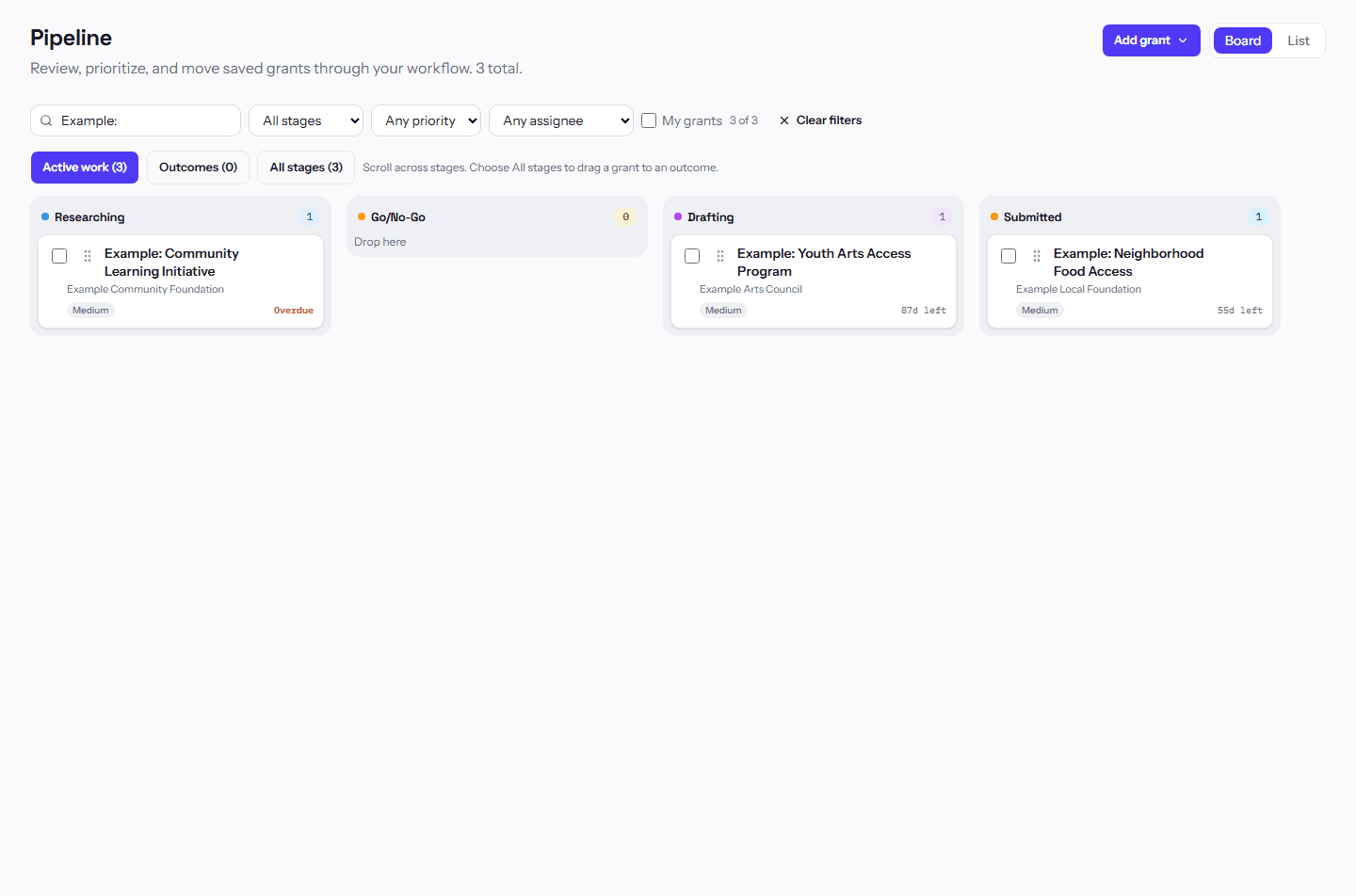
- Pipeline boards.
- Notes and comments.
- Budget and post-award tracking.
- Proposal drafting support.
- NOFO summaries.
- Leadership reports.
That is why a broader grant management software for nonprofits page is an important next read.
Replacement Checklist

Ask every vendor:
- Can we import GrantHub exports?
- Can we preserve notes and statuses?
- Can we assign owners to grants?
- Can we sync or subscribe to grant deadlines?
- Can we track reports after award?
- Can we search for new grants?
- Can we export data if we leave later?
- Can non-writers contribute without breaking the workflow?
Common Mistakes
Mistake 1: Moving Back to a Spreadsheet Permanently
Spreadsheets may help during transition, but they are risky as a permanent system for deadlines, documents, and team ownership.
Mistake 2: Importing Without Cleanup
Clean active records before import. Old clutter makes the new system harder to trust.
Mistake 3: Ignoring Reports
Awarded grants often need reports after the application is finished. Make post-award work part of the migration.
Why Nonprofit Grantseekers Need a Different Tool Than Grantmakers
Nonprofits looking for a GrantHub replacement are usually grantseekers. They need to find funding, track opportunities, write proposals, manage deadlines, store documents, and report back to funders. Grantmaker systems are built for the other side of the table: application intake, review, scoring, award decisions, and grantee reporting.
The difference matters. A nonprofit does not need a tool designed mainly to collect applications from other organizations. It needs a tool that helps its own team pursue and manage funding.
Nonprofit Workflow Requirements
Former GrantHub nonprofits should document their workflow before choosing software:
| Workflow | Questions to Answer |
|---|---|
| Discovery | How do we find new grants and decide fit? |
| Qualification | Who approves whether we apply? |
| Proposal | Who drafts, reviews, and submits? |
| Budget | How does finance review requests? |
| Documents | Where do guidelines, proposals, and awards live? |
| Award | Who records restrictions and report dates? |
| Reporting | How do program and finance share results? |
| Leadership | What dashboard does the executive team need? |
This helps the team choose a replacement based on real work instead of feature demos.
Roles in a Nonprofit Grant System
Even small nonprofits have multiple grant roles:
- Executive director: approves priorities and major submissions.
- Grant writer: drafts applications and manages deadlines.
- Program lead: defines activities, outcomes, and implementation capacity.
- Finance lead: builds budgets and tracks spending.
- Development lead: manages funder relationships.
- Administrative support: gathers attachments and records.
A replacement tool should make these roles visible. If only one person understands the grant pipeline, the organization is vulnerable when that person is unavailable.
GrantCue Use Case for Nonprofits
GrantCue works as a practical replacement for teams that want:
- A central grant pipeline.
- Deadline reminders.
- Grant discovery.
- Import from GrantHub or spreadsheets.
- AI-assisted proposal drafting and review.
- Funder notes.
- Document organization.
- Leadership visibility.
- Post-award tracking.
This is especially relevant for nonprofits that do not have a large grants department. The tool should reduce coordination work, not create another administrative burden.
Nonprofit Migration Checklist
Use this alongside the full migration walkthrough so nothing gets lost between the export and the new system.
Before moving:
- Identify every active application.
- Identify every awarded grant with reports due.
- Gather export files and spreadsheets.
- Gather proposal and award documents.
- Decide which old records to archive.
- Assign one migration owner.
- Schedule a finance review of awarded grants.
- Train users on the new pipeline stages.
After moving:
- Review all deadline dates.
- Confirm owners.
- Attach critical documents.
- Create a leadership report.
- Schedule a 30-day cleanup review.
What Not To Migrate
Do not migrate clutter just because it existed in GrantHub. Leave behind:
- Duplicate funder records.
- Dead prospects with no strategic value.
- Old tasks that no longer matter.
- Notes that no one can interpret.
- Custom statuses that confuse the new workflow.
- Files with unclear final versions.
Migration is a chance to make the grant system cleaner.
Leadership Reporting After GrantHub
Nonprofit leaders usually need a simple view:
- Amount requested.
- Amount awarded.
- Amount pending.
- Applications due soon.
- Reports due soon.
- Grants by program area.
- Grants by owner.
- Renewal opportunities.
If the replacement cannot produce this view, staff may return to manual spreadsheet reports.
Example Nonprofit Replacement Workflow
Here is a practical weekly workflow:
Monday: the grant owner reviews upcoming application deadlines and report dates.
Tuesday: program staff update project details, outcomes, and implementation notes.
Wednesday: finance reviews budgets, award spending, or match requirements.
Thursday: the grant writer drafts or revises proposal sections.
Friday: leadership reviews decisions, blocked applications, and upcoming submissions.
This workflow does not require a large grants department. It requires one shared system where each role can see what matters.
Nonprofit Data Standards
Set standards before import:
- Use one official funder name.
- Use one project name across narrative, budget, and tracker.
- Use date fields, not text notes, for deadlines.
- Mark archived records clearly.
- Keep final submitted files separate from drafts.
- Record report dates as deadlines.
- Assign one owner to every active grant.
- Use notes for decisions, not random reminders.
Standards make reports more reliable and reduce cleanup later.
Training Plan for Nonprofit Staff
Train by role:
| Role | Training Focus |
|---|---|
| Grant writer | Pipeline, drafts, tasks, funder notes |
| Program staff | Project details, outcomes, documents |
| Finance | Budgets, awards, reporting dates, restrictions |
| Leadership | Dashboard, approvals, forecasts |
| Admin support | Attachments, deadlines, record cleanup |
Do not train everyone on everything at once. People adopt software faster when they understand their part of the workflow.
Adoption Risks
Watch for these signs that the replacement is not fully adopted:
- Staff still maintain separate trackers.
- Deadlines are updated in calendars but not the grant system.
- Award letters stay in email.
- Finance does not trust award amounts in the tracker.
- Leadership asks for manual pipeline reports.
- No one archives old opportunities.
If these happen, the issue may be process design rather than software.
Confirming the Replacement Is Live
Before you treat the new system as the source of truth, confirm:
- Grant writers can see active applications.
- Program staff can find outcome commitments.
- Finance can see awarded amounts and report dates.
- Leadership can see pipeline totals.
- Documents are attached or linked.
- Old spreadsheets are no longer the primary source of truth.
This checklist turns adoption into observable behavior.
Why This Matters for Grant Revenue
Grant revenue depends on repeated execution. Nonprofits need to identify good opportunities, submit complete applications, steward awards, report on time, and preserve funder relationships. A replacement for GrantHub should support that cycle. It should not simply recreate a list of old records.
Example Nonprofit Grant Record
A useful record for a nonprofit should include:
| Field | Example |
|---|---|
| Funder | Community Health Foundation |
| Opportunity | Access to Care Fund |
| Program Area | Health navigation |
| Stage | Internal Review |
| Grant Owner | Development Manager |
| Program Owner | Health Program Director |
| Finance Owner | CFO |
| Request Amount | $100,000 |
| Deadline | September 20, 2026 |
| Decision Date | December 2026 estimate |
| Report Dates | To be added if awarded |
| Documents | NOFO, draft narrative, budget, board list |
| Notes | Program officer encouraged rural access focus |
This is the level of detail nonprofits need to coordinate across roles.
Program and Finance Handoff
A GrantHub replacement should improve the handoff between writing and managing a grant. When a grant is submitted, program and finance should already know what was promised. When a grant is awarded, the proposal should become the implementation plan.
Handoff packet:
- Final proposal.
- Final budget.
- Budget narrative.
- Award letter.
- Reporting requirements.
- Outcome commitments.
- Approved staffing assumptions.
- Funder contact.
Without this handoff, the grant writer may win funds that program and finance teams struggle to manage.
Nonprofit-Specific Buying Advice
Choose a replacement that matches the nonprofit's actual capacity. A small organization may need simple adoption more than advanced customization. A larger organization may need permissions, workflows, and reporting. A grant-heavy organization may need discovery and AI support because writing volume is high.
The right tool should help the team become more consistent, not more dependent on one expert user.
Questions for Nonprofit Teams Before Migrating
Ask internally:
- Who owns grant strategy?
- Who owns the grant calendar?
- Who owns proposal drafts?
- Who owns budgets?
- Who owns reporting?
- Who updates funder notes?
- Who prepares leadership reports?
- Who archives final documents?
If the team cannot answer these questions, software alone will not fix the workflow. Clarify ownership first, then configure the tool around that ownership.
Nonprofit Replacement Scorecard
Score each potential replacement from 1 to 5:
| Area | Score |
|---|---|
| Easy for grant writer to use | |
| Easy for finance to verify awards | |
| Easy for program staff to update outcomes | |
| Clear leadership dashboard | |
| Good migration path | |
| Strong deadline and report tracking | |
| Useful proposal support | |
| Data export available |
The highest score is not always the biggest product. It is the one the nonprofit can adopt and maintain.
FAQ
Was GrantHub only for nonprofits?
GrantHub served grant-seeking organizations, including nonprofits and consultants. Grantmaker systems are a different software category.
What is the best GrantHub replacement?
The best replacement depends on whether your team needs only tracking or a broader workflow with discovery, deadlines, writing, and reporting.
Next Step
If your nonprofit has already exported its data, work through the GrantHub migration guide first, then compare replacement tools by workflow rather than price alone. Name one backup owner for the transition so the move does not stall if your main migration lead is out.